소개
If your DJI Spark (model CP.PT.000903) is moving erratically and you believe that the internal GPS is broken, use this guide to gain access to the GPS and replace it. The internal GPS informs the drone of its location and allows it to move by interpreting input from the controller as directions. If the internal GPS of your DJI Spark is faulty or broken, the drone may jump around or fail to respond to input from either the manual controller or virtual controller.
필요한 것
-
-
-
-
Flip the drone over.
-
Grip the left and right sides of the battery.
-
Slide firmly forward until it pops out.
-
-
-
-
-
-
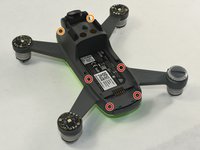
Flip the drone over.
-
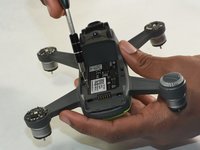
Remove the four 1.5mm Hex screws.
-
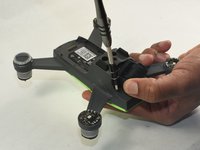
Remove the two 1.5mm Hex screws near the camera head.
-
-
-
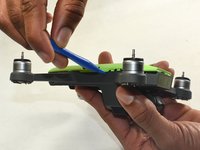
Hold the drone so the lid is facing up.
-
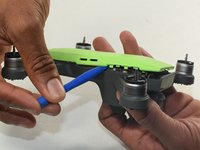
Insert the plastic opening tool into the side of the drone.
-
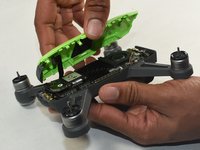
Slide the tool around the perimeter until you can lift the top off.
-
-
-
-
-
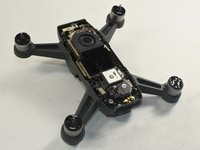
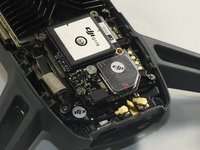
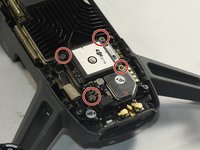
Identify the GPS module on the motherboard.
-
The GPS module will be labeled as ‘DJI G116’.
-
-
-
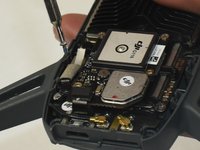
Remove the four 6.0 mm Phillips #000 screws holding the GPS module to the motherboard.
-
-
-
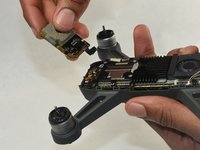
Pick up the GPS module.
-
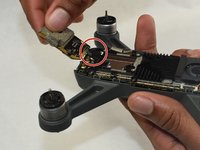
Carefully disconnect the GPS module ribbon cable from the motherboard.
-
Remove the GPS module.
-
-

 FixBot에 문의하기










To reassemble your device, follow these instructions in reverse order.
다른 3명이 해당 안내서를 완성하였습니다.

팀

UMass Dartmouth, Team S1-G7, Botvin Fall 2019 UMass Dartmouth, Team S1-G7, Botvin Fall 2019 회원
UMASSD-BOTVIN-F19S1G7
3 회원들
안내서 7개를 작성함
5가이드 댓글
How About Spark's Wifi can't find?
GPS module ribbon cable is broken where can i buy?
manzoorsp67 - 답글 공유
please if some one have it send it to me
i will pay u
manzoorsp67 - 답글 공유
hey, i have a site where you can buy it from.
here, sorry i am 2 years late lol.. https://www.aliexpress.us/item/325680159...
