주요 콘텐츠로 건너뛰기
수리 커뮤니티 가입 - 계정 만들기

Dell Vostro V13 Sound Card Replacement

필요한 것

  1. Dell Vostro V13 Sound Card Replacement, Back Cover: 1 단계, 이미지 3개 중 1개 Dell Vostro V13 Sound Card Replacement, Back Cover: 1 단계, 이미지 3개 중 2개 Dell Vostro V13 Sound Card Replacement, Back Cover: 1 단계, 이미지 3개 중 3개
    • Back up the memory to an external drive and power off the laptop before starting.

    • Flip the laptop over so the vents are facing you.

    • Remove the six 5.0 mm Phillips #1 screws using the magnetic driver.

    • Remove the two 5.0 mm Phillips #1 screws on the back side of the laptop.

  2. Dell Vostro V13 Sound Card Replacement: 2 단계, 이미지 3개 중 1개 Dell Vostro V13 Sound Card Replacement: 2 단계, 이미지 3개 중 2개 Dell Vostro V13 Sound Card Replacement: 2 단계, 이미지 3개 중 3개
    • Slide out the SD and MicroSD holders.

    • If you are having trouble sliding them out, use the plastic opening tool.

  3. Dell Vostro V13 Sound Card Replacement: 3 단계, 이미지 3개 중 1개 Dell Vostro V13 Sound Card Replacement: 3 단계, 이미지 3개 중 2개 Dell Vostro V13 Sound Card Replacement: 3 단계, 이미지 3개 중 3개
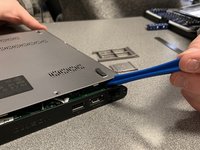
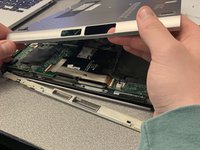
    • Slide the plastic opening tool around the perimeter of the laptop until the cover pops off.

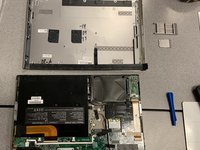
    • Pull the back cover off.

  4. Dell Vostro V13 Sound Card Replacement: 4 단계, 이미지 2개 중 1개 Dell Vostro V13 Sound Card Replacement: 4 단계, 이미지 2개 중 2개
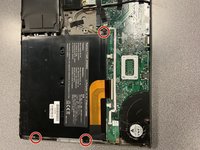
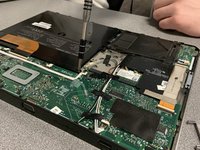
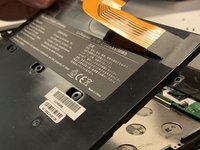
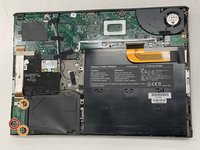
    • Remove the three black 3.9 mm Phillips #1 screws holding the battery in place.

  5. Dell Vostro V13 Sound Card Replacement: 5 단계, 이미지 3개 중 1개 Dell Vostro V13 Sound Card Replacement: 5 단계, 이미지 3개 중 2개 Dell Vostro V13 Sound Card Replacement: 5 단계, 이미지 3개 중 3개
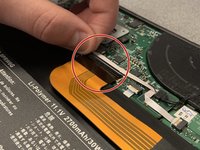
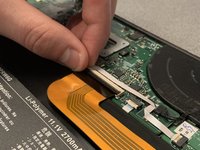
    • Flip up the clip of the ribbon connector.

    • Pull the strip out to disconnect the battery.

  6. Dell Vostro V13 Sound Card Replacement: 6 단계, 이미지 2개 중 1개 Dell Vostro V13 Sound Card Replacement: 6 단계, 이미지 2개 중 2개
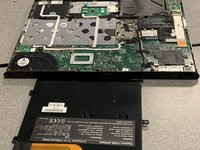
    • Remove the battery.

    • Removing the battery allows you to work safely.

  7. Dell Vostro V13 Sound Card Replacement, Sound Card: 7 단계, 이미지 2개 중 1개 Dell Vostro V13 Sound Card Replacement, Sound Card: 7 단계, 이미지 2개 중 2개
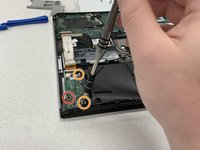
    • Remove the black 3.0 mm Phillips #1 screw.

    • Remove the two 5.1 mm silver Phillips #1 screws.

  8. Dell Vostro V13 Sound Card Replacement: 8 단계, 이미지 2개 중 1개 Dell Vostro V13 Sound Card Replacement: 8 단계, 이미지 2개 중 2개
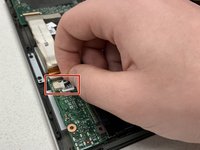
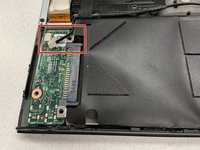
    • Disconnect the white plug on the top left corner of the sound card.

  9. Dell Vostro V13 Sound Card Replacement: 9 단계, 이미지 2개 중 1개 Dell Vostro V13 Sound Card Replacement: 9 단계, 이미지 2개 중 2개
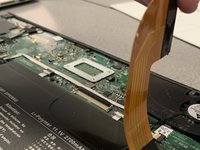
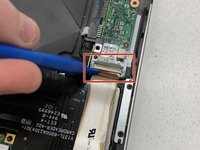
    • Use the plastic opening tool to flip the ribbon connector up.

  10. Dell Vostro V13 Sound Card Replacement: 10 단계, 이미지 2개 중 1개 Dell Vostro V13 Sound Card Replacement: 10 단계, 이미지 2개 중 2개
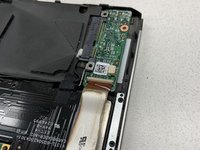
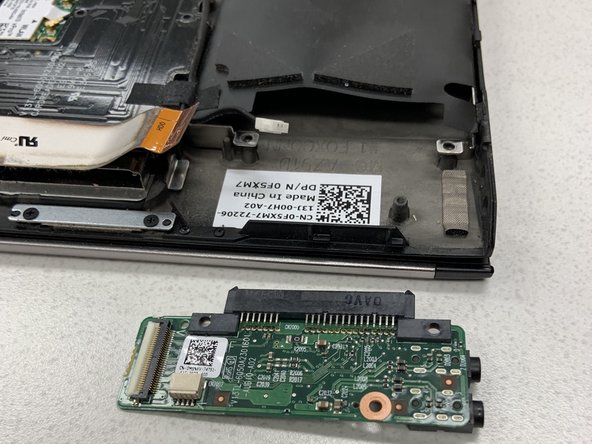
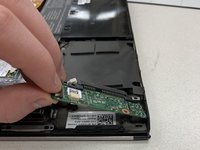
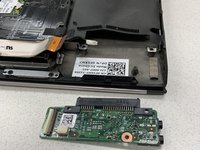
    • Pull the sound card out of the laptop.

결론

To reassemble your device, follow these instructions in reverse order.

작성자

3다른 기여자 명과 함께

Patrick Swaney

회원 가입일: 01/16/19

363 평판

안내서 3개를 작성함

0가이드 댓글

댓글 쓰기

조회 통계:

지난 24시간: 1

지난 7일: 16

지난 30일: 69

전체 시간: 936