주요 콘텐츠로 건너뛰기

Disassembling Motorola i850 Keypad

필요한 것

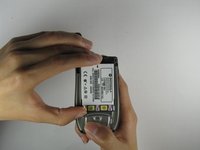
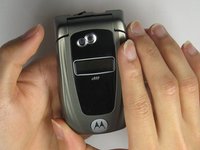
  1. Disassembling Motorola i850 Keypad, Disassembling Motorola i850 Back Cover: 1 단계, 이미지 1개 중 1개
    • Use your thumb to slide the back cover locker away from the antenna.

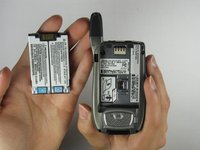
  2. Disassembling Motorola i850 Keypad: 2 단계, 이미지 2개 중 1개 Disassembling Motorola i850 Keypad: 2 단계, 이미지 2개 중 2개
    • Slide the back cover towards the antenna while lifting the cover away from the phone.

  3. Disassembling Motorola i850 Keypad, Battery: 3 단계, 이미지 1개 중 1개
    • Place your thumb on the indicated corner while stabilizing the phone and the upper portion of the battery with your forefinger.

  4. Disassembling Motorola i850 Keypad: 4 단계, 이미지 2개 중 1개 Disassembling Motorola i850 Keypad: 4 단계, 이미지 2개 중 2개
    • Lift the battery out of the phone while pushing it towards the antenna.

  5. Disassembling Motorola i850 Keypad, Keypad: 5 단계, 이미지 1개 중 1개
    • Once battery is removed, untighten the screws located near the edges of the device with a Phillips #00 Screwdriver.

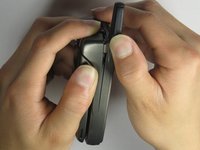
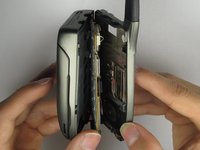
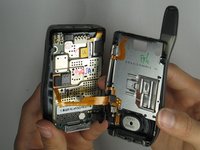
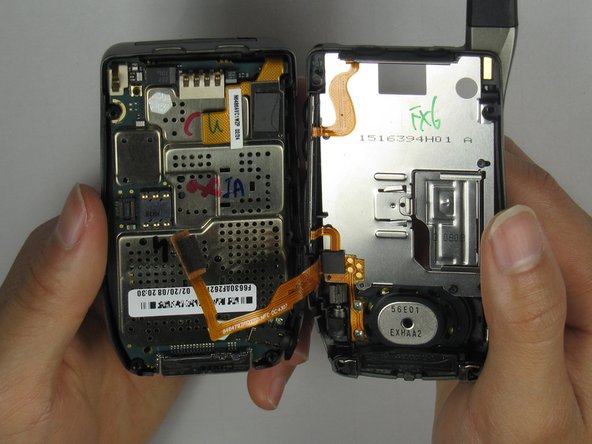
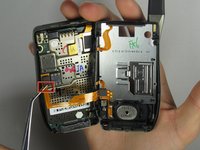
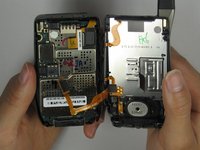
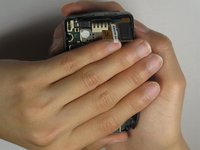
  6. Disassembling Motorola i850 Keypad: 6 단계, 이미지 3개 중 1개 Disassembling Motorola i850 Keypad: 6 단계, 이미지 3개 중 2개 Disassembling Motorola i850 Keypad: 6 단계, 이미지 3개 중 3개
    • Grip the device firmly with both hands and carefully open the device.

    • Warning: Be incredibly careful removing the back panel as you may tear the flex cable connecting the loudspeaker and side buttons.

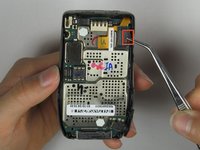
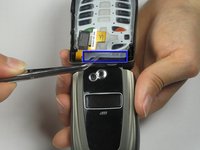
  7. Disassembling Motorola i850 Keypad: 7 단계, 이미지 2개 중 1개 Disassembling Motorola i850 Keypad: 7 단계, 이미지 2개 중 2개
    • Carefully remove the hardware by gripping the side of the hardware attachment with a tweezer.

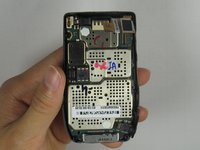
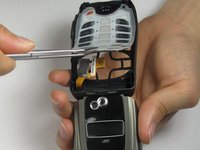
  8. Disassembling Motorola i850 Keypad: 8 단계, 이미지 2개 중 1개 Disassembling Motorola i850 Keypad: 8 단계, 이미지 2개 중 2개
    • Carefully grip the side of the hardware attachment with a tweezer and detach from device.

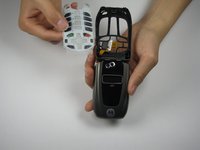
  9. Disassembling Motorola i850 Keypad: 9 단계, 이미지 3개 중 1개 Disassembling Motorola i850 Keypad: 9 단계, 이미지 3개 중 2개 Disassembling Motorola i850 Keypad: 9 단계, 이미지 3개 중 3개
    • Place the back of the device on your hand and flip it over with the other hand.

    • Carefully lift the device to remove interior hardware.

    • The structure of the keypad should easily be loose from flipping the device.

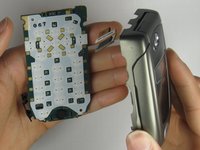
  10. Disassembling Motorola i850 Keypad: 10 단계, 이미지 3개 중 1개 Disassembling Motorola i850 Keypad: 10 단계, 이미지 3개 중 2개 Disassembling Motorola i850 Keypad: 10 단계, 이미지 3개 중 3개
    • Carefully remove the keypad by griping on the side of the plastic with a tweezer.

    • WARNING: The plastic keypad is sensitive and can be easily damaged.

결론

To reassemble your device, follow these instructions in reverse order.

작성자

4다른 기여자 명과 함께

Tony Chen

회원 가입일: 04/08/10

1 평판

안내서 1개를 작성함

Cal Poly, Team 34-56, Forte Spring 2010 Cal Poly, Team 34-56, Forte Spring 2010 회원

CPSU-FORTE-S10S34G56

4 회원들

안내서 10개를 작성함

0가이드 댓글

댓글 쓰기

조회 통계:

지난 24시간: 0

지난 7일: 0

지난 30일: 1

전체 시간: 1,742