주요 콘텐츠로 건너뛰기
수리 커뮤니티 가입 - 계정 만들기

Disassembling Nokia 3560 LCD Display

필요한 것

  1. Disassembling Nokia 3560 LCD Display, Back Cover: 1 단계, 이미지 2개 중 1개 Disassembling Nokia 3560 LCD Display, Back Cover: 1 단계, 이미지 2개 중 2개
    • Press down on the release latch on the bottom of the cover.

    • Once the latch is released, lift the cover from the phone.

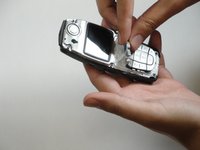
  2. Disassembling Nokia 3560 LCD Display, Disassembling Nokia 3560 Keypad: 2 단계, 이미지 1개 중 1개
    • Lift the front case off of the phone body.

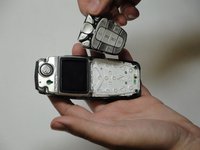
  3. Disassembling Nokia 3560 LCD Display: 3 단계, 이미지 2개 중 1개 Disassembling Nokia 3560 LCD Display: 3 단계, 이미지 2개 중 2개
    • Lift the keypad off of the phone.

  4. Disassembling Nokia 3560 LCD Display, Disassembling Nokia 3560 LCD Display: 4 단계, 이미지 1개 중 1개
    • The screen is held to the body by six screws.

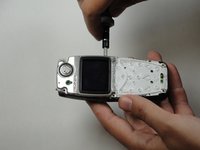
  5. Disassembling Nokia 3560 LCD Display: 5 단계, 이미지 1개 중 1개
    • Unscrew the six screws with a Torx screwdriver (six-pointed star shaped bit).

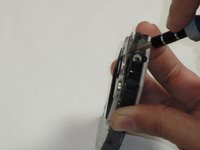
  6. Disassembling Nokia 3560 LCD Display: 6 단계, 이미지 2개 중 1개 Disassembling Nokia 3560 LCD Display: 6 단계, 이미지 2개 중 2개
    • Insert a flat screwdriver between the black body and plastic layer.

  7. Disassembling Nokia 3560 LCD Display: 7 단계, 이미지 1개 중 1개
    • Pry the layers apart. The LCD and plastic layer will lift out as one piece.

결론

To reassemble your device, follow these instructions in reverse order.

작성자

5다른 기여자 명과 함께

Sam Ryan

회원 가입일: 04/18/10

37 평판

안내서 8개를 작성함

Cal Poly, Team 30-39, Garner Spring 2010 Cal Poly, Team 30-39, Garner Spring 2010 회원

CPSU-GARNER-S10S30G39

5 회원들

안내서 16개를 작성함

0가이드 댓글

댓글 쓰기

조회 통계:

지난 24시간: 1

지난 7일: 18

지난 30일: 59

전체 시간: 2,304