주요 콘텐츠로 건너뛰기
수리 커뮤니티 가입 - 계정 만들기

Disassembling SanDisk Sansa Fuze

필요한 것

  1. Disassembling SanDisk Sansa Fuze, Sansa Fuze MP3 Player: 1 단계, 이미지 1개 중 1개
    • Pry open and pop the clips. Note that the bottom two clips are held in with a little bit of rubbery glue. Don’t rip the face off too quick since there is a ribbon cable you need to disconnect.

  2. Disassembling SanDisk Sansa Fuze: 2 단계, 이미지 1개 중 1개
    • Remove ribbon cable connect to the face plate. Lift the face off and flip the brown ribbon release flap on the connection on the board. (The flap in this picture is black, opposite the cable. Lift the edge that is closest to you in the picture in order to release the cable.)

  3. Disassembling SanDisk Sansa Fuze: 3 단계, 이미지 1개 중 1개
    • Remove two (in some versions there are 3) screws holding the board down

  4. Disassembling SanDisk Sansa Fuze: 4 단계, 이미지 2개 중 1개 Disassembling SanDisk Sansa Fuze: 4 단계, 이미지 2개 중 2개
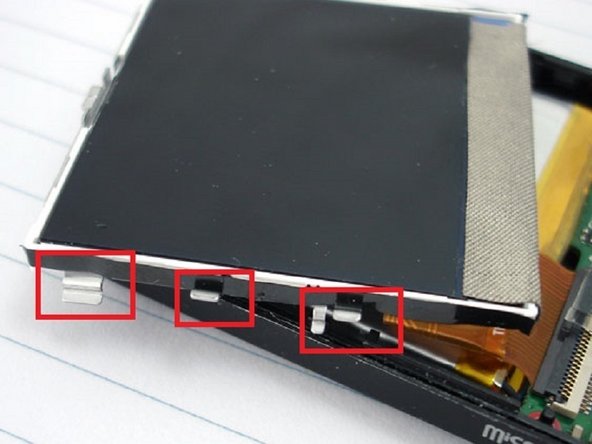
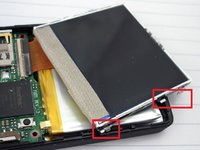
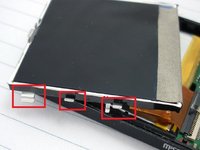
    • Remove LCD by releasing the 4 clips on each side of the LCD, be carefully to not damage the LCD

  5. Disassembling SanDisk Sansa Fuze: 5 단계, 이미지 1개 중 1개
    • Carefully flip the LCD over and disconnect the LCD cable from the board

  6. Disassembling SanDisk Sansa Fuze: 6 단계, 이미지 1개 중 1개
    • Remove battery. The battery is taped down with a little double sided tape.

    • If you are replacing the battery just apply a soldering iron to the battery connections on the board and gently pull them off.

    • Attach the new battery by reheating the old solder and connecting the new battery wires.

  7. Disassembling SanDisk Sansa Fuze: 7 단계, 이미지 1개 중 1개
    • Remove the board by lifting on the left side first as to work around the on off switch.

결론

To reassemble your device, follow these instructions in reverse order.

다른 9명이 해당 안내서를 완성하였습니다.

작성자

3다른 기여자 명과 함께

James

회원 가입일: 03/17/13

523 평판

안내서 1개를 작성함

Everything iPod Everything iPod 회원

Community

63 회원들

안내서 3개를 작성함

6가이드 댓글

Hi,

I've lost the brown ribbon release flap. So my ribbon cable has no connection most of the time. Is there any chance to replace this with something else? Or get a new connector?

Thanks,

Simon

moony - 답글

Sep 7 is backwards - device power button is on the right side, release motherboard on that side first. Otherwise thank you for the guide!

Killen Prophet - 답글

Hi; I can't reconnect the ribbon cable in step 2, please help anyone. I tried regular tweezers, they are too big and the cable is too short.

Pat - 답글

Thanks so much for this post! It was a big help in getting my screen fixed and everything re-connected! Love my sansa fuze!

Penney H - 답글

Fixed my First Sandisk Fuse! I have had probably 10 over the last 15 years and finally got to repair one! Great Advice!

J.J. - 답글

댓글 쓰기

조회 통계:

지난 24시간: 3

지난 7일: 41

지난 30일: 206

전체 시간: 22,010