주요 콘텐츠로 건너뛰기

Ematic FunTab 3 Camera Replacement

필요한 것

  1. Ematic FunTab 3 Camera Replacement, Back Panel: 1 단계, 이미지 3개 중 1개 Ematic FunTab 3 Camera Replacement, Back Panel: 1 단계, 이미지 3개 중 2개 Ematic FunTab 3 Camera Replacement, Back Panel: 1 단계, 이미지 3개 중 3개
    • Turn off the device before starting

    • To prevent damage, open the device on the side without the buttons.

    • Insert the hooked end of the plastic opening tool in the gap between the screen and the back panel on the edge of the device.

    • Slide the plastic opening tool down the long side of the device.

    • Insert tool again and slide it down the long slide of the case a second time.

  2. Ematic FunTab 3 Camera Replacement: 2 단계, 이미지 1개 중 1개
    • Pull the back panel away from the screen.

  3. Ematic FunTab 3 Camera Replacement, Camera: 3 단계, 이미지 2개 중 1개 Ematic FunTab 3 Camera Replacement, Camera: 3 단계, 이미지 2개 중 2개
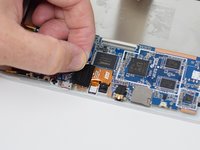
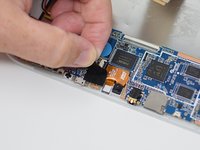
    • Remove the black tape to reveal the wire ribbon connector.

  4. Ematic FunTab 3 Camera Replacement: 4 단계, 이미지 1개 중 1개
    • Use the plastic opening tool to flip up the black retaining tab.

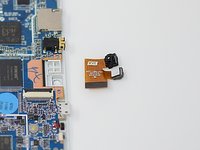
  5. Ematic FunTab 3 Camera Replacement: 5 단계, 이미지 2개 중 1개 Ematic FunTab 3 Camera Replacement: 5 단계, 이미지 2개 중 2개
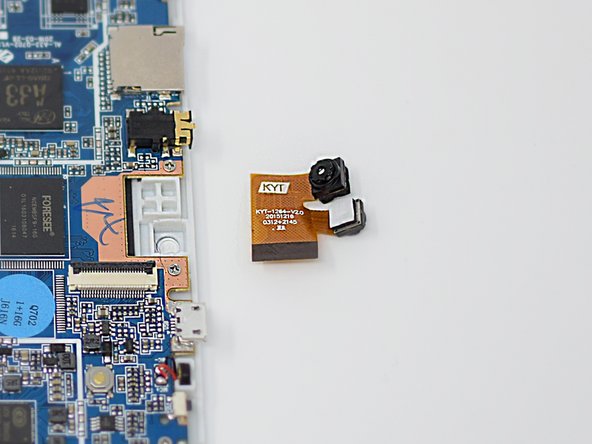
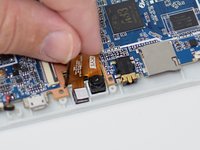
    • Pull out the wire ribbon connected to the camera.

    • The camera is held in place by glue, so extra force may be required.

    • Remove the camera from the device.

    • Close the black ribbon retaining tabs once ribbons are inserted during reassembly.

결론

To reassemble your device, follow these instructions in reverse order.

작성자

3다른 기여자 명과 함께

Amanda Davis

회원 가입일: 07/11/18

581 평판

안내서 5개를 작성함

UW Tacoma, Team S1-G5, Cardinal Summer 2018 UW Tacoma, Team S1-G5, Cardinal Summer 2018 회원

UWT-CARDINAL-SU18S1G5

4 회원들

안내서 12개를 작성함

0가이드 댓글

댓글 쓰기

조회 통계:

지난 24시간: 0

지난 7일: 3

지난 30일: 10

전체 시간: 232