소개
Epson EX90 is a portable projector that uses a 170W UHE E-TORL lamp. The average lamp life is around 3,000 hours.
If the lamp indicator flashes red or the projected image is darker, it is recommended to replace the lamp. This guide will explain how to replace the lamp on the Epson EX90. It is recommended to replace the bulb as soon as possible due to the reason below,
WARNING While rare, a bulb could explode for the following:
- the bulb reached the end of its lifespan
- bulb overheated
- Improper installation
If this happens, please turn off and then unplug the projector. Thoroughly remove glass shards and vacuum around and in the projector before replacing lamp.
-
-
-
Loosen the screw holding the lamp cover on top of the projector.
-
Slide the cover out of the projector.
-
-
-
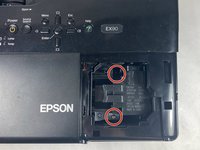
Loosen the two captive screws holding the lamp in place.
-
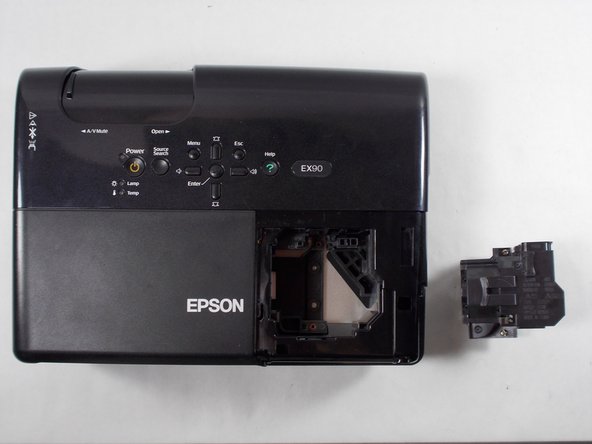
Use your hands to pull the lamp straight up and out of the projector.
-

 FixBot에 문의하기


To reassemble your device, follow these instructions in reverse order.

팀

UMass Dartmouth, Team 2-3, Mellen Spring 2022 UMass Dartmouth, Team 2-3, Mellen Spring 2022 회원
UMASSD-MELLEN-S22S2G3
4 회원들
안내서 6개를 작성함
