주요 콘텐츠로 건너뛰기

Epson PowerLite 83+ Lamp Replacement

필요한 것

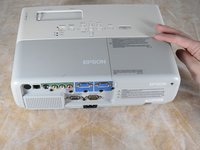
  1. Epson PowerLite 83+ Lamp Replacement, Lamp: 1 단계, 이미지 1개 중 1개
    • Turn off and unplug the projector.

    • Allow the projector to cool for an hour before performing maintenance on it.

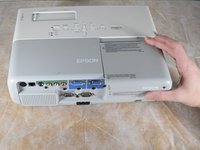
  2. Epson PowerLite 83+ Lamp Replacement: 2 단계, 이미지 2개 중 1개 Epson PowerLite 83+ Lamp Replacement: 2 단계, 이미지 2개 중 2개
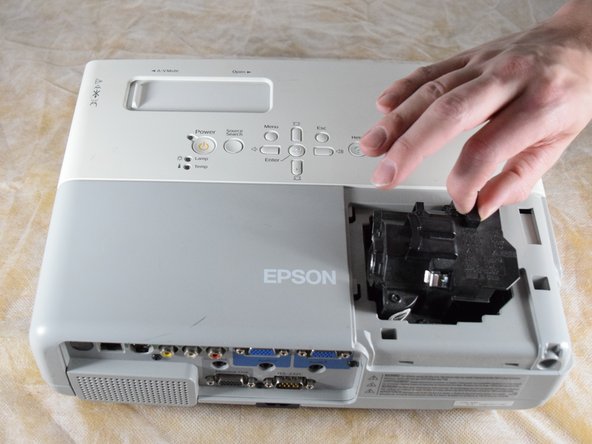
    • Remove the 6 mm Phillips #2 screw securing the lamp cover.

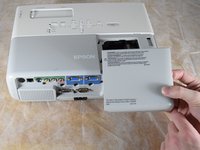
  3. Epson PowerLite 83+ Lamp Replacement: 3 단계, 이미지 3개 중 1개 Epson PowerLite 83+ Lamp Replacement: 3 단계, 이미지 3개 중 2개 Epson PowerLite 83+ Lamp Replacement: 3 단계, 이미지 3개 중 3개
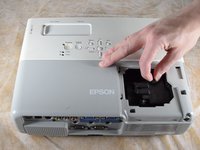
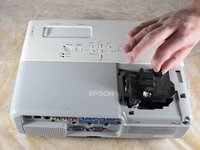
    • Apply gentle pressure to the end of the lamp cover.

    • Pull the lamp cover towards the end of the projector.

    • When the cover is released, pull the cover straight up off of the projector to reveal the lamp.

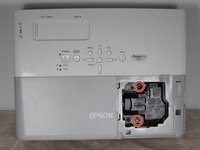
  4. Epson PowerLite 83+ Lamp Replacement: 4 단계, 이미지 2개 중 1개 Epson PowerLite 83+ Lamp Replacement: 4 단계, 이미지 2개 중 2개
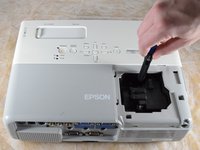
    • Loosen the two captive Phillips #2 screws securing the lamp.

    • Captive screws cannot be removed. They are secured to the lamp itself with retaining rings and will be removed along with the lamp.

  5. Epson PowerLite 83+ Lamp Replacement: 5 단계, 이미지 3개 중 1개 Epson PowerLite 83+ Lamp Replacement: 5 단계, 이미지 3개 중 2개 Epson PowerLite 83+ Lamp Replacement: 5 단계, 이미지 3개 중 3개
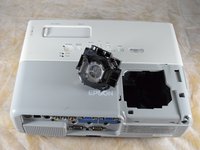
    • Gently grip the lamp by the finger hold.

    • Remove the lamp by pulling it off the guide rail, straight out of the projector.

결론

To reassemble your device, follow these instructions in reverse order.

다른 2명이 해당 안내서를 완성하였습니다.

작성자

3다른 기여자 명과 함께

Billy Fox

회원 가입일: 02/22/22

467 평판

안내서 3개를 작성함

Clemson, Team 2-4, Hunter Spring 2022 Clemson, Team 2-4, Hunter Spring 2022 회원

CLEM-HUNTER-S22S2G4

4 회원들

안내서 6개를 작성함

0가이드 댓글

댓글 쓰기

조회 통계:

지난 24시간: 0

지난 7일: 5

지난 30일: 16

전체 시간: 805