주요 콘텐츠로 건너뛰기

Fitbit Charge 2 Touch Screen Assembly Replacement

필요한 것

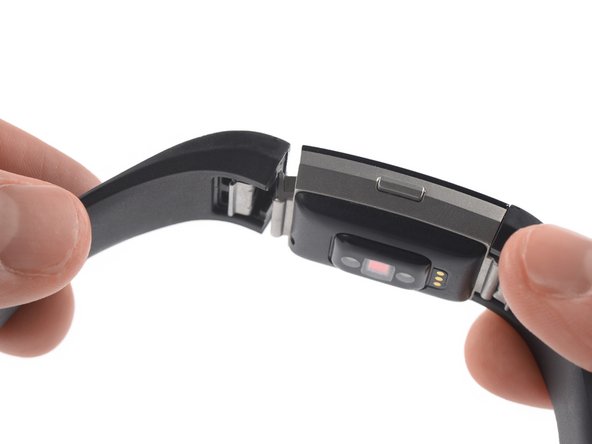
  1. Fitbit Charge 2 Touch Screen Assembly Replacement, Remove the watch band: 1 단계, 이미지 1개 중 1개
    • Before starting, take your Fitbit Charge 2 off the charger and power it down.

    • Remove the watch band on both sides.

  2. Fitbit Charge 2 Touch Screen Assembly Replacement, Heat the touch screen: 2 단계, 이미지 1개 중 1개
    • Heat an iOpener and apply it to the touch screen for two minutes.

    • The screen is not glued down, but the heat helps to loosen the touch screen assembly from your watch.

  3. Fitbit Charge 2 Touch Screen Assembly Replacement, Slide along the left edge: 3 단계, 이미지 3개 중 1개 Fitbit Charge 2 Touch Screen Assembly Replacement, Slide along the left edge: 3 단계, 이미지 3개 중 2개 Fitbit Charge 2 Touch Screen Assembly Replacement, Slide along the left edge: 3 단계, 이미지 3개 중 3개
    이 단계에 사용된 도구:
    iSesamo Opening Tool
    $9.99
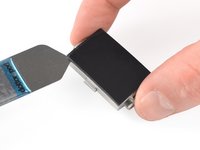
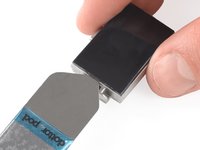
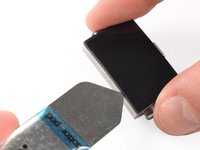
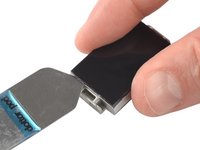
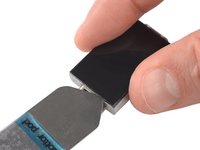
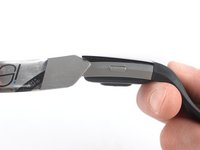
    • Insert an iSesamo into the gap between the touch screen and the watch assembly on the top left corner.

    • Slide the iSesamo along the left edge to the bottom left corner.

  4. Fitbit Charge 2 Touch Screen Assembly Replacement, Slide along the bottom edge: 4 단계, 이미지 2개 중 1개 Fitbit Charge 2 Touch Screen Assembly Replacement, Slide along the bottom edge: 4 단계, 이미지 2개 중 2개
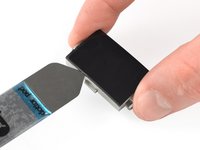
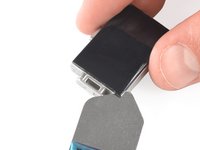
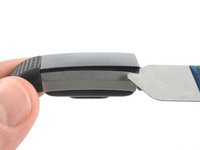
    • Slide the iSesamo around the bottom left corner.

    • Slide it along the edge to the bottom right corner.

  5. Fitbit Charge 2 Touch Screen Assembly Replacement: 5 단계, 이미지 3개 중 1개 Fitbit Charge 2 Touch Screen Assembly Replacement: 5 단계, 이미지 3개 중 2개 Fitbit Charge 2 Touch Screen Assembly Replacement: 5 단계, 이미지 3개 중 3개
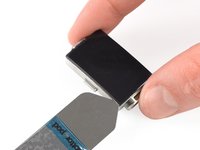
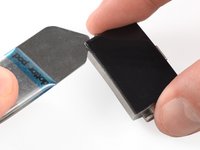
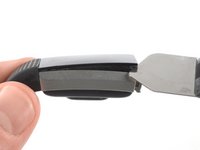
    • Slide the iSesamo around the bottom right corner.

    • Keep sliding it along the right edge to the top right corner.

  6. Fitbit Charge 2 Touch Screen Assembly Replacement: 6 단계, 이미지 2개 중 1개 Fitbit Charge 2 Touch Screen Assembly Replacement: 6 단계, 이미지 2개 중 2개
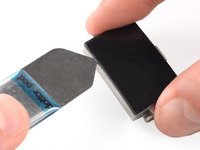
    • Slide the iSesamo around the top right corner.

    • Slide it along the top edge to the top left corner.

  7. Fitbit Charge 2 Touch Screen Assembly Replacement: 7 단계, 이미지 2개 중 1개 Fitbit Charge 2 Touch Screen Assembly Replacement: 7 단계, 이미지 2개 중 2개
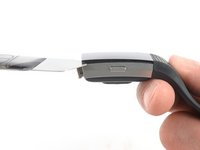
    • Place the iSesamo under the top left corner.

    • Feel free to reattach the watch band for this and the next step for a better grip.

    • Pry up the touch screen assembly by twisting the iSesamo sideways to create a gap and unhinge the plastic clips which are holding the screen in place.

  8. Fitbit Charge 2 Touch Screen Assembly Replacement: 8 단계, 이미지 2개 중 1개 Fitbit Charge 2 Touch Screen Assembly Replacement: 8 단계, 이미지 2개 중 2개
    • Place the iSesamo under the top right corner.

    • Pry up the touch screen assembly by twisting the iSesamo sideways to create a gap.

  9. Fitbit Charge 2 Touch Screen Assembly Replacement: 9 단계, 이미지 2개 중 1개 Fitbit Charge 2 Touch Screen Assembly Replacement: 9 단계, 이미지 2개 중 2개
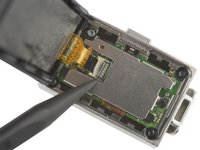
    • Insert a spudger into the gap on the top edge of your Fitbit Charge 2.

    • Use the spudger to pry up the touch screen assembly.

    • Do not remove the touch screen assembly all the way yet—it's still connected to the motherboard.

  10. Fitbit Charge 2 Touch Screen Assembly Replacement: 10 단계, 이미지 1개 중 1개
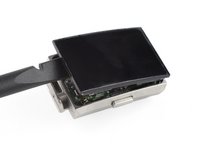
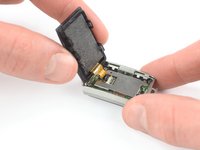
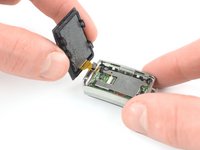
    • Carefully fold the touch screen assembly in the direction of the bottom edge.

  11. Fitbit Charge 2 Touch Screen Assembly Replacement, Remove the protecting sticker: 11 단계, 이미지 2개 중 1개 Fitbit Charge 2 Touch Screen Assembly Replacement, Remove the protecting sticker: 11 단계, 이미지 2개 중 2개
    이 단계에 사용된 도구:
    Tweezers
    $4.99
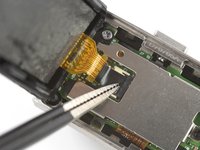
    • Use a pair of blunt nosed tweezers to remove the black sticker which covering the touch screen connector.

  12. Fitbit Charge 2 Touch Screen Assembly Replacement, Open the ZIF connector: 12 단계, 이미지 2개 중 1개 Fitbit Charge 2 Touch Screen Assembly Replacement, Open the ZIF connector: 12 단계, 이미지 2개 중 2개
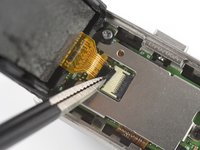
    • Use the pointed end of a spudger to open the ZIF connector by pushing up the black flap.

  13. Fitbit Charge 2 Touch Screen Assembly Replacement, Remove the touch screen assembly: 13 단계, 이미지 3개 중 1개 Fitbit Charge 2 Touch Screen Assembly Replacement, Remove the touch screen assembly: 13 단계, 이미지 3개 중 2개 Fitbit Charge 2 Touch Screen Assembly Replacement, Remove the touch screen assembly: 13 단계, 이미지 3개 중 3개
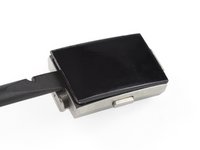
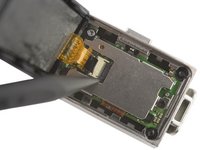
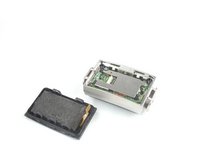
    • Pull the touch screen flex cable straight out its socket.

    • Remove the touch screen assembly.

결론

If possible, turn on your device and test your repair before reassemble.

To reassemble your device, follow these instructions in reverse order.

Take your e-waste to an R2 or e-Stewards certified recycler.

Opening didn’t go as planned? Ask our Answers community for help.

다른 12명이 해당 안내서를 완성하였습니다.

작성자

3다른 기여자 명과 함께

Adriana Zwink

회원 가입일: 12/18/19

61,760 평판

안내서 167개를 작성함

iFixit iFixit 회원

Staff

123 회원들

안내서 23,605개를 작성함

1가이드 댓글

This is great

Mohsen - 답글

댓글 쓰기

조회 통계:

지난 24시간: 2

지난 7일: 19

지난 30일: 93

전체 시간: 16,550