소개
If the buttons are unresponsive or sticking, the keypad may be compromised and need to be replaced. This is a guide to replace the keypad buttons of the Garmin GPSmap 60CSx.
필요한 것
-
-
-
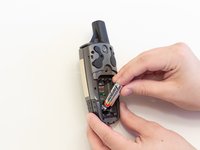
Lift and twist the battery cover release 90 degrees counterclockwise on the back of the device.
 FixBot에 문의하기
-
-
-
-
-
-
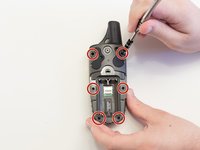
Remove the six 10 mm screws on the back of the device with a Phillips #0 screwdriver.
-
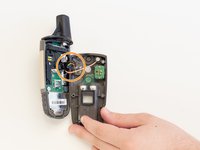
Flip the back panel over to view the green electronics board (the PCB) and the PCB covering.
-
Remove the black, yellow, blue, and red wires connected to the PCB with light force.
-
-
-
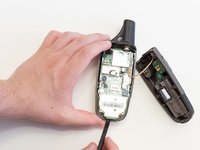
Place the spudger in the bottom right corner of the black PCB cover and pry the corner out.
-
The previous step will need to be done to the other three corners.
-
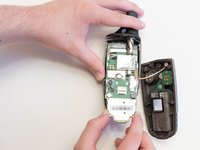
Pull the black PCB board out of the GPSMap 60 CSx.
-
-
-
Carefully use a spudger to lift the PCB a few centimeters.
-
Pull the PCB out towards the bottom of the GPSMap 60CSx.
-
-







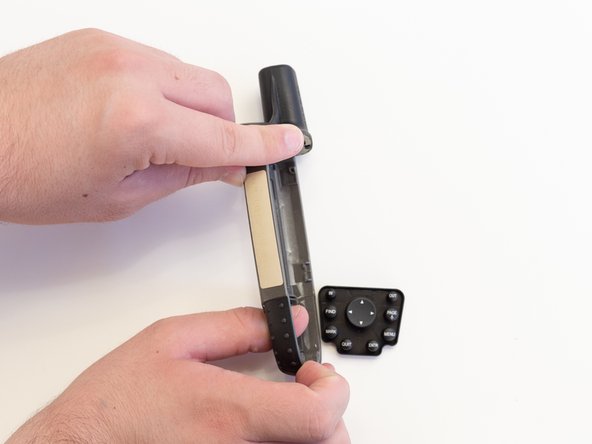
To reassemble your device, follow these instructions in reverse order.
다른 3명이 해당 안내서를 완성하였습니다.

팀

Linn Benton Community College, Team S2-G5, Johnson Spring 2018 Linn Benton Community College, Team S2-G5, Johnson Spring 2018 회원
LBCC-JOHNSON-S18S2G5
5 회원들
안내서 16개를 작성함
