소개
If you are experiencing an unresponsive TV remote it could be due to a malfunctioning Infrared (IR) LED. The IR LED emits a signal recepted by the TV which allows the user to adjust and control the features of their TV. In this guide you will find how to repair your remote by replacing the IR LED.
Be sure to remove the battery prior to beginning the repair.
필요한 것
-
-
-
Starting to the side of the front LED, pry up the top of the remote.
-
Remove the top of the remote to expose the circuit board.
 FixBot에 문의하기
-
-
-
Remove the circuit board by gently lifting it from the casing.
-
Flip over the board so that the leads of the LED are facing upward.
-
-
-
Clip the leads of the LED.
-
Bend the LED downward until it makes a 90 degree angle with the circuit board.
-
-
-


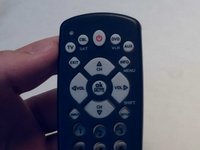
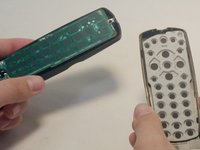
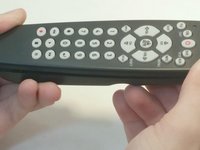

To reassemble your device, follow these instructions in reverse order.
다른 3명이 해당 안내서를 완성하였습니다.

팀

Central Coast New Tech High, Team 5-1, Rushing Spring 2016 Central Coast New Tech High, Team 5-1, Rushing Spring 2016 회원
CCNTH-RUSHING-S16S5G1
2 회원들
안내서 4개를 작성함
