주요 콘텐츠로 건너뛰기
수리 커뮤니티 가입 - 계정 만들기

GoPro Hero+ LCD Motherboard Replacement

필요한 것

  1. GoPro Hero+ LCD Motherboard Replacement, Back Panel: 1 단계, 이미지 2개 중 1개 GoPro Hero+ LCD Motherboard Replacement, Back Panel: 1 단계, 이미지 2개 중 2개
    • Be sure to power off the GoPro before you start disassembly.

    • Pop up and pull back on the clip to remove the screen cover and expose the back panel with the touchscreen.

    댓글 쓰기

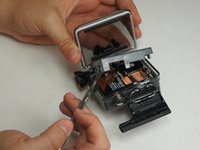
  2. GoPro Hero+ LCD Motherboard Replacement: 2 단계, 이미지 2개 중 1개 GoPro Hero+ LCD Motherboard Replacement: 2 단계, 이미지 2개 중 2개
    • Use the metal spudger to pry around the perimeter of the panel.

    • Pry the panel upwards by inserting the metal spudger into the corner crease between the panel and camera shell.

    댓글 쓰기

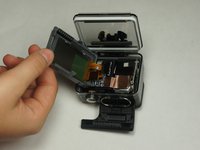
  3. GoPro Hero+ LCD Motherboard Replacement: 3 단계, 이미지 2개 중 1개 GoPro Hero+ LCD Motherboard Replacement: 3 단계, 이미지 2개 중 2개
    • Pry around the panel to ensure it is not attached to the device.

    • Move the panel to the side so you can access the internal components.

    • The panel is still attached to the rest of the device with a ribbon cable, so be sure to not tear or damage the cable.

    댓글 쓰기

  4. GoPro Hero+ LCD Motherboard Replacement, Battery: 4 단계, 이미지 1개 중 1개
    • Peel back the rear panel ribbon cable that is adhered to the battery until it is completely separated from the battery.

    • Be careful of metal contacts on strip; they can be sharp.

    댓글 쓰기

  5. GoPro Hero+ LCD Motherboard Replacement: 5 단계, 이미지 1개 중 1개
    이 단계에 사용된 도구:
    Tweezers
    $4.99
    • Using tweezers, peel off the copper tape on the right side of the battery.

    댓글 쓰기

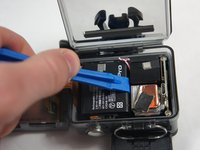
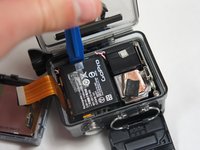
  6. GoPro Hero+ LCD Motherboard Replacement: 6 단계, 이미지 2개 중 1개 GoPro Hero+ LCD Motherboard Replacement: 6 단계, 이미지 2개 중 2개
    • Place the plastic opening tool at one of the edges of the battery then pry until the battery is removed from the GoPro.

    댓글 쓰기

  7. GoPro Hero+ LCD Motherboard Replacement: 7 단계, 이미지 1개 중 1개
    • Use a pair of tweezers to disconnect the battery connector from the motherboard.

    • Gently pull the battery off the motherboard. Pulling vertically off the motherboard will give a clean release.

    댓글 쓰기

  8. GoPro Hero+ LCD Motherboard Replacement, MicroSD/Micro USB Port Assembly: 8 단계, 이미지 3개 중 1개 GoPro Hero+ LCD Motherboard Replacement, MicroSD/Micro USB Port Assembly: 8 단계, 이미지 3개 중 2개 GoPro Hero+ LCD Motherboard Replacement, MicroSD/Micro USB Port Assembly: 8 단계, 이미지 3개 중 3개
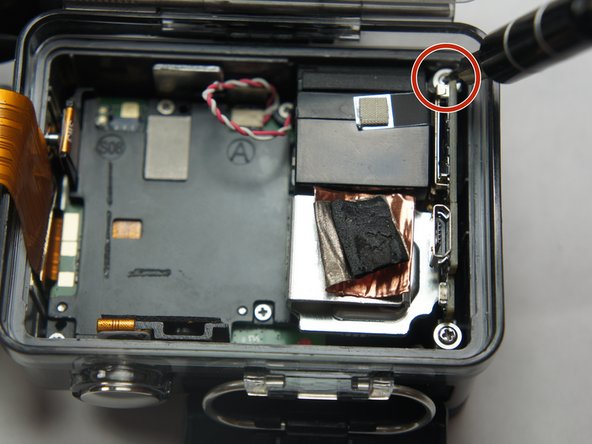
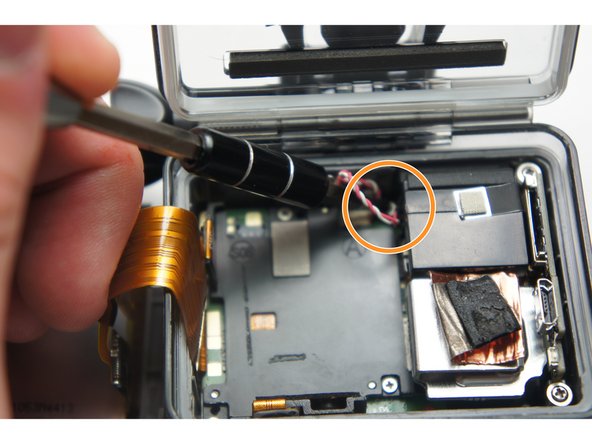
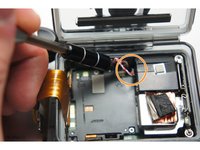
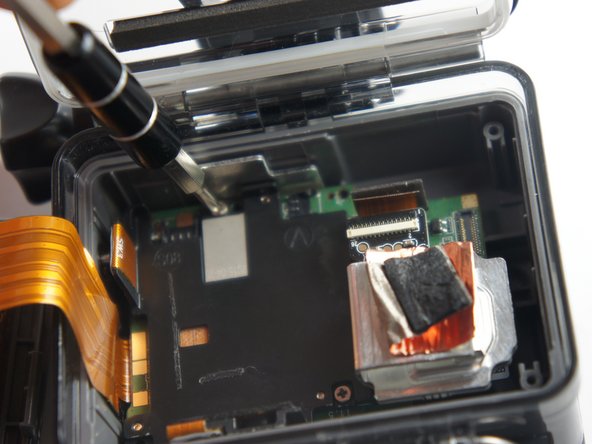
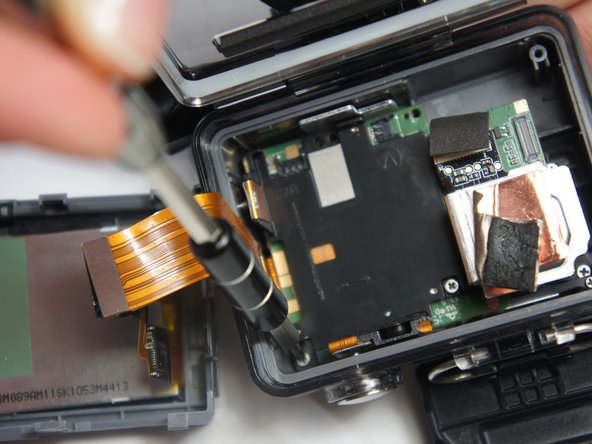
    • Remove the two 6 mm Phillips #00 screws.

    • Remove the single 4 mm Phillips #000 screws.

    댓글 쓰기

  9. GoPro Hero+ LCD Motherboard Replacement: 9 단계, 이미지 1개 중 1개
    • Remove the image sensor from the camera.

    • You do not have to unplug the black box to remove the USB/SD chip.

    댓글 쓰기

  10. GoPro Hero+ LCD Motherboard Replacement: 10 단계, 이미지 1개 중 1개
    이 단계에 사용된 도구:
    Tweezers
    $4.99
    • Grab the edge of the ribbon cable with the tweezers and gently pull until the cable is disconnected from the motherboard.

    • Be careful when removing the ribbon cable. You must pull gently or you can rip the ribbon off of its contacts.

    댓글 쓰기

  11. GoPro Hero+ LCD Motherboard Replacement: 11 단계, 이미지 1개 중 1개
    • Gently lift the microSD/Micro USB assembly up and out of the device.

    댓글 쓰기

  12. GoPro Hero+ LCD Motherboard Replacement, Image Sensor: 12 단계, 이미지 1개 중 1개
    • Use your fingers and gently pull out the sensor from the motherboard by slowly and gradually pulling up on the image sensor box.

    • Do not yank on the image sensor, it can rip out the wiring or damage the motherboard.

    댓글 쓰기

  13. GoPro Hero+ LCD Motherboard Replacement, Motherboard: 13 단계, 이미지 3개 중 1개 GoPro Hero+ LCD Motherboard Replacement, Motherboard: 13 단계, 이미지 3개 중 2개 GoPro Hero+ LCD Motherboard Replacement, Motherboard: 13 단계, 이미지 3개 중 3개
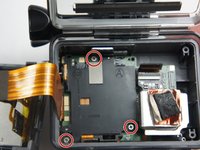
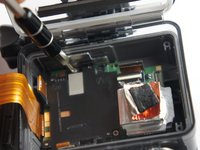
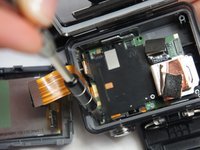
    • Remove the three 4 mm Phillips #000 screws securing the motherboard.

    댓글 쓰기

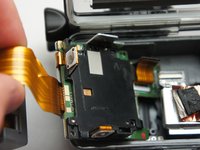
  14. GoPro Hero+ LCD Motherboard Replacement: 14 단계, 이미지 1개 중 1개
    • Use your fingers to gently remove the ribbon connected to the lens.

    • Be careful when removing the ribbon cable. Pull off gently or you can separate the ribbon from the contacts.

    댓글 쓰기

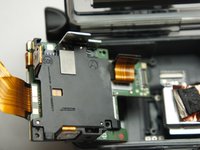
  15. GoPro Hero+ LCD Motherboard Replacement: 15 단계, 이미지 3개 중 1개 GoPro Hero+ LCD Motherboard Replacement: 15 단계, 이미지 3개 중 2개 GoPro Hero+ LCD Motherboard Replacement: 15 단계, 이미지 3개 중 3개
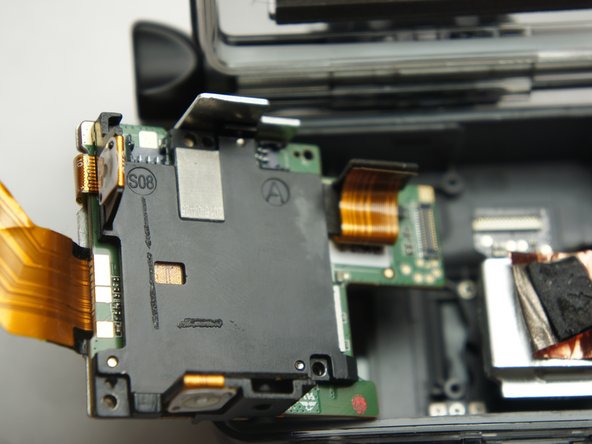
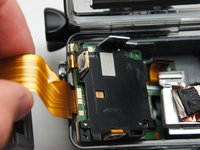
    • Use your fingers and carefully pull out the motherboard from under the lens. It may take a little bit of adjusting to get it out.

    댓글 쓰기

결론

To reassemble your device, follow these instructions in reverse order.

취소: 해당 안내서를 완성하지 않았습니다.

다른 2명이 해당 안내서를 완성하였습니다.

작성자

6다른 기여자 명과 함께

Matthew Tinkey

회원 가입일: 08/27/15

922 평판

안내서 4개를 작성함

USF Tampa, Team 2-4, Blackwell Fall 2015 USF Tampa, Team 2-4, Blackwell Fall 2015 회원

USFT-BLACKWELL-F15S2G4

4 회원들

안내서 20개를 작성함

0가이드 댓글

댓글 쓰기

조회 통계:

지난 24시간: 2

지난 7일: 11

지난 30일: 76

전체 시간: 5,440