주요 콘텐츠로 건너뛰기

GoPro Hero+ LCD Motherboard Replacement

필요한 것

  1. GoPro Hero+ LCD Motherboard Replacement, Back Panel: 1 단계, 이미지 2개 중 1개 GoPro Hero+ LCD Motherboard Replacement, Back Panel: 1 단계, 이미지 2개 중 2개
    • Be sure to power off the GoPro before you start disassembly.

    • Pop up and pull back on the clip to remove the screen cover and expose the back panel with the touchscreen.

  2. GoPro Hero+ LCD Motherboard Replacement: 2 단계, 이미지 2개 중 1개 GoPro Hero+ LCD Motherboard Replacement: 2 단계, 이미지 2개 중 2개
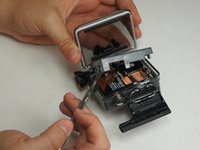
    • Use the metal spudger to pry around the perimeter of the panel.

    • Pry the panel upwards by inserting the metal spudger into the corner crease between the panel and camera shell.

  3. GoPro Hero+ LCD Motherboard Replacement: 3 단계, 이미지 2개 중 1개 GoPro Hero+ LCD Motherboard Replacement: 3 단계, 이미지 2개 중 2개
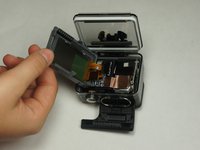
    • Pry around the panel to ensure it is not attached to the device.

    • Move the panel to the side so you can access the internal components.

    • The panel is still attached to the rest of the device with a ribbon cable, so be sure to not tear or damage the cable.

  4. GoPro Hero+ LCD Motherboard Replacement, Battery: 4 단계, 이미지 1개 중 1개
    • Peel back the rear panel ribbon cable that is adhered to the battery until it is completely separated from the battery.

    • Be careful of metal contacts on strip; they can be sharp.

  5. GoPro Hero+ LCD Motherboard Replacement: 5 단계, 이미지 1개 중 1개
    이 단계에 사용된 도구:
    Tweezers
    $4.99
    • Using tweezers, peel off the copper tape on the right side of the battery.

  6. GoPro Hero+ LCD Motherboard Replacement: 6 단계, 이미지 2개 중 1개 GoPro Hero+ LCD Motherboard Replacement: 6 단계, 이미지 2개 중 2개
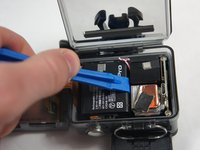
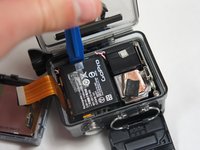
    • Place the plastic opening tool at one of the edges of the battery then pry until the battery is removed from the GoPro.

  7. GoPro Hero+ LCD Motherboard Replacement: 7 단계, 이미지 1개 중 1개
    • Use a pair of tweezers to disconnect the battery connector from the motherboard.

    • Gently pull the battery off the motherboard. Pulling vertically off the motherboard will give a clean release.

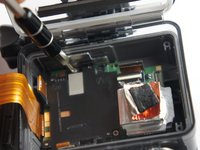
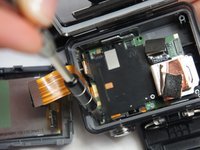
  8. GoPro Hero+ LCD Motherboard Replacement, MicroSD/Micro USB Port Assembly: 8 단계, 이미지 3개 중 1개 GoPro Hero+ LCD Motherboard Replacement, MicroSD/Micro USB Port Assembly: 8 단계, 이미지 3개 중 2개 GoPro Hero+ LCD Motherboard Replacement, MicroSD/Micro USB Port Assembly: 8 단계, 이미지 3개 중 3개
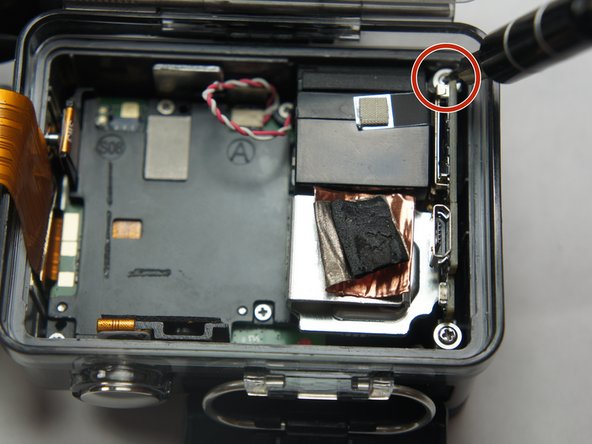
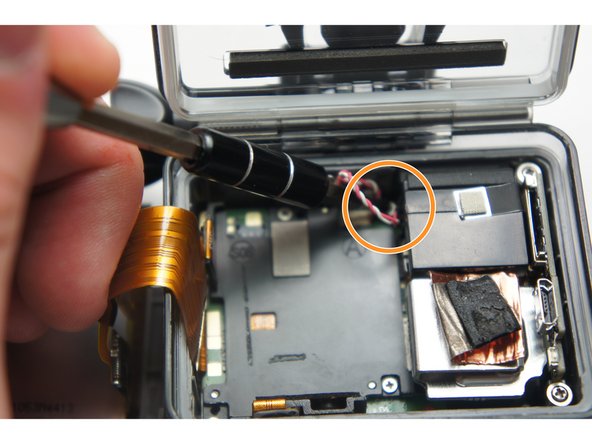
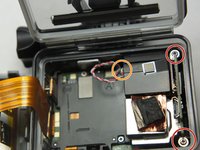
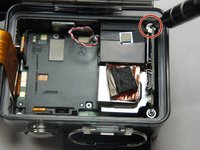
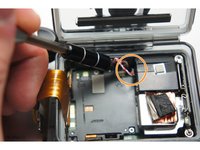
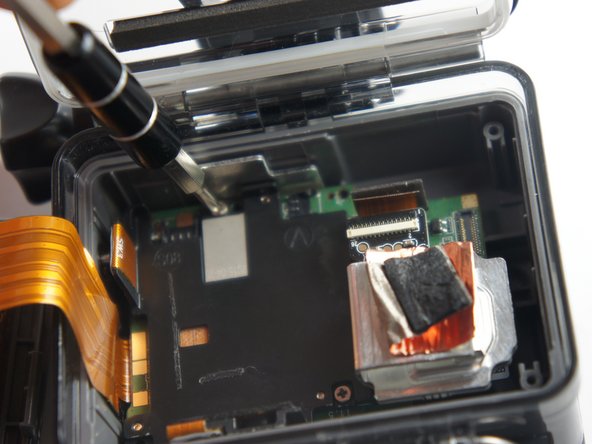
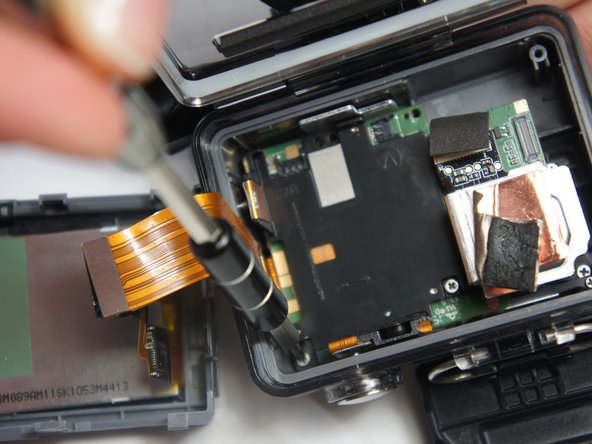
    • Remove the two 6 mm Phillips #00 screws.

    • Remove the single 4 mm Phillips #000 screws.

  9. GoPro Hero+ LCD Motherboard Replacement: 9 단계, 이미지 1개 중 1개
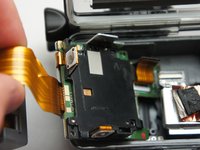
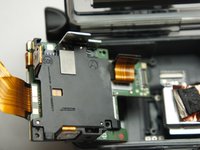
    • Remove the image sensor from the camera.

    • You do not have to unplug the black box to remove the USB/SD chip.

  10. GoPro Hero+ LCD Motherboard Replacement: 10 단계, 이미지 1개 중 1개
    이 단계에 사용된 도구:
    Tweezers
    $4.99
    • Grab the edge of the ribbon cable with the tweezers and gently pull until the cable is disconnected from the motherboard.

    • Be careful when removing the ribbon cable. You must pull gently or you can rip the ribbon off of its contacts.

  11. GoPro Hero+ LCD Motherboard Replacement: 11 단계, 이미지 1개 중 1개
    • Gently lift the microSD/Micro USB assembly up and out of the device.

  12. GoPro Hero+ LCD Motherboard Replacement, Image Sensor: 12 단계, 이미지 1개 중 1개
    • Use your fingers and gently pull out the sensor from the motherboard by slowly and gradually pulling up on the image sensor box.

    • Do not yank on the image sensor, it can rip out the wiring or damage the motherboard.

  13. GoPro Hero+ LCD Motherboard Replacement, Motherboard: 13 단계, 이미지 3개 중 1개 GoPro Hero+ LCD Motherboard Replacement, Motherboard: 13 단계, 이미지 3개 중 2개 GoPro Hero+ LCD Motherboard Replacement, Motherboard: 13 단계, 이미지 3개 중 3개
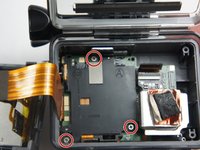
    • Remove the three 4 mm Phillips #000 screws securing the motherboard.

  14. GoPro Hero+ LCD Motherboard Replacement: 14 단계, 이미지 1개 중 1개
    • Use your fingers to gently remove the ribbon connected to the lens.

    • Be careful when removing the ribbon cable. Pull off gently or you can separate the ribbon from the contacts.

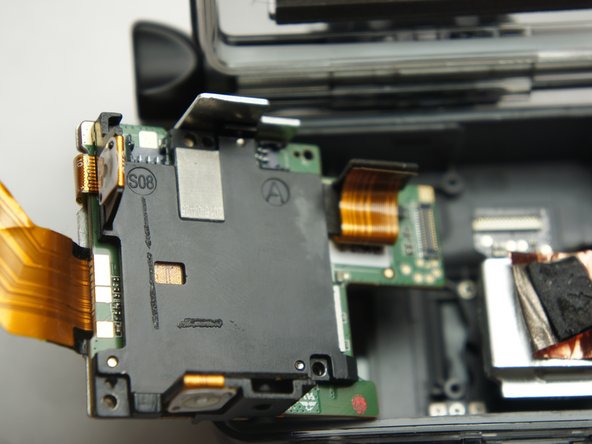
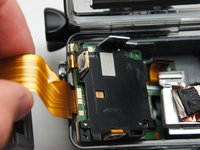
  15. GoPro Hero+ LCD Motherboard Replacement: 15 단계, 이미지 3개 중 1개 GoPro Hero+ LCD Motherboard Replacement: 15 단계, 이미지 3개 중 2개 GoPro Hero+ LCD Motherboard Replacement: 15 단계, 이미지 3개 중 3개
    • Use your fingers and carefully pull out the motherboard from under the lens. It may take a little bit of adjusting to get it out.

결론

To reassemble your device, follow these instructions in reverse order.

다른 2명이 해당 안내서를 완성하였습니다.

작성자

6다른 기여자 명과 함께

Matthew Tinkey

회원 가입일: 08/27/15

922 평판

안내서 4개를 작성함

USF Tampa, Team 2-4, Blackwell Fall 2015 USF Tampa, Team 2-4, Blackwell Fall 2015 회원

USFT-BLACKWELL-F15S2G4

4 회원들

안내서 20개를 작성함

0가이드 댓글

댓글 쓰기

조회 통계:

지난 24시간: 0

지난 7일: 5

지난 30일: 29

전체 시간: 5,036