주요 콘텐츠로 건너뛰기
수리 커뮤니티 가입 - 계정 만들기

Google Pixel 8a Back Cover Replacement

필요한 것

  1. Google Pixel 8a Back Cover Replacement, Prepare your Pixel for disassembly: 1 단계, 이미지 3개 중 1개 Google Pixel 8a Back Cover Replacement, Prepare your Pixel for disassembly: 1 단계, 이미지 3개 중 2개 Google Pixel 8a Back Cover Replacement, Prepare your Pixel for disassembly: 1 단계, 이미지 3개 중 3개
    • Let your Pixel's battery drain below 25% before starting this repair. A charged lithium‑ion battery may catch fire if damaged.

    • Unplug all cables from your phone.

    • Completely power off your phone.

    • Press the power and volume up buttons at the same time to bring up the shutdown menu.

  2. Google Pixel 8a Back Cover Replacement, Adhesive information: 2 단계, 이미지 3개 중 1개 Google Pixel 8a Back Cover Replacement, Adhesive information: 2 단계, 이미지 3개 중 2개 Google Pixel 8a Back Cover Replacement, Adhesive information: 2 단계, 이미지 3개 중 3개
    • The back cover is secured with adhesive around the perimeter and near the cameras. To avoid damaging your phone's internals, note the following:

    • Unless stated otherwise, don't insert your tool more than 3 mm (the width of your opening tool's flat section) around the edges.

    • Don't insert your tool under the edges of the camera bump.

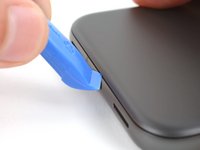
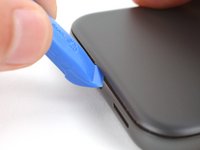
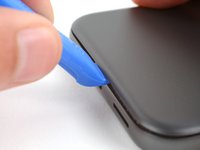
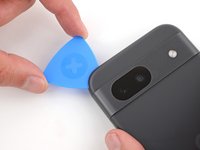
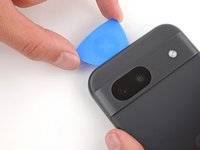
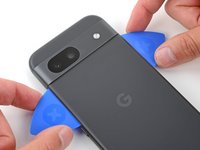
  3. Google Pixel 8a Back Cover Replacement, Insert an opening tool: 3 단계, 이미지 3개 중 1개 Google Pixel 8a Back Cover Replacement, Insert an opening tool: 3 단계, 이미지 3개 중 2개 Google Pixel 8a Back Cover Replacement, Insert an opening tool: 3 단계, 이미지 3개 중 3개
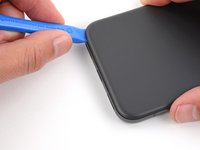
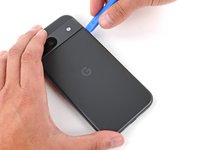
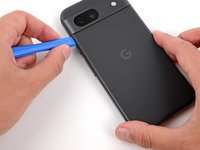
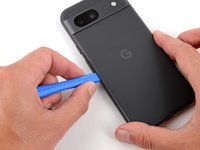
    • Your opening tool has a flat end and a curved end. During the opening procedure, use the flat end and angle it so the tool's sharp edge points upward.

    • Insert the edge of an opening tool between the back cover and the frame, starting with a sharp corner of the tool to help separate the adhesive.

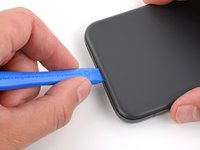
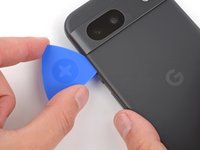
  4. Google Pixel 8a Back Cover Replacement, Separate the perimeter adhesive: 4 단계, 이미지 3개 중 1개 Google Pixel 8a Back Cover Replacement, Separate the perimeter adhesive: 4 단계, 이미지 3개 중 2개 Google Pixel 8a Back Cover Replacement, Separate the perimeter adhesive: 4 단계, 이미지 3개 중 3개
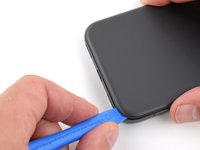
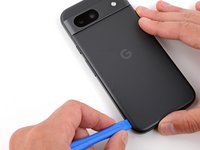
    • Slide your opening tool along the bottom edge to separate the adhesive securing the back cover.

  5. Google Pixel 8a Back Cover Replacement: 5 단계, 이미지 3개 중 1개 Google Pixel 8a Back Cover Replacement: 5 단계, 이미지 3개 중 2개 Google Pixel 8a Back Cover Replacement: 5 단계, 이미지 3개 중 3개
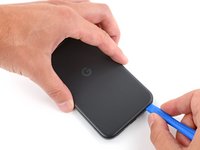
    • Slide your opening tool around the bottom right corner and up the right edge, stopping at the bottom of the camera bump.

    • Remove your opening tool from under the back cover.

  6. Google Pixel 8a Back Cover Replacement: 6 단계, 이미지 3개 중 1개 Google Pixel 8a Back Cover Replacement: 6 단계, 이미지 3개 중 2개 Google Pixel 8a Back Cover Replacement: 6 단계, 이미지 3개 중 3개
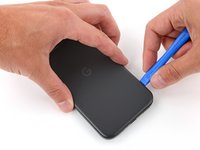
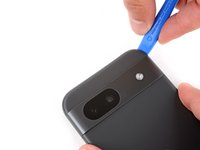
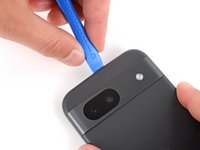
    • Insert your opening tool under the top right corner of the back cover, just above the camera bump.

    • Slide your opening tool along the top edge, stopping at the top left corner just above the camera bump.

    • Remove your opening tool from under the back cover.

  7. Google Pixel 8a Back Cover Replacement: 7 단계, 이미지 3개 중 1개 Google Pixel 8a Back Cover Replacement: 7 단계, 이미지 3개 중 2개 Google Pixel 8a Back Cover Replacement: 7 단계, 이미지 3개 중 3개
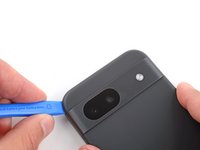
    • Insert your opening tool under the left edge of the back cover, just below the camera bump.

    • Slide your opening tool down the left edge to separate the adhesive.

  8. Google Pixel 8a Back Cover Replacement, Separate the camera bump adhesive: 8 단계, 이미지 3개 중 1개 Google Pixel 8a Back Cover Replacement, Separate the camera bump adhesive: 8 단계, 이미지 3개 중 2개 Google Pixel 8a Back Cover Replacement, Separate the camera bump adhesive: 8 단계, 이미지 3개 중 3개
    • A strip of adhesive above the camera bump secures the top edge of the back cover.

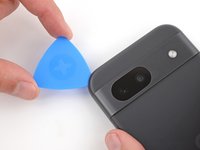
    • Insert an opening pick under the top left corner of the back cover until the tip is close to the top edge of the camera bump.

    • You can insert the opening pick more than 3 mm along the top edge.

    • Slide the pick to the right, stopping when you reach the right edge of the cameras.

  9. Google Pixel 8a Back Cover Replacement: 9 단계, 이미지 3개 중 1개 Google Pixel 8a Back Cover Replacement: 9 단계, 이미지 3개 중 2개 Google Pixel 8a Back Cover Replacement: 9 단계, 이미지 3개 중 3개
    • A final strip of adhesive below the camera bump secures the back cover.

    • Insert the flat edge of an opening pick under the back cover, just below the camera bump.

    • Insert a second opening pick in the same spot on the other side.

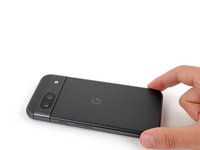
  10. Google Pixel 8a Back Cover Replacement: 10 단계, 이미지 3개 중 1개 Google Pixel 8a Back Cover Replacement: 10 단계, 이미지 3개 중 2개 Google Pixel 8a Back Cover Replacement: 10 단계, 이미지 3개 중 3개
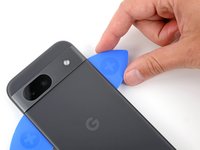
    • Pry up simultaneously with both picks and apply constant pressure to separate the final piece of adhesive securing the back cover.

    • Be careful not to bend the back cover. If the adhesive feels stubborn, rotate the cover side-to-side to further loosen the adhesive.

    • If the adhesive isn't separating, you can lightly heat the back cover just below the camera bump with a hair dryer or iOpener to soften the adhesive.

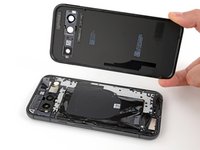
  11. Google Pixel 8a Back Cover Replacement, Remove the back cover: 11 단계, 이미지 2개 중 1개 Google Pixel 8a Back Cover Replacement, Remove the back cover: 11 단계, 이미지 2개 중 2개
    • Remove the back cover.

    • During reassembly:

    • Now is a good time to test your phone before sealing it up. Power it on and check that it works. Power it back down before you continue reassembly.

    • Follow this guide to apply new adhesive and install your back cover.

결론

To reassemble your device, follow this guide.

To run a diagnostics test with the built-in Pixel Diagnostic tool, click here.

Repair didn’t go as planned? Try some basic troubleshooting, or ask our Answers community for help.

다른 4명이 해당 안내서를 완성하였습니다.

작성자

2다른 기여자 명과 함께

Spencer Day

회원 가입일: 09/14/22

160,379 평판

안내서 1,045개를 작성함

iFixit iFixit 회원

Staff

123 회원들

안내서 23,996개를 작성함

0가이드 댓글

댓글 쓰기

조회 통계:

지난 24시간: 4

지난 7일: 60

지난 30일: 298

전체 시간: 5,972