주요 콘텐츠로 건너뛰기
수리 커뮤니티 가입 - 계정 만들기

Google Pixel C Screen Replacement

필요한 것

  1. Google Pixel C Screen Replacement, Screen: 1 단계, 이미지 1개 중 1개
    • Ensure that the device is completely powered down before beginning to take it apart

    • Use a heat gun to melt the adhesive that holds the screen to the device

    • Move the heat gun around the edge of the screen for approximately 1 minute, or until the screen can be lifted off in the next step.

    • Make sure not to heat the screen for too long because too much can damage other components inside the tablet.

    댓글 쓰기

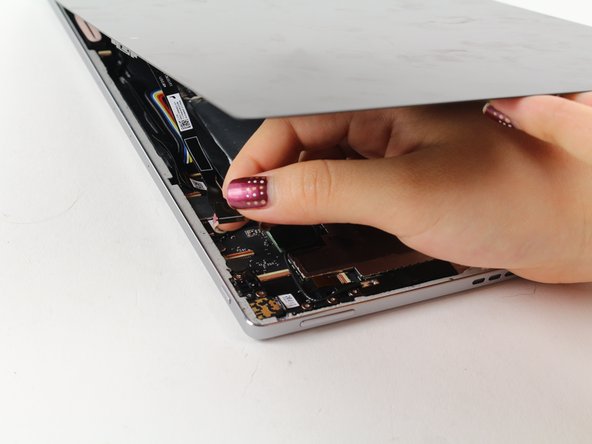
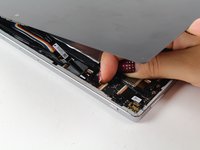
  2. Google Pixel C Screen Replacement: 2 단계, 이미지 2개 중 1개 Google Pixel C Screen Replacement: 2 단계, 이미지 2개 중 2개
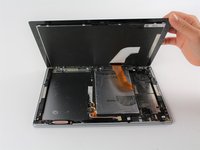
    • Use a suction cup to assist in lifting the screen while prying around its edges with a plastic spudger.

    • If necessary use a metal spudger to pry the screen up, taking care not to scratch the device.

    • Be careful not to pull the screen too far off. It will still be attached to the device by a cable for the front facing camera and the wide display data cable.

    • Reattaching the screen will require adhesive to ensure that it stays in place.

    댓글 쓰기

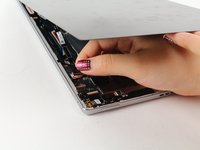
  3. Google Pixel C Screen Replacement: 3 단계, 이미지 2개 중 1개 Google Pixel C Screen Replacement: 3 단계, 이미지 2개 중 2개
    • Detach the cables for the camera by lifting the small flap using the tip of your fingernail or a spudger. Gently pull the ribbon cable out.

    댓글 쓰기

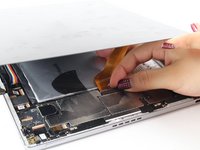
  4. Google Pixel C Screen Replacement: 4 단계, 이미지 2개 중 1개 Google Pixel C Screen Replacement: 4 단계, 이미지 2개 중 2개
    이 단계에 사용된 도구:
    Tweezers
    $4.99
    • Follow the same removal procedure to detach the wide gold cable.

    • When reattaching cables, it is helpful to use tweezers to slide the cable in before securing it down with the flap.

    • This device is missing a battery, so the device that you are working on may appear slightly different inside.

    댓글 쓰기

결론

To reassemble your device, follow these instructions in reverse order.

취소: 해당 안내서를 완성하지 않았습니다.

다른 9명이 해당 안내서를 완성하였습니다.

작성자

3다른 기여자 명과 함께

Deborah Iwakiri

회원 가입일: 04/25/17

522 평판

안내서 2개를 작성함

Cal Poly, Team S21-G4, Livingston Spring 2017 Cal Poly, Team S21-G4, Livingston Spring 2017 회원

CPSU-LIVINGSTON-S17S21G4

4 회원들

안내서 11개를 작성함

28가이드 댓글

Where can a replacement screen be located?

Ronnie Williams - 답글 공유

Where can i buy a spare screen for this tablet?

Luigi Abbinante - 답글 공유

Yes, I have to buy the screen too, but where??

Кирилл Кнышев - 답글 공유

All very nice but unfortunately useless without knowing where to get the parts :(

Lorenzo Braschi - 답글 공유

Ciao Lorenzo, sei poi riuscito a trovare il ricambio?

Luigi Abbinante - 답글 공유

댓글 쓰기

조회 통계:

지난 24시간: 7

지난 7일: 19

지난 30일: 127

전체 시간: 19,456