소개
If your HMD Barbie Phone (model number TA-1420) is missing a number on the keypad, the symbols are scratched off, or the phone is not typing, you may need to replace the keypad. The keypad is one unit and not multiple separated keys, so if an individual key is damaged, the entire unit needs to be removed. Follow the steps in this guide to remove the keypad.
Before starting this guide, view our troubleshooting page to rule out any other causes for keypad malfunction:
HMD Barbie Phone Keyboard Not Typing
Before starting this guide, fully power off the phone.
필요한 것
-
-
Fully power off the phone.
-
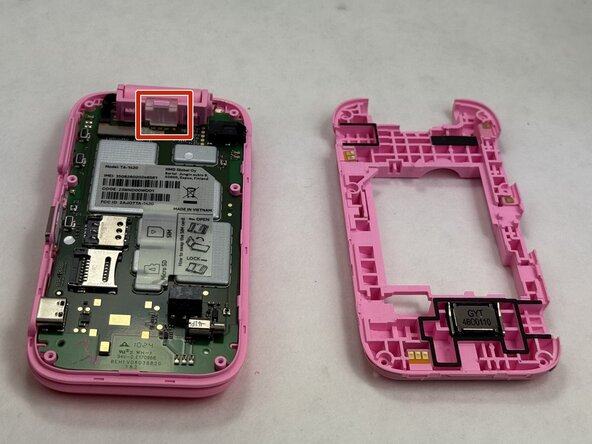
Remove the backplate by gripping it around the edges and pulling away from the phone.
 FixBot에 문의하기
-
-
-
-
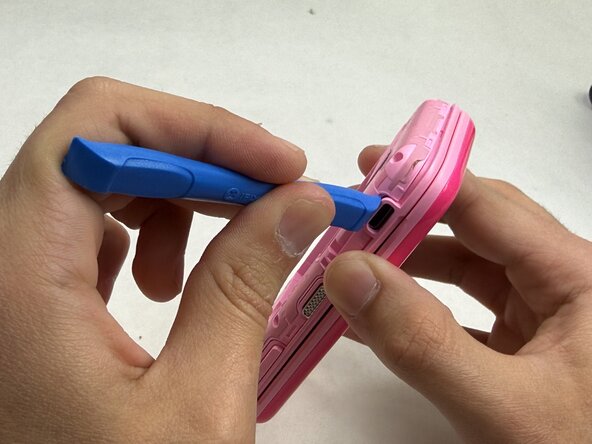
Use the opening tool to remove the clear plastic clip near the hinge of the phone securing the motherboard.
-
-
-
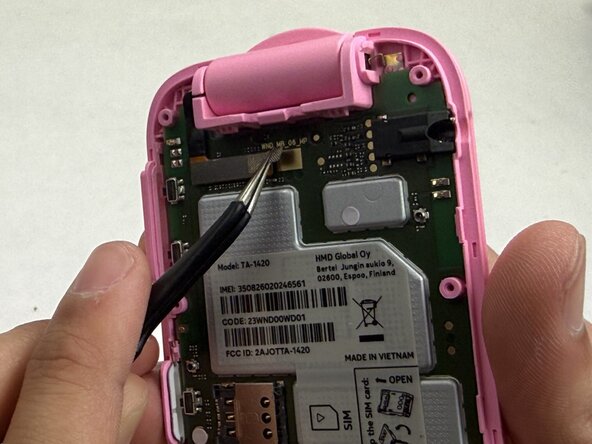
Use the tweezers to gently unstick the tape from the motherboard, leaving it stuck to the connector.
-
Use the tweezers to gently pull up on the connector until it disconnects from the motherboard.
-
-
-
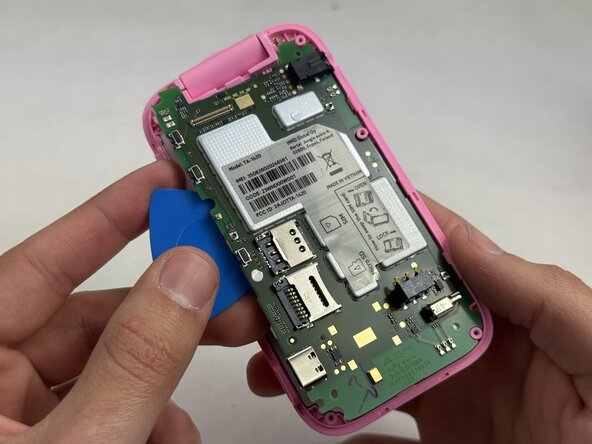
Beginning at the corner near where the video ribbon is located, insert an opening pick between the green motherboard and the pink housing.
-
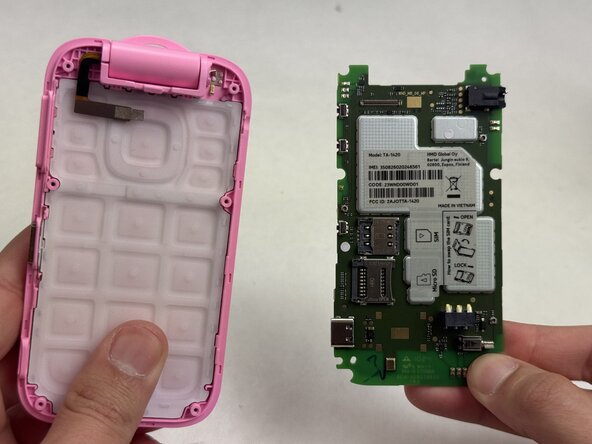
Slowly work your way around the motherboard until it loosens enough that you can use your fingers to remove it.
-
-
-
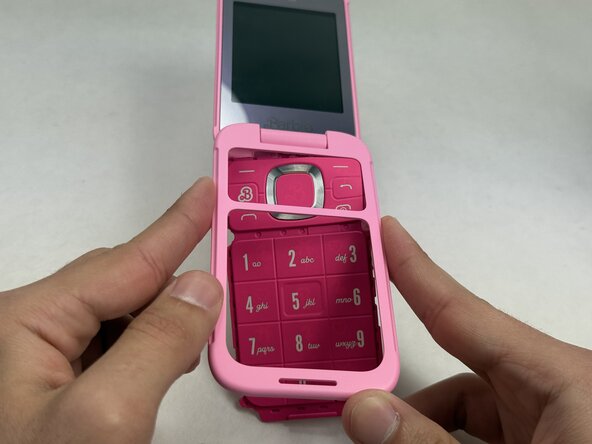
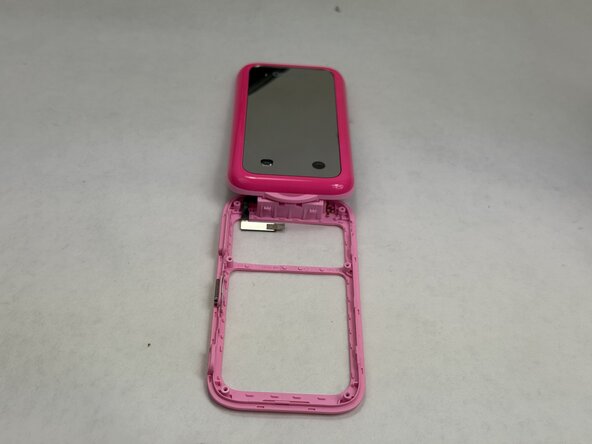
Push the keypad out of the outer casing from the front of the phone, outward.
-













To reassemble your device, follow these instructions in reverse order.

팀

UMass Dartmouth, Team 6-2, Botvin Spring 2026 UMass Dartmouth, Team 6-2, Botvin Spring 2026 회원
UMASSD-BOTVIN-S26S6G2
3 회원들
안내서 15개를 작성함
