주요 콘텐츠로 건너뛰기
수리 커뮤니티 가입 - 계정 만들기

HP 15-db0004dx Battery Replacement

필요한 것

  1. HP 15-db0004dx Battery Replacement, Bottom Case: 1 단계, 이미지 2개 중 1개 HP 15-db0004dx Battery Replacement, Bottom Case: 1 단계, 이미지 2개 중 2개
    • Turn the laptop off and unplug it before starting.

    • Flip your laptop over, face down.

  2. HP 15-db0004dx Battery Replacement: 2 단계, 이미지 1개 중 1개
    • Peel off the two long rubber grips running lengthwise on the laptop.

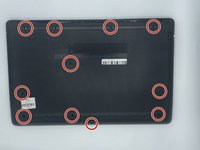
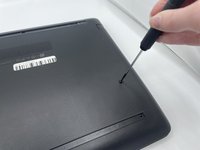
  3. HP 15-db0004dx Battery Replacement: 3 단계, 이미지 2개 중 1개 HP 15-db0004dx Battery Replacement: 3 단계, 이미지 2개 중 2개
    • Using a Phillips #000 screwdriver, remove the eleven 10 mm screws located on the underside of the laptop, that are holding the back panel in place.

  4. HP 15-db0004dx Battery Replacement: 4 단계, 이미지 1개 중 1개
    • Carefully slide the optical drive out of the laptop.

  5. HP 15-db0004dx Battery Replacement: 5 단계, 이미지 1개 중 1개
    • Use a plastic opening tool to separate the back panel from the laptop.

    • For an easier removal, start at the corner and run the tool along the edge of the cover.

    • If you do not have a plastic opening tool, open it carefully using your hands, as shown.

    • Be careful to not bend the back panel, or to not apply too much pressure and force, doing so could cause the panel to break.

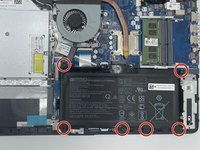
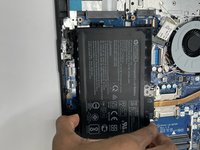
  6. HP 15-db0004dx Battery Replacement, Battery: 6 단계, 이미지 2개 중 1개 HP 15-db0004dx Battery Replacement, Battery: 6 단계, 이미지 2개 중 2개
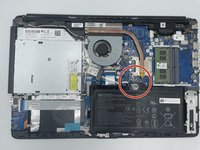
    • Using the Philips #000 screwdriver remove all of the six 5mm screws.

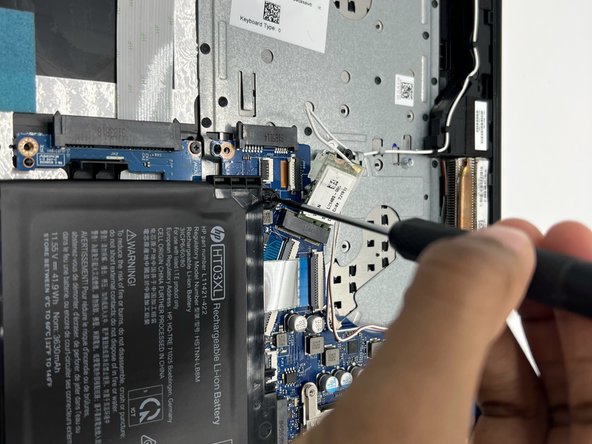
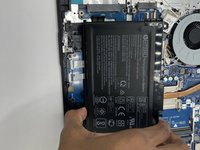
  7. HP 15-db0004dx Battery Replacement: 7 단계, 이미지 3개 중 1개 HP 15-db0004dx Battery Replacement: 7 단계, 이미지 3개 중 2개 HP 15-db0004dx Battery Replacement: 7 단계, 이미지 3개 중 3개
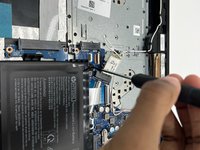
    • Disconnect the battery connector.

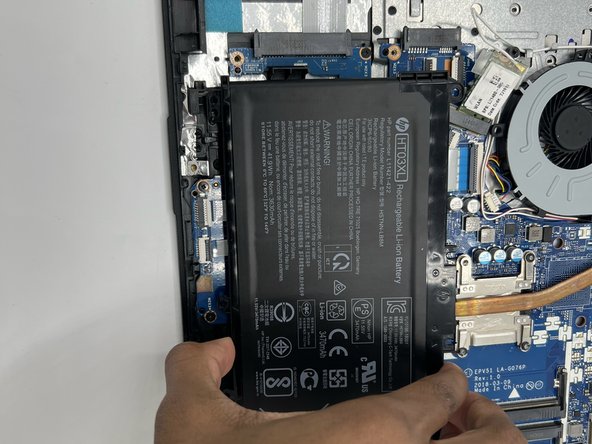
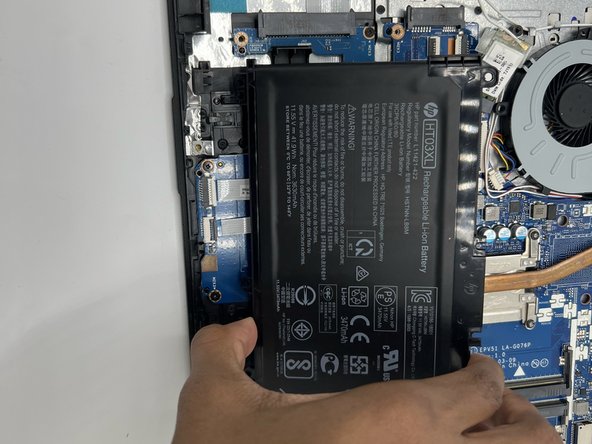
    • Slide the battery up and out.

결론

To reassemble your device, follow these instructions in reverse order.

다른 2명이 해당 안내서를 완성하였습니다.

작성자

2다른 기여자 명과 함께

Jordyn Carter

회원 가입일: 09/22/22

139 평판

안내서 1개를 작성함

0가이드 댓글

댓글 쓰기

조회 통계:

지난 24시간: 1

지난 7일: 4

지난 30일: 25

전체 시간: 1,114