소개
This guide is meant to remedy a faulty fan. Signs of a defective fan include overheating, rapid battery power depletion or grinding noises. This guide involves many small parts, do not lose track of these because they are necessary for reassembly.
필요한 것
-
-
Place computer with the screen down on a flat surface.
-
Push the two locking latches to the unlocked position.
-
Push the cover toward the top of the computer and lift up.
 FixBot에 문의하기
-
-
-
Press locking latch on the bottom of the base of the stand.
-
Pull the plastic cover off of the stand.
-
-
-
-
Use a Torx T15 driver and stick it through the holes on the stand in order to remove the two 12mm screws on the back of the main unit.
-
Tilt stand and lift up to remove it.
-
-
-
Use a Torx T15 driver to remove the single 10mm screw on the back panel.
-
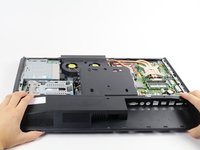
Pull the back panel toward the bottom of the device to remove it.
-
-
-
Disconnect these two power connectors on the motherboard, one connector is white and the other is black. You can identify the correct wires by their braided colors: red, yellow, blue, and black.
-
-
-
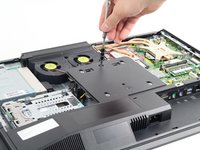
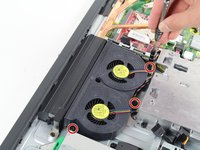
Use a Torx T15 driver to remove the three 6mm screws surrounding the fan assembly.
-
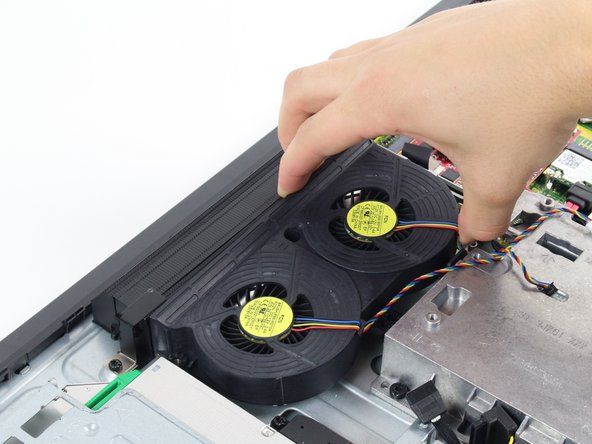
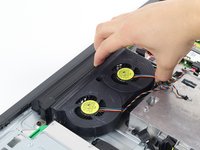
Pull the fan assembly up from the case to remove it.
-




To reassemble your device, follow these instructions in reverse order.
다른 5명이 해당 안내서를 완성하였습니다.

팀

Cal Poly, Team 1-24, Maness Fall 2015 Cal Poly, Team 1-24, Maness Fall 2015 회원
CPSU-MANESS-F15S1G24
4 회원들
안내서 14개를 작성함
