소개
The computers RAM, or Random Access Memory, is important in helping your computer run quickly and efficiently. Replacing damaged RAM or simply upgrading to newer/faster RAM is very beneficial to extending a computers life.
필요한 것
-
-
-
-
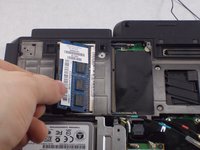
Press outward on the plastic clips to release the RAM.
-
Gently pull the RAM stick out of the SODIMM slot.
-

 FixBot에 문의하기


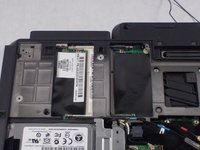
To reassemble your device, follow these instructions in reverse order.
다른 2명이 해당 안내서를 완성하였습니다.

팀

UMass Dartmouth, Team S8-G4, Valliere Spring 2018 UMass Dartmouth, Team S8-G4, Valliere Spring 2018 회원
UMASSD-VALLIERE-S18S8G4
3 회원들
안내서 7개를 작성함
