소개
Use this guide to replace the broken display on your HP Envy 4-1105dx.
필요한 것
-
-
-
Unscrew and remove the one 7.5 mm Phillips-head screw using Phillips #1 screwdriver.
-
-
-
Use the plastic opening tool (which is short and has a thin end for prying open device parts) to pry open the back case of the device.
-
-
-
Use the flat end of a plastic spudger to disconnect the battery cable from its socket in the motherboard.
-
-
-
-
Unscrew and remove the three 4.0 mm Phillips-head screws that hold the battery in place, using a Phillips #1 screwdriver.
-
-
-
-
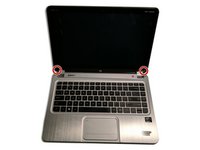
Close the device and turn it right-side up. Locate the two screw covers on the left and right side base of the display panel.
-
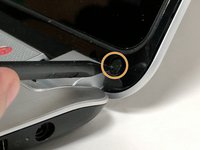
Remove the screw covers, using the black plastic spudger.
-
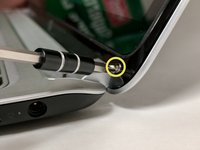
Remove the two 3.0 mm Phillips-front screws on the left and right hinges that secure the display panel to the computer, using a Phillips #1 screwdriver.
-
-
-
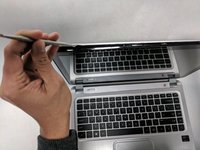
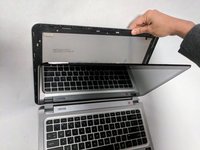
Pry open the plastic bezel case of the device using the plastic spudger. If the plastic spudger doesn't work, carefully use the metal spudger.
-
Loosen the edges of the case from all four sides of the display panel.
-
Once the back case pops out, close the laptop exposing the back display.
-
-
-
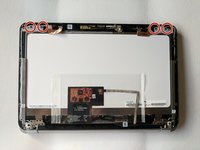
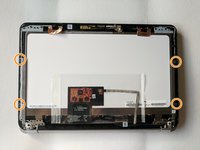
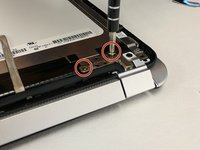
Remove the four 4.0 mm Phillips display panel screws using Phillips #1 screwdriver.
-
Remove the four 2.0 mm Phillips screws using Phillips #00 screwdriver.
-
-
-
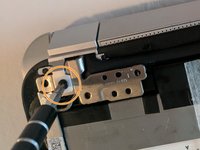
Remove the four 4.0 mm Phillips silver screws on the hinges using a Phillips #1 screw driver.
-
Remove the two 6.0 mm Phillips black hinge cover screws using a Phillips #0 screw driver.
-
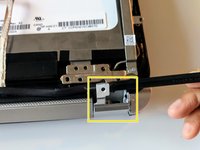
Flip and remove the hinge covers using a plastic spudger.
-
-
-
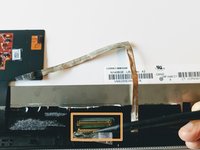
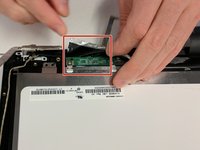
Disconnect the ribbon cable on the bottom of the display panel using a plastic spudger.
-
Disconnect the adjacent golden LCD connector using a plastic spudger.
-
-
-
Remove the golden tape adhering to the display panel using a plastic spudger.
-
-
-
Remove the white color wifi antennas from the display panel using a plastic spudger.
-
-
-
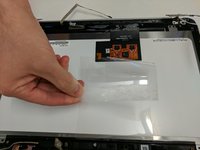
Separate the transparent plastic tape that covers the circuit board using hands.
-
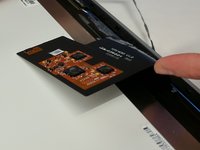
Carefully flip the circuit board.
-
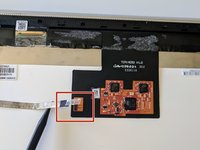
Remove the black tape adhering to the green circuit board that is connected to the display panel.
-
-
-
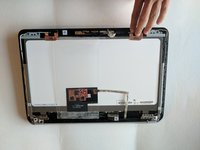
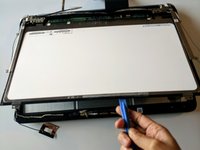
Using a plastic prying tool, remove the display panel.
-
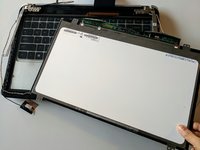
This is the disassembled screen.
-
-

 FixBot에 문의하기














To reassemble your device, follow these instructions in reverse order.

팀

Portland State University, Team S1-G4, Read Fall 2017 Portland State University, Team S1-G4, Read Fall 2017 회원
PSUN-READ-F17S1G4
2 회원들
안내서 18개를 작성함
