주요 콘텐츠로 건너뛰기
수리 커뮤니티 가입 - 계정 만들기

HP Mini 110-3735dx Hard Drive Replacement

필요한 것

  1. HP Mini 110-3735dx Hard Drive Replacement, Battery: 1 단계, 이미지 3개 중 1개 HP Mini 110-3735dx Hard Drive Replacement, Battery: 1 단계, 이미지 3개 중 2개 HP Mini 110-3735dx Hard Drive Replacement, Battery: 1 단계, 이미지 3개 중 3개
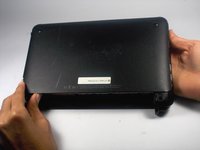
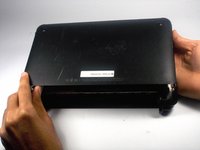
    • With the bottom of the HP Mini facing up, slide both switches inward towards each other.

  2. HP Mini 110-3735dx Hard Drive Replacement: 2 단계, 이미지 2개 중 1개 HP Mini 110-3735dx Hard Drive Replacement: 2 단계, 이미지 2개 중 2개
    • With the left switch still pushed inward, pull the battery towards you to remove it from the computer.

  3. HP Mini 110-3735dx Hard Drive Replacement, Backcover: 3 단계, 이미지 3개 중 1개 HP Mini 110-3735dx Hard Drive Replacement, Backcover: 3 단계, 이미지 3개 중 2개 HP Mini 110-3735dx Hard Drive Replacement, Backcover: 3 단계, 이미지 3개 중 3개
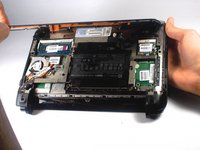
    • Pull upward from under the back cover via the missing battery area.

    • Best to start from one of the corners.

  4. HP Mini 110-3735dx Hard Drive Replacement, Hard Drive Cage: 4 단계, 이미지 1개 중 1개
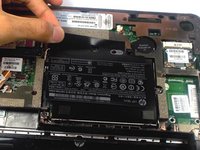
    • Remove the three 5.0 mm screws holding the hard drive cage in place using a Phillips #1 screw driver.

  5. HP Mini 110-3735dx Hard Drive Replacement: 5 단계, 이미지 3개 중 1개 HP Mini 110-3735dx Hard Drive Replacement: 5 단계, 이미지 3개 중 2개 HP Mini 110-3735dx Hard Drive Replacement: 5 단계, 이미지 3개 중 3개
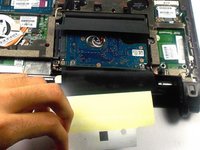
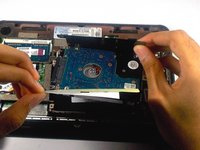
    • Lift the hard drive cage by pulling the tape upward.

    • Start by pulling the tape from the side with the keyboard symbol.

  6. HP Mini 110-3735dx Hard Drive Replacement: 6 단계, 이미지 2개 중 1개 HP Mini 110-3735dx Hard Drive Replacement: 6 단계, 이미지 2개 중 2개
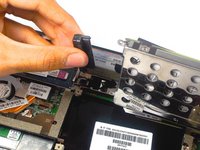
    • Unplug the cable connecting to the hard drive.

  7. HP Mini 110-3735dx Hard Drive Replacement, Hard Drive: 7 단계, 이미지 3개 중 1개 HP Mini 110-3735dx Hard Drive Replacement, Hard Drive: 7 단계, 이미지 3개 중 2개 HP Mini 110-3735dx Hard Drive Replacement, Hard Drive: 7 단계, 이미지 3개 중 3개
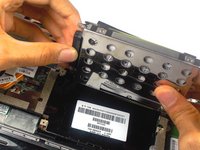
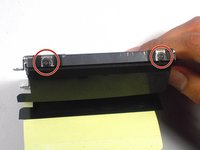
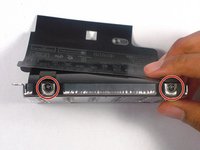
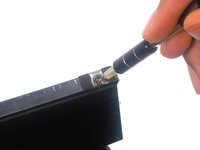
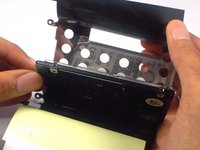
    • Remove the four 4.0 mm screws on both sides of the cage using a Phillips #1 screw driver.

  8. HP Mini 110-3735dx Hard Drive Replacement: 8 단계, 이미지 3개 중 1개 HP Mini 110-3735dx Hard Drive Replacement: 8 단계, 이미지 3개 중 2개 HP Mini 110-3735dx Hard Drive Replacement: 8 단계, 이미지 3개 중 3개
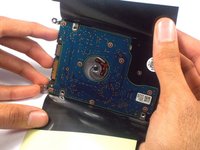
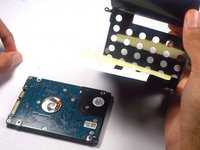
    • Gently remove the hard drive from it's cage.

결론

To reassemble your device, follow these instructions in reverse order.

다른 2명이 해당 안내서를 완성하였습니다.

작성자

2다른 기여자 명과 함께

Tyrone Williams

회원 가입일: 03/10/16

923 평판

안내서 7개를 작성함

UMass Dartmouth, Team 4-1, Catania Spring 2016 UMass Dartmouth, Team 4-1, Catania Spring 2016 회원

UMASSD-CATANIA-S16S4G1

4 회원들

안내서 7개를 작성함

0가이드 댓글

댓글 쓰기

조회 통계:

지난 24시간: 2

지난 7일: 10

지난 30일: 44

전체 시간: 901