주요 콘텐츠로 건너뛰기
수리 커뮤니티 가입 - 계정 만들기

HP Officejet 4630 Ink Cartridges Replacement

  1. HP Officejet 4630 Ink Cartridges  Replacement, Ink Cartridge: 1 단계, 이미지 2개 중 1개 HP Officejet 4630 Ink Cartridges  Replacement, Ink Cartridge: 1 단계, 이미지 2개 중 2개
    • Power on the printer.

  2. HP Officejet 4630 Ink Cartridges  Replacement: 2 단계, 이미지 3개 중 1개 HP Officejet 4630 Ink Cartridges  Replacement: 2 단계, 이미지 3개 중 2개 HP Officejet 4630 Ink Cartridges  Replacement: 2 단계, 이미지 3개 중 3개
    • Lift the lower cover to reveal the ink cartridges.

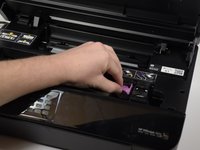
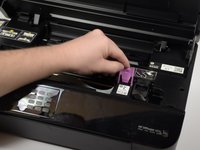
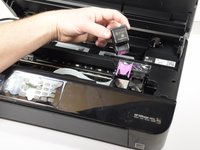
  3. HP Officejet 4630 Ink Cartridges  Replacement: 3 단계, 이미지 3개 중 1개 HP Officejet 4630 Ink Cartridges  Replacement: 3 단계, 이미지 3개 중 2개 HP Officejet 4630 Ink Cartridges  Replacement: 3 단계, 이미지 3개 중 3개
    • Lift the tab to remove the cartridge.

결론

To reassemble your device, follow these instructions in reverse order.

다른 한 분이 해당 안내서를 완성하였습니다.

작성자

3다른 기여자 명과 함께

Maya Willis

회원 가입일: 01/24/18

424 평판

안내서 3개를 작성함

Cal Poly, Team S18-G3, Livingston Winter 2018 Cal Poly, Team S18-G3, Livingston Winter 2018 회원

CPSU-LIVINGSTON-W18S18G3

4 회원들

안내서 18개를 작성함

1가이드 댓글

After changing the cartridge the printer won't recognize the new cartridge.

Shirley Courtney - 답글 공유

댓글 쓰기

조회 통계:

지난 24시간: 4

지난 7일: 22

지난 30일: 77

전체 시간: 4,547