소개
This guide will detail how to replace the RAM modules in your HP Pavilion 15-ba003ds. You can use this guide if you’re having troubles with RAM, would like to upgrade the amount of RAM in your system, or have problems with blue screens as your RAM modules may be faulty.
필요한 것
-
-
-
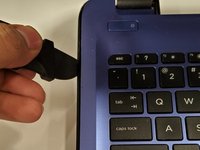
Unplug the AC adapter from the corresponding socket in the laptop.
-
Use your fingers to push the slider located just under the battery on either side to unlock the battery from the laptop.
-
Carefully slide the battery out of the laptop frame and place it somewhere safe.
 FixBot에 문의하기
-
-
-
-
-
-
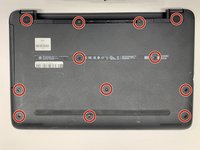
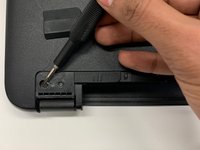
Use a Phillips #00 screwdriver to remove twelve 8 mm screws from the bottom of your laptop including the two screws found underneath the rubber feet.
-
-
-
-
-
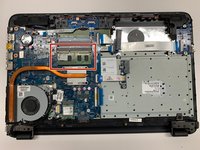
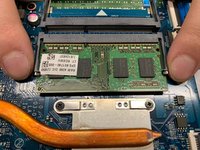
To release the RAM, hold and pull the strips outwards on either side of the RAM.
-
-




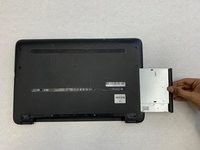
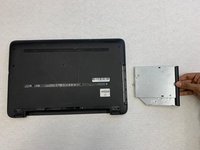




To reassemble your device, follow these instructions in reverse order.

팀

York University, Team S1-G9, Woodhouse Winter 2020 York University, Team S1-G9, Woodhouse Winter 2020 회원
YORK-WOODHOUSE-W20S1G9
3 회원들
안내서 8개를 작성함
