주요 콘텐츠로 건너뛰기
수리 커뮤니티 가입 - 계정 만들기

HP ProBook 440 G1 Keyboard Replacement

필요한 것

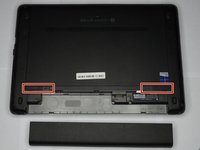
  1. HP ProBook 440 G1 Keyboard Replacement, Battery: 1 단계, 이미지 2개 중 1개 HP ProBook 440 G1 Keyboard Replacement, Battery: 1 단계, 이미지 2개 중 2개
    • Make sure the laptop is turned off before you start.

    • Push and hold the release tab on the right and left toward the center.

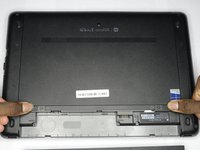
  2. HP ProBook 440 G1 Keyboard Replacement: 2 단계, 이미지 2개 중 1개 HP ProBook 440 G1 Keyboard Replacement: 2 단계, 이미지 2개 중 2개
    • Pull the battery out.

  3. HP ProBook 440 G1 Keyboard Replacement, Backplate: 3 단계, 이미지 3개 중 1개 HP ProBook 440 G1 Keyboard Replacement, Backplate: 3 단계, 이미지 3개 중 2개 HP ProBook 440 G1 Keyboard Replacement, Backplate: 3 단계, 이미지 3개 중 3개
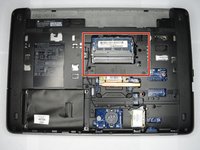
    • Push and hold the release tabs on the right and left toward the center again.

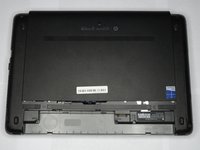
  4. HP ProBook 440 G1 Keyboard Replacement: 4 단계, 이미지 1개 중 1개
    • Slide the backplate off.

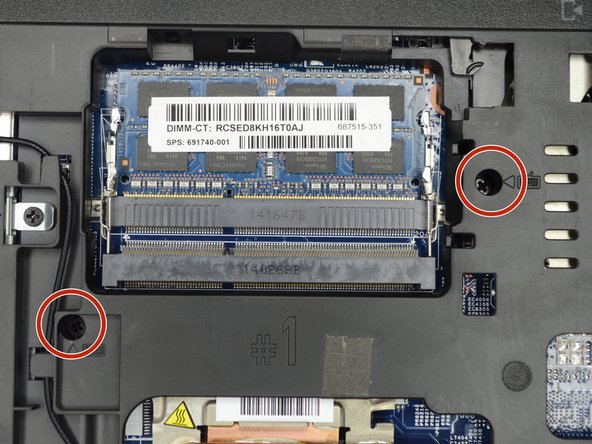
  5. HP ProBook 440 G1 Keyboard Replacement, Keyboard: 5 단계, 이미지 2개 중 1개 HP ProBook 440 G1 Keyboard Replacement, Keyboard: 5 단계, 이미지 2개 중 2개
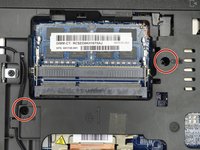
    • Locate the two screws on the back of the laptop, holding the keyboard.

    • Remove the two screws using a Phillips #00 screwdriver.

  6. HP ProBook 440 G1 Keyboard Replacement: 6 단계, 이미지 1개 중 1개
    • Flip the computer over so as to see the keyboard.

  7. HP ProBook 440 G1 Keyboard Replacement: 7 단계, 이미지 2개 중 1개 HP ProBook 440 G1 Keyboard Replacement: 7 단계, 이미지 2개 중 2개
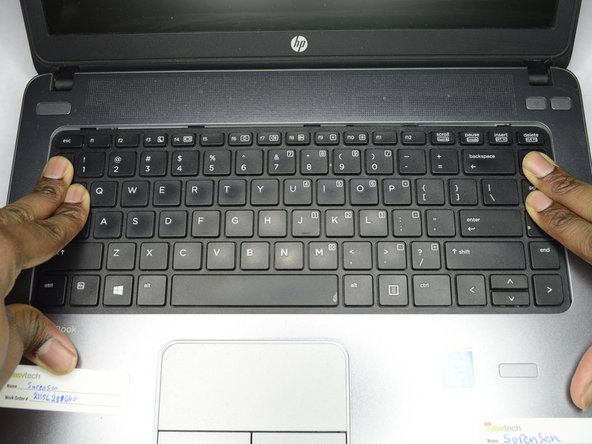
    • Place both hands on the keyboard and slide it back.

    • The keyboard will only slide back a small amount.

  8. HP ProBook 440 G1 Keyboard Replacement: 8 단계, 이미지 2개 중 1개 HP ProBook 440 G1 Keyboard Replacement: 8 단계, 이미지 2개 중 2개
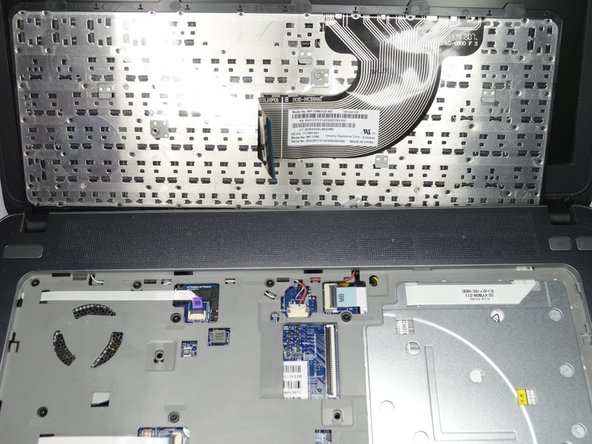
    • Using a plastic opening tool, pull the keyboard up.

  9. HP ProBook 440 G1 Keyboard Replacement: 9 단계, 이미지 3개 중 1개 HP ProBook 440 G1 Keyboard Replacement: 9 단계, 이미지 3개 중 2개 HP ProBook 440 G1 Keyboard Replacement: 9 단계, 이미지 3개 중 3개
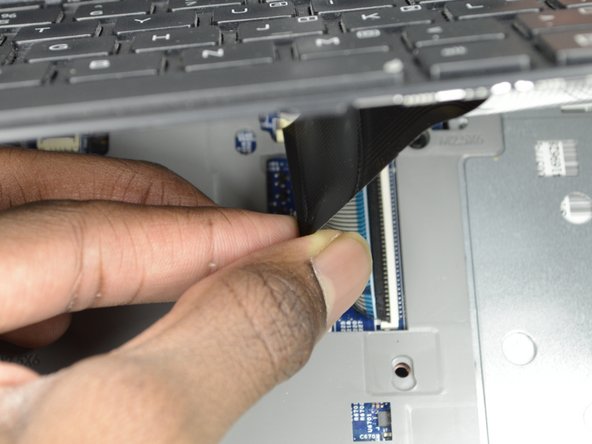
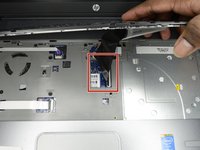
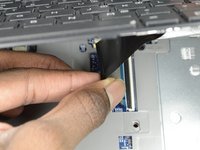
    • Locate the connector strip between the keyboard and the laptop.

    • Pull the strip away from the connector until it unplugs.

    • It may take some force to make the strip disconnect.

결론

To reassemble your device, follow these instructions in reverse order.

다른 2명이 해당 안내서를 완성하였습니다.

작성자

1다른 기여자 명과 함께

Ethan A Courtney

회원 가입일: 10/24/18

875 평판

안내서 7개를 작성함

1가이드 댓글

thanks for that

sir i want original keyboard 440 G1

if u dont mine suggest me

karun kumar - 답글 공유

댓글 쓰기

조회 통계:

지난 24시간: 0

지난 7일: 0

지난 30일: 16

전체 시간: 2,619