주요 콘텐츠로 건너뛰기
수리 커뮤니티 가입 - 계정 만들기

HP ProBook 4520s Screen Replacement

필요한 것

  1. HP ProBook 4520s Screen Replacement, Battery: 1 단계, 이미지 2개 중 1개 HP ProBook 4520s Screen Replacement, Battery: 1 단계, 이미지 2개 중 2개
    • Flip the 4520s upside-down with the front toward you.

    • Push the two latches below the battery inwards at the same time.

    댓글 쓰기

  2. HP ProBook 4520s Screen Replacement: 2 단계, 이미지 1개 중 1개
    • Remove the battery by holding the latches and sliding the battery away from you.

    댓글 쓰기

  3. HP ProBook 4520s Screen Replacement, Switch Cover: 3 단계, 이미지 2개 중 1개 HP ProBook 4520s Screen Replacement, Switch Cover: 3 단계, 이미지 2개 중 2개
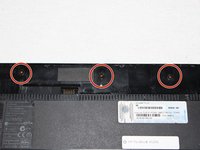
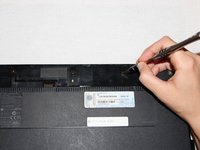
    • Use a Phillips #1 screwdriver to remove three 2mm screws where the battery was located.

    댓글 쓰기

  4. HP ProBook 4520s Screen Replacement: 4 단계, 이미지 2개 중 1개 HP ProBook 4520s Screen Replacement: 4 단계, 이미지 2개 중 2개
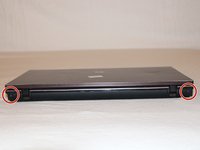
    • Flip the 4520s over and rotate it so the back is facing you.

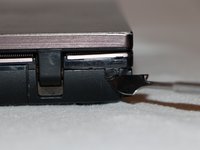
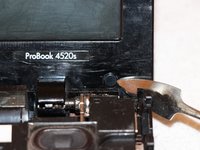
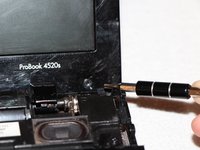
    • Use a metal spudger to peel off two rubber caps located on either side of the battery port.

    댓글 쓰기

  5. HP ProBook 4520s Screen Replacement: 5 단계, 이미지 1개 중 1개
    • Use a Phillips #1 screwdriver to remove the 3mm screws behind the caps.

    댓글 쓰기

  6. HP ProBook 4520s Screen Replacement: 6 단계, 이미지 3개 중 1개 HP ProBook 4520s Screen Replacement: 6 단계, 이미지 3개 중 2개 HP ProBook 4520s Screen Replacement: 6 단계, 이미지 3개 중 3개
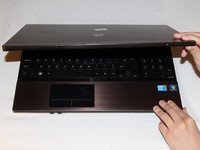
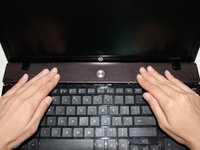
    • Rotate the 4520s and then open it with the screen facing you.

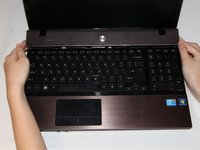
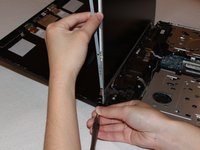
    • The switch cover is located above the keyboard. Push the switch cover away from you until it comes loose from the 4520s.

    • Lift the switch cover away from the 4520s and set it aside.

    댓글 쓰기

  7. HP ProBook 4520s Screen Replacement, Screen: 7 단계, 이미지 2개 중 1개 HP ProBook 4520s Screen Replacement, Screen: 7 단계, 이미지 2개 중 2개
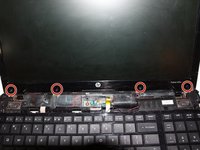
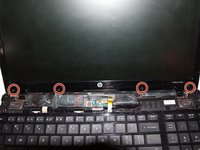
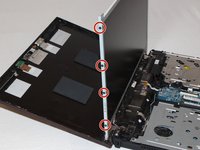
    • Use a metal spudger to remove four rubber caps at the bottom of the screen border.

    댓글 쓰기

  8. HP ProBook 4520s Screen Replacement: 8 단계, 이미지 2개 중 1개 HP ProBook 4520s Screen Replacement: 8 단계, 이미지 2개 중 2개
    • Use a Torx (T9) head screwdriver to remove the four 5mm screws beneath the rubber caps.

    댓글 쓰기

  9. HP ProBook 4520s Screen Replacement: 9 단계, 이미지 3개 중 1개 HP ProBook 4520s Screen Replacement: 9 단계, 이미지 3개 중 2개 HP ProBook 4520s Screen Replacement: 9 단계, 이미지 3개 중 3개
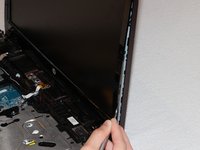
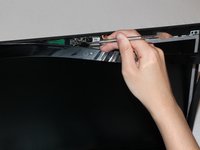
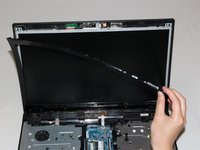
    • Pry open the tabs behind the border of the screen using a metal spudger.

    • Set the border of the screen aside.

    댓글 쓰기

  10. HP ProBook 4520s Screen Replacement: 10 단계, 이미지 2개 중 1개 HP ProBook 4520s Screen Replacement: 10 단계, 이미지 2개 중 2개
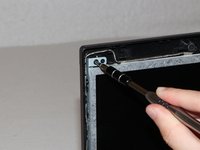
    • Use a Torx (T9) head screwdriver to remove two 5mm screws above the screen, and two more screws below it.

    • The bottom set of screws is installed on the innermost screw holes.

    댓글 쓰기

  11. HP ProBook 4520s Screen Replacement: 11 단계, 이미지 1개 중 1개
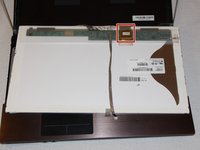
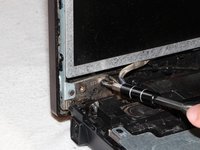
    • Above the screen is a bronze port with a cable connected to it. Disconnect the cable using a metal spudger or your finger.

    댓글 쓰기

  12. HP ProBook 4520s Screen Replacement: 12 단계, 이미지 1개 중 1개
    • Gently push the back cover away.

    댓글 쓰기

  13. HP ProBook 4520s Screen Replacement: 13 단계, 이미지 3개 중 1개 HP ProBook 4520s Screen Replacement: 13 단계, 이미지 3개 중 2개 HP ProBook 4520s Screen Replacement: 13 단계, 이미지 3개 중 3개
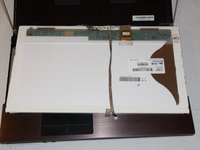
    • Use a Phillips (PH1) head screwdriver to remove eight 2mm screws from the screen. Four of the screws will be on the left side and four will be on the right.

    • Place the screen face down.

    댓글 쓰기

  14. HP ProBook 4520s Screen Replacement: 14 단계, 이미지 3개 중 1개 HP ProBook 4520s Screen Replacement: 14 단계, 이미지 3개 중 2개 HP ProBook 4520s Screen Replacement: 14 단계, 이미지 3개 중 3개
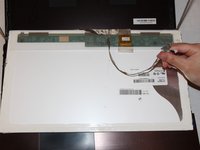
    • Peel the ribbon cable away from the screen.

    댓글 쓰기

  15. HP ProBook 4520s Screen Replacement: 15 단계, 이미지 2개 중 1개 HP ProBook 4520s Screen Replacement: 15 단계, 이미지 2개 중 2개
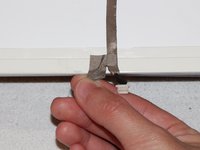
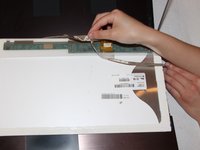
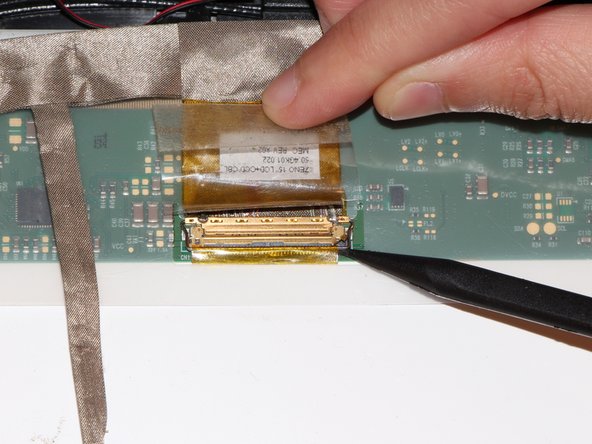
    • To open the clamp for the ribbon cable, use a spudger to pry up the metal bar securing it to the screen.

    • Disconnect the cable after freeing it from the metal bar

    댓글 쓰기

결론

To reassemble your device, follow these instructions in reverse order.

취소: 해당 안내서를 완성하지 않았습니다.

다른 7명이 해당 안내서를 완성하였습니다.

작성자

5다른 기여자 명과 함께

Robert Spencer Harrison

회원 가입일: 09/21/16

1,422 평판

안내서 4개를 작성함

UC Davis, Team 1-3, Oliver Fall 2016 UC Davis, Team 1-3, Oliver Fall 2016 회원

UCD-OLIVER-F16S1G3

5 회원들

안내서 8개를 작성함

2가이드 댓글

I need back cover hp i5 probook 4520s

amir86216 - 답글 공유
I need speakers hp probook 4520s i5

Osagie Rmd - 답글 공유

댓글 쓰기

조회 통계:

지난 24시간: 2

지난 7일: 12

지난 30일: 48

전체 시간: 6,929