주요 콘텐츠로 건너뛰기
수리 커뮤니티 가입 - 계정 만들기

HP Stream 11-d020nr Trackpad Replacement

필요한 것

  1. HP Stream 11-d020nr Trackpad Replacement, Lower Case: 1 단계, 이미지 3개 중 1개 HP Stream 11-d020nr Trackpad Replacement, Lower Case: 1 단계, 이미지 3개 중 2개 HP Stream 11-d020nr Trackpad Replacement, Lower Case: 1 단계, 이미지 3개 중 3개
    • Before disassembly, unplug and power off the Stream 11.

    • Pry off the two elliptical rubber inserts (one in each corner).

    • Pry off the two circular rubber inserts below the removed elliptical inserts (one in each corner).

  2. HP Stream 11-d020nr Trackpad Replacement: 2 단계, 이미지 2개 중 1개 HP Stream 11-d020nr Trackpad Replacement: 2 단계, 이미지 2개 중 2개
    • Remove the eleven 5.6 mm Phillips #00 screws.

  3. HP Stream 11-d020nr Trackpad Replacement: 3 단계, 이미지 3개 중 1개 HP Stream 11-d020nr Trackpad Replacement: 3 단계, 이미지 3개 중 2개 HP Stream 11-d020nr Trackpad Replacement: 3 단계, 이미지 3개 중 3개
    • Turn the computer upright and lift the screen.

    • Carefully use a spudger to pry the plastic keyboard cover from the base.

    • When using the metal spudger, be careful not to press into the components underneath the keyboard cover. If possible, use a standard spudger or plastic opening tool to remove the keyboard cover.

    • Work the spudger around the cover to release the clips attaching the cover to the base.

    • Be patient when removing the cover, as there are many clips and it may take some time.

  4. HP Stream 11-d020nr Trackpad Replacement: 4 단계, 이미지 3개 중 1개 HP Stream 11-d020nr Trackpad Replacement: 4 단계, 이미지 3개 중 2개 HP Stream 11-d020nr Trackpad Replacement: 4 단계, 이미지 3개 중 3개
    • Disconnect the cable connecting the ClickPad to the base.

    • Remove the plastic keyboard cover.

    • The cover is attached to the ClickPad by a cable. Be careful not to lift the cover too far so you do not damage this cable.

  5. HP Stream 11-d020nr Trackpad Replacement, Trackpad: 5 단계, 이미지 2개 중 1개 HP Stream 11-d020nr Trackpad Replacement, Trackpad: 5 단계, 이미지 2개 중 2개
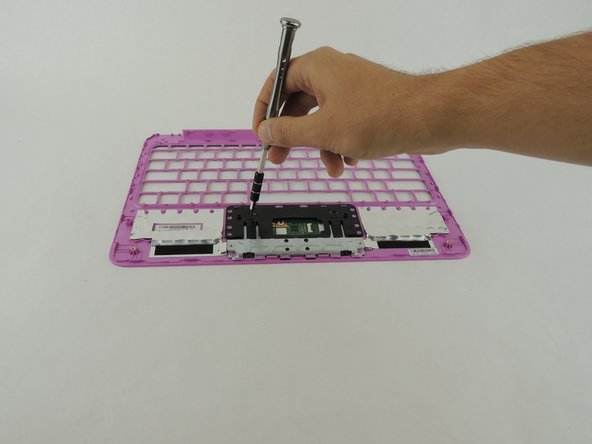
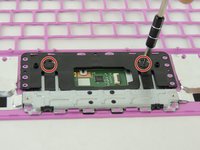
    • On the back of the plastic keyboard cover, remove the two 2 mm Phillips #000 screws.

  6. HP Stream 11-d020nr Trackpad Replacement: 6 단계, 이미지 1개 중 1개
    • Lift up the plastic cover to release the ClickPad.

결론

To reassemble your computer, follow these instructions in reverse order.

다른 4명이 해당 안내서를 완성하였습니다.

작성자

5다른 기여자 명과 함께

Spenser Mason

회원 가입일: 02/04/16

1,781 평판

안내서 6개를 작성함

USF Tampa, Team 3-5, Wollert Spring 2016 USF Tampa, Team 3-5, Wollert Spring 2016 회원

USFT-WOLLERT-S16S3G5

5 회원들

안내서 19개를 작성함

2가이드 댓글

windows 8.1 y windows 10 no detectan el clickpad ni en el administrador de dispositivos, como si no existiera pero al arrancar de un cdlive de ubuntu lo reconoce perfectamente. alguien sabra que podria ser?

Oscar - 답글 공유

Can you give the Product number of the part?

NÖME Technologys and Designs - 답글 공유

댓글 쓰기

조회 통계:

지난 24시간: 1

지난 7일: 10

지난 30일: 34

전체 시간: 1,764