주요 콘텐츠로 건너뛰기
수리 커뮤니티 가입 - 계정 만들기

HTC HD2 Camera Replacement

필요한 것

  1. HTC HD2 Camera Replacement, Battery: 1 단계, 이미지 1개 중 1개
    • Carefully pull the rear cover from the back of the phone.

    • Place a finger beneath the small lip on the left side of the battery.

    댓글 쓰기

  2. HTC HD2 Camera Replacement: 2 단계, 이미지 2개 중 1개 HTC HD2 Camera Replacement: 2 단계, 이미지 2개 중 2개
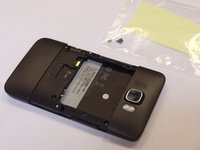
    • Lay the phone down on it's screen.

    • Lift up on the lip and pull the battery from the phone.

    댓글 쓰기

  3. HTC HD2 Camera Replacement, Midframe: 3 단계, 이미지 2개 중 1개 HTC HD2 Camera Replacement, Midframe: 3 단계, 이미지 2개 중 2개
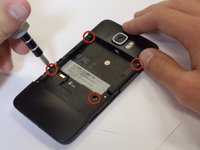
    • Remove the four black 3.5mm T5 screws from the back of the phone.

    댓글 쓰기

  4. HTC HD2 Camera Replacement: 4 단계, 이미지 2개 중 1개 HTC HD2 Camera Replacement: 4 단계, 이미지 2개 중 2개
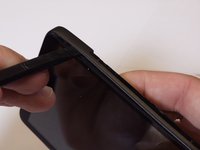
    • Insert the flat end of a spudger between the midframe and the display.

    • Slide the spudger along the seam between the frame and the display.

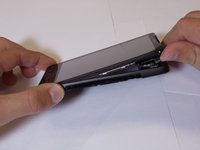
    • Using the spudger for leverage, carefully pry the midframe away from the display assembly.

    • This process will take some effort. Continue to pry slowly and carefully until the frame begins to detach.

    • As it releases, pull the midframe away from the phone.

    • The volume control tab may fall off during removal. It can be easily reattached.

    댓글 쓰기

  5. HTC HD2 Camera Replacement, Camera: 5 단계, 이미지 3개 중 1개 HTC HD2 Camera Replacement, Camera: 5 단계, 이미지 3개 중 2개 HTC HD2 Camera Replacement, Camera: 5 단계, 이미지 3개 중 3개
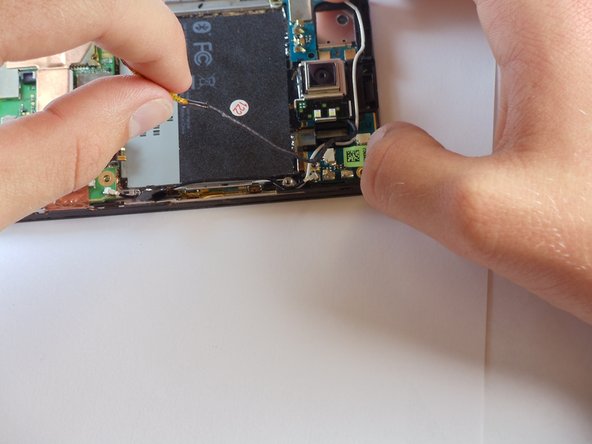
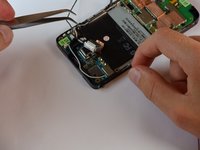
    • Disconnect the flash cable from its socket in the bottom of the motherboard.

    • Carefully pull the cable from its groove in the frame, working your way back to the camera.

    댓글 쓰기

  6. HTC HD2 Camera Replacement: 6 단계, 이미지 3개 중 1개 HTC HD2 Camera Replacement: 6 단계, 이미지 3개 중 2개 HTC HD2 Camera Replacement: 6 단계, 이미지 3개 중 3개
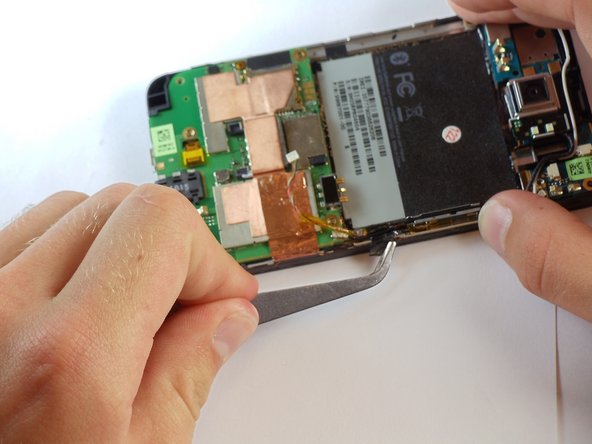
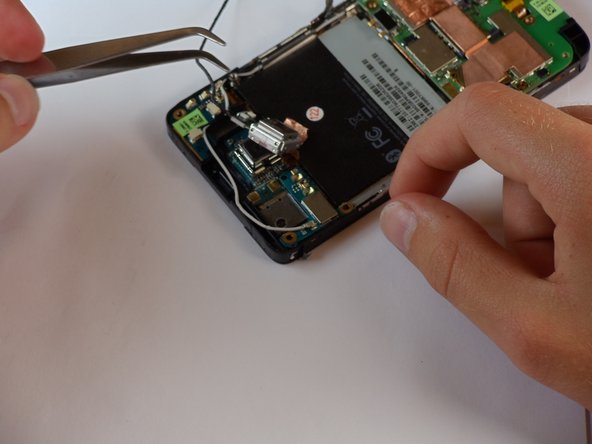
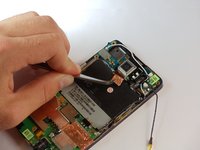
    • Pull the camera flash and cover off of the board.

    • You may need to peel back the sticker that sits behind the battery.

    • Work carefully. Excessive force can damage the camera or motherboard.

    댓글 쓰기

  7. HTC HD2 Camera Replacement: 7 단계, 이미지 1개 중 1개
    이 단계에 사용된 도구:
    Tweezers
    $4.99
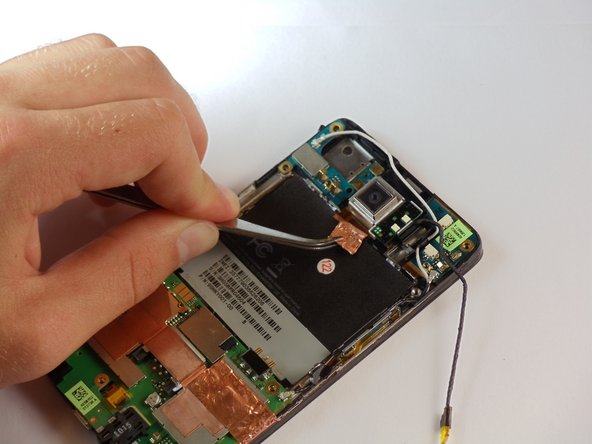
    • Around the camera is a thin shielding. Remove it with tweezers.

    • Using tweezers, remove the primary camera.

    댓글 쓰기

결론

To reassemble your device, follow these instructions in reverse order.

취소: 해당 안내서를 완성하지 않았습니다.

다른 2명이 해당 안내서를 완성하였습니다.

작성자

6다른 기여자 명과 함께

Sam Luedloff

회원 가입일: 04/12/11

727 평판

안내서 3개를 작성함

Cal Poly, Team 24-55, Amido Spring 2011 Cal Poly, Team 24-55, Amido Spring 2011 회원

CPSU-AMIDO-S11S24G55

5 회원들

안내서 16개를 작성함

0가이드 댓글

댓글 쓰기

조회 통계:

지난 24시간: 3

지난 7일: 9

지난 30일: 42

전체 시간: 8,362