주요 콘텐츠로 건너뛰기
수리 커뮤니티 가입 - 계정 만들기

HTC One Max Rear Facing Camera Replacement

필요한 것

  1. HTC One Max Rear Facing Camera Replacement, Back Case: 1 단계, 이미지 1개 중 1개
    • Lift back cover while pressing highlighted release switch towards the center of the phone.

  2. HTC One Max Rear Facing Camera Replacement: 2 단계, 이미지 2개 중 1개 HTC One Max Rear Facing Camera Replacement: 2 단계, 이미지 2개 중 2개
    • Remove the four white stickers in each corner that cover the Tri-Wing screws.

    • Remove the white sticker near the buttons that control the volume.

    • Remove the white sticker near the SIM card.

    • Remove the big white sticker with the bar-code in the center of the phone.

  3. HTC One Max Rear Facing Camera Replacement: 3 단계, 이미지 1개 중 1개
    • Remove the thirteen Tri-Wing Y00 screws (Upper & Lower screws are 5 mm length, middle screws are 3.8 mm length) from the back case.

    • Disconnect the cable near the volume buttons.

  4. HTC One Max Rear Facing Camera Replacement: 4 단계, 이미지 2개 중 1개 HTC One Max Rear Facing Camera Replacement: 4 단계, 이미지 2개 중 2개
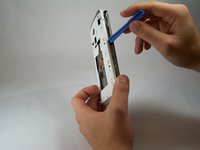
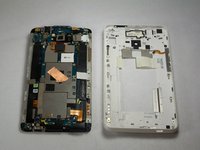
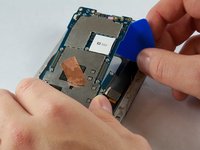
    • Use the small plastic opening tool to pry between the screen and the rear case.

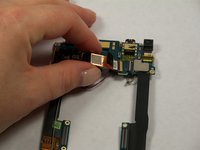
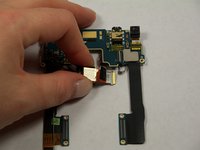
  5. HTC One Max Rear Facing Camera Replacement, Fingerprint Sensor: 5 단계, 이미지 2개 중 1개 HTC One Max Rear Facing Camera Replacement, Fingerprint Sensor: 5 단계, 이미지 2개 중 2개
    이 단계에 사용된 도구:
    Tweezers
    $4.99
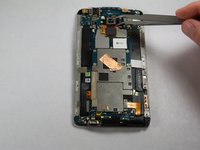
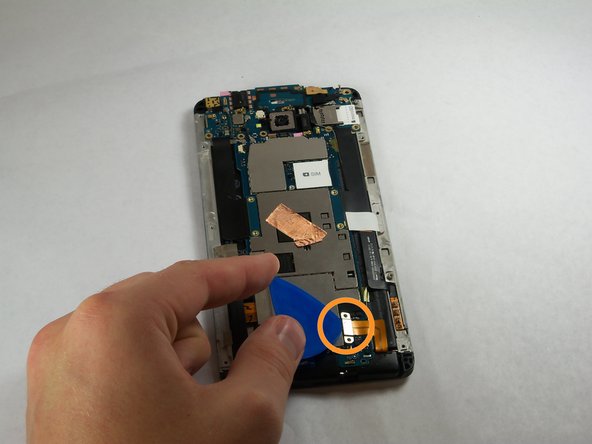
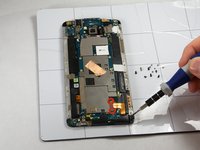
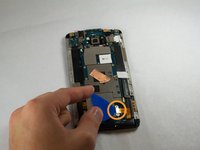
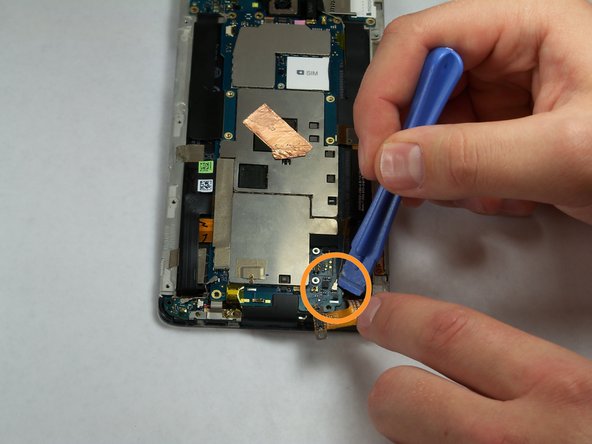
    • Use Tweezers to disconnect the ribbon cable connecting the fingerprint sensor to the motherboard.

    • When replacing the fingerprint sensor, make sure the ribbon cable snaps into the port on the motherboard.

  6. HTC One Max Rear Facing Camera Replacement, Motherboard: 6 단계, 이미지 2개 중 1개 HTC One Max Rear Facing Camera Replacement, Motherboard: 6 단계, 이미지 2개 중 2개
    • Remove the two 2.2 mm Phillips #000 screws holding the battery cable.

    • Use a plastic tool to remove the ribbon cable.

  7. HTC One Max Rear Facing Camera Replacement: 7 단계, 이미지 2개 중 1개 HTC One Max Rear Facing Camera Replacement: 7 단계, 이미지 2개 중 2개
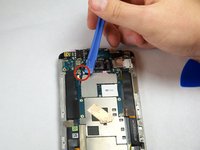
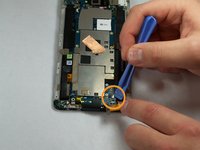
    • Use the plastic opening tool to disconnect the two antenna wires at the top of the phone.

    • Use the plastic opening tool to disconnect a third antenna wire at the bottom of the phone.

  8. HTC One Max Rear Facing Camera Replacement: 8 단계, 이미지 1개 중 1개
    • Remove the seven 3 mm Phillips #000 screws from the motherboard.

  9. HTC One Max Rear Facing Camera Replacement: 9 단계, 이미지 3개 중 1개 HTC One Max Rear Facing Camera Replacement: 9 단계, 이미지 3개 중 2개 HTC One Max Rear Facing Camera Replacement: 9 단계, 이미지 3개 중 3개
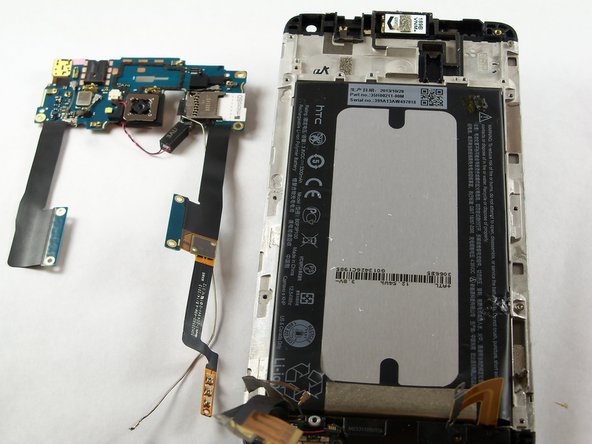
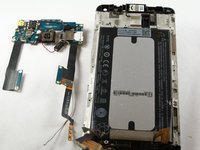
    • Use a plastic tool to pry up and disconnect the large ribbon cables on each side of the motherboard.

    • Use caution prying the ribbon cable on the right side because other ribbon cables run under it.

  10. HTC One Max Rear Facing Camera Replacement: 10 단계, 이미지 3개 중 1개 HTC One Max Rear Facing Camera Replacement: 10 단계, 이미지 3개 중 2개 HTC One Max Rear Facing Camera Replacement: 10 단계, 이미지 3개 중 3개
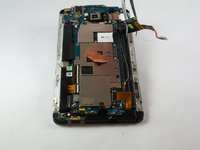
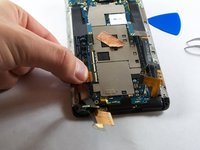
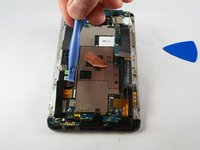
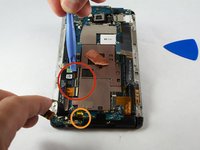
    • Remove the tape covering three flex cable gate connectors on the bottom left side of the phone.

    • Use small plastic opening tool to pry open the latch on each of these gate connectors to disconnect the three cables.

    • Use small plastic opening tool to pry open the latch on each of these gate connectors to disconnect the three cables.

  11. HTC One Max Rear Facing Camera Replacement: 11 단계, 이미지 2개 중 1개 HTC One Max Rear Facing Camera Replacement: 11 단계, 이미지 2개 중 2개
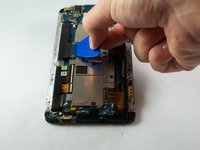
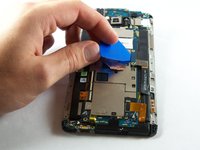
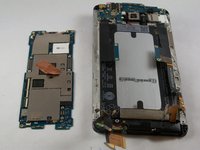
    • Use a plastic tool to lift and remove the motherboard.

    • Use a heat gun to loosen adhesive at bottom if needed.

  12. HTC One Max Rear Facing Camera Replacement, IR Blaster: 12 단계, 이미지 1개 중 1개
    • Remove the three 3 mm Phillips #000 screws from the secondary board at the top.

  13. HTC One Max Rear Facing Camera Replacement: 13 단계, 이미지 1개 중 1개
    • Pick up and set aside vibrator, do not disconnect.

  14. HTC One Max Rear Facing Camera Replacement: 14 단계, 이미지 1개 중 1개
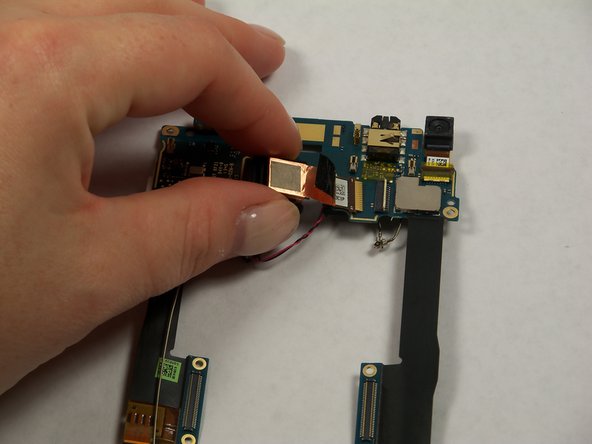
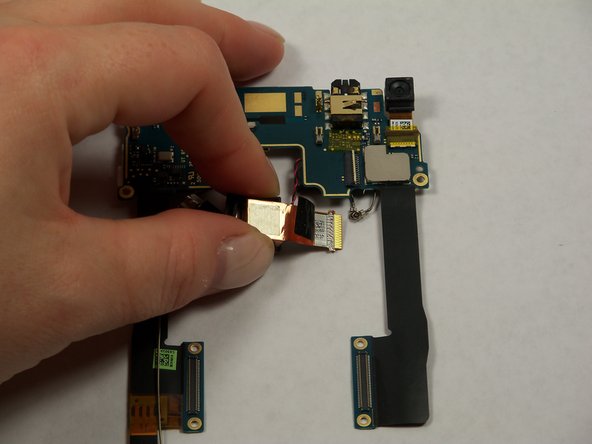
    • Pull out ribbon cable.

    • Peel back infrared sensor.

  15. HTC One Max Rear Facing Camera Replacement, Rear Facing Camera: 15 단계, 이미지 2개 중 1개 HTC One Max Rear Facing Camera Replacement, Rear Facing Camera: 15 단계, 이미지 2개 중 2개
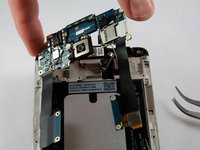
    • Lift the secondary motherboard with the camera attached.

  16. HTC One Max Rear Facing Camera Replacement: 16 단계, 이미지 3개 중 1개 HTC One Max Rear Facing Camera Replacement: 16 단계, 이미지 3개 중 2개 HTC One Max Rear Facing Camera Replacement: 16 단계, 이미지 3개 중 3개
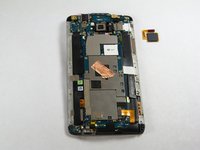
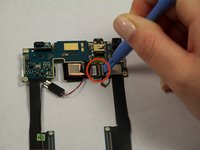
    • Use a plastic opening tool to disconnect the camera ribbon cable.

    • Remove rear camera.

결론

To reassemble your device, follow these instructions in reverse order.

다른 8명이 해당 안내서를 완성하였습니다.

작성자

5다른 기여자 명과 함께

Andrew Keller

회원 가입일: 09/23/14

1,131 평판

안내서 5개를 작성함

USF Tampa, Team 11-3, Blackwell Fall 2014 USF Tampa, Team 11-3, Blackwell Fall 2014 회원

USFT-BLACKWELL-F14S11G3

4 회원들

안내서 7개를 작성함

1가이드 댓글

so..which one do i have to buy?

the Phillips #00 or the #000? the steps say one thing, the required tools section says another.

thanks in advance

alberto rivera - 답글 공유

댓글 쓰기

조회 통계:

지난 24시간: 2

지난 7일: 13

지난 30일: 47

전체 시간: 8,301