소개
Use this guide to replace the battery in the HTC Thunderbolt.
필요한 것
-
-
Insert the plastic opening tool into the top of the Thunderbolt near the power button.
-
Gently pry up on the rear panel around the edges until it is loose.
 FixBot에 문의하기
-
-
-
-
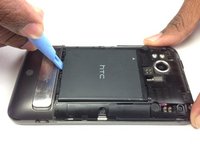
Using the plastic opening tool, lift up the battery from the bottom near the kickstand.
-
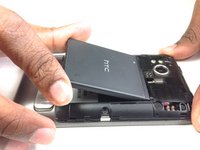
Remove the battery from the inner frame.
-


To reassemble your device, follow these instructions in reverse order.
다른 한 분이 해당 안내서를 완성하였습니다.

팀

Cal Poly, Team 19-45, Regan Winter 2013 Cal Poly, Team 19-45, Regan Winter 2013 회원
CPSU-REGAN-W13S19G45
4 회원들
안내서 36개를 작성함
