소개
If your HTC Touch isn't powering on, freezing, or showing display issues, the motherboard may need a replacement. This guide will walk you through each step of removing and replacing the motherboard safely. With a few simple tools and careful handling, you can restore your device to its former glory without a costly repair shop visit.
Be sure to power off your device, remove the battery, and ground yourself before beginning to prevent static damage!
필요한 것
-
-
-
Remove the 4 torx-head screws in the corners of the phone using the T5 Torx Screwdriver.
-
-
-
-
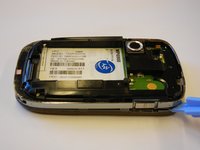
Use the plastic opening tool to remove the front panel from the phone.
-
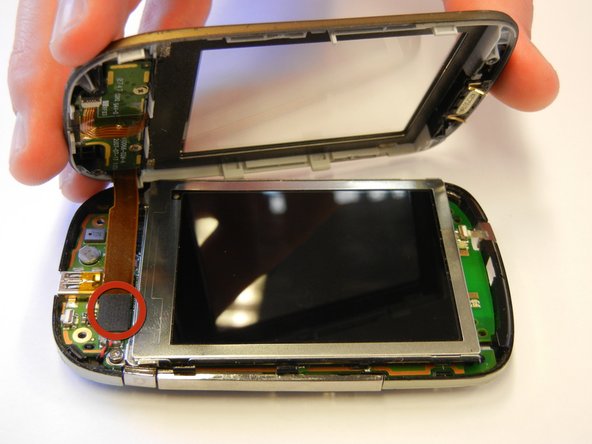
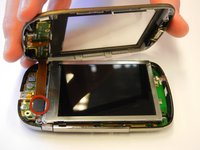
Unplug the front button cable from the inside of the phone.
-
-
-
Unscrew the 2 torx-head screws at the base of the LCD screen using the T5 Torx Screwdriver.
-
-
-
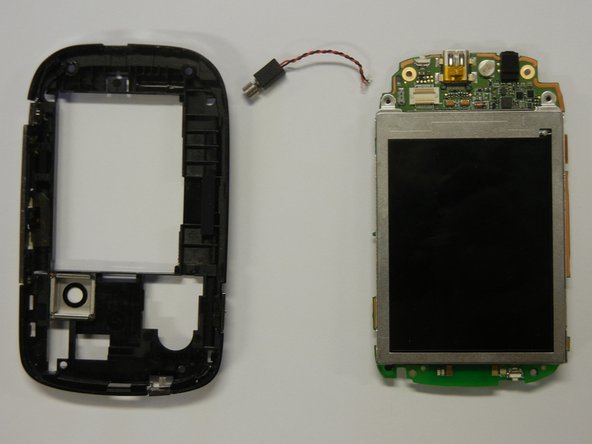
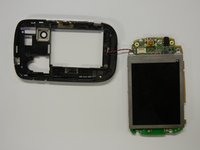
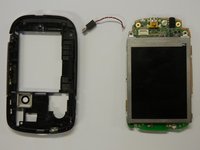
Separate the motherboard from the black plastic casing.
-
Unplug the black and red wire from the motherboard.
-
Unplug the black and red wire from the black plastic casing.
-
-
-
Lift the black lever next to the orange ribbon cable to remove the LCD screen.
-

 FixBot에 문의하기






To reassemble your device, follow these instructions in reverse order.

팀

Cal Poly, Team 15-12, Regan Spring 2011 Cal Poly, Team 15-12, Regan Spring 2011 회원
CPSU-REGAN-S11S15G12
4 회원들
안내서 35개를 작성함
