주요 콘텐츠로 건너뛰기
수리 커뮤니티 가입 - 계정 만들기

HTC Vive Pro 2 All-In-One Cable Replacement

필요한 것

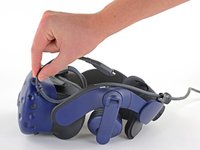
    1. HTC Vive Pro 2 All-In-One Cable Replacement, Reposition the head strap: 1 단계, 이미지 2개 중 1개 HTC Vive Pro 2 All-In-One Cable Replacement, Reposition the head strap: 1 단계, 이미지 2개 중 2개
      • Rotate the head strap forward as far as it will go.

      댓글 쓰기

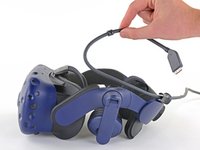
    2. HTC Vive Pro 2 All-In-One Cable Replacement, Unplug the All-In-One Cable: 2 단계, 이미지 2개 중 1개 HTC Vive Pro 2 All-In-One Cable Replacement, Unplug the All-In-One Cable: 2 단계, 이미지 2개 중 2개
      • Unplug the All-In-One Cable from your headset.

      댓글 쓰기

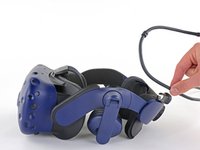
    3. HTC Vive Pro 2 All-In-One Cable Replacement, Remove the All-In-One Cable: 3 단계, 이미지 3개 중 1개 HTC Vive Pro 2 All-In-One Cable Replacement, Remove the All-In-One Cable: 3 단계, 이미지 3개 중 2개 HTC Vive Pro 2 All-In-One Cable Replacement, Remove the All-In-One Cable: 3 단계, 이미지 3개 중 3개
      • Remove the All-In-One Cable from the cable guides along the left side of the head strap.

      • During reassembly, connect the All-In-One Cable to the headset before routing it through the cable guides. This will ensure it has the right amount of slack.

      댓글 쓰기

결론

To reassemble your device, follow the above steps in reverse order.

Repair didn’t go as planned? Try some basic troubleshooting, or ask our Answers community for help.


취소: 해당 안내서를 완성하지 않았습니다.

작성자

1다른 기여자 명과 함께

Alex Diaz-Kokaisl

회원 가입일: 01/16/22

247,308 평판

안내서 1,203개를 작성함

iFixit iFixit 회원

Staff

123 회원들

안내서 72,425개를 작성함

0가이드 댓글

댓글 쓰기

조회 통계:

지난 24시간: 0

지난 7일: 12

지난 30일: 48

전체 시간: 851