주요 콘텐츠로 건너뛰기
수리 커뮤니티 가입 - 계정 만들기

HTC Vive Pro All-In-One Cable Replacement

필요한 것

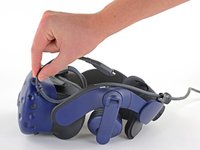
  1. HTC Vive Pro All-In-One Cable Replacement, Reposition the head strap: 1 단계, 이미지 2개 중 1개 HTC Vive Pro All-In-One Cable Replacement, Reposition the head strap: 1 단계, 이미지 2개 중 2개
    • Rotate the head strap forward as far as it will go.

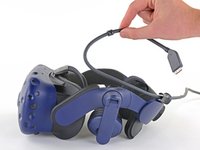
  2. HTC Vive Pro All-In-One Cable Replacement, Unplug the All-In-One Cable: 2 단계, 이미지 2개 중 1개 HTC Vive Pro All-In-One Cable Replacement, Unplug the All-In-One Cable: 2 단계, 이미지 2개 중 2개
    • Unplug the All-In-One Cable from your headset.

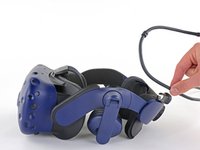
  3. HTC Vive Pro All-In-One Cable Replacement, Remove the All-In-One Cable: 3 단계, 이미지 3개 중 1개 HTC Vive Pro All-In-One Cable Replacement, Remove the All-In-One Cable: 3 단계, 이미지 3개 중 2개 HTC Vive Pro All-In-One Cable Replacement, Remove the All-In-One Cable: 3 단계, 이미지 3개 중 3개
    • Remove the All-In-One Cable from the cable guides along the left side of the head strap.

    • During reassembly, connect the All-In-One Cable to the headset before routing it through the cable guides. This will ensure it has the right amount of slack.

결론

Compare your new replacement part to the original part—you may need to transfer remaining components or remove adhesive backings from the new part before installing.

To reassemble your device, follow the above steps in reverse order.

Take your e-waste to an R2 or e-Stewards certified recycler.

Repair didn’t go as planned? Try some basic troubleshooting, or ask our Answers community for help.

작성자

1다른 기여자 명과 함께

Sam Omiotek

회원 가입일: 02/25/19

95,396 평판

안내서 290개를 작성함

0가이드 댓글

댓글 쓰기

조회 통계:

지난 24시간: 2

지난 7일: 16

지난 30일: 84

전체 시간: 3,683