소개
This is the most common but also the easiest component to replace on the Hitachi CP-X2010N projector. The air filter is responsible for cleaning the air that circulates through your device. If you notice excessive fan noise or difficulty keeping temperature down, the air filter might be dirty or clogged. The air filter will need replacement more often if the projector is operating in a dusty environment.
-
-
-
Lift the front of the projector up so the air filter tray is easily accessible.
 FixBot에 문의하기
-
-
-
-
Grab the handle at the bottom of the device and pull the air filter straight out.
-
-
-
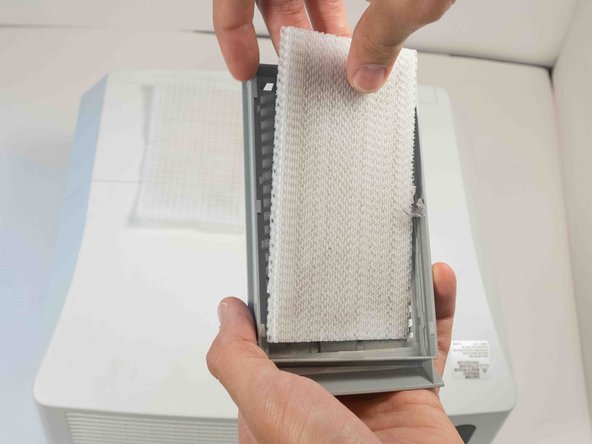
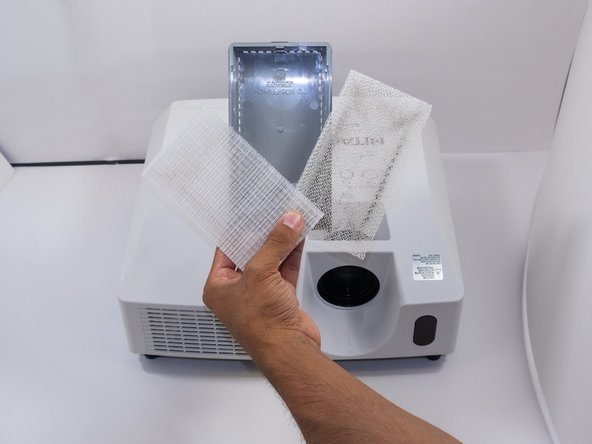
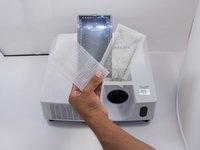
There are two filters in the tray. The top one is a fine mesh, and the bottom is a coarse mesh. Remove the fine mesh filter first.
-
Finally, remove the coarse mesh filter.
-
-


To reassemble your device, follow these instructions in reverse order.
다른 5명이 해당 안내서를 완성하였습니다.

팀

Austin Community College, Team 9-2, Watkins Fall 2022 Austin Community College, Team 9-2, Watkins Fall 2022 회원
AUSTINCC-WATKINS-F22S9G2
4 회원들
안내서 12개를 작성함
