소개
This guide will show you how to setup God Mode on newer versions of Windows (Known to work on 7-present), but is being demonstrated on a Windows 10 system. This mode is useful when you cannot readily find the settings in the legacy Control Panel or even the Settings app, and provides a quick list.
-
-
Select New
-
Select Folder under New.
-
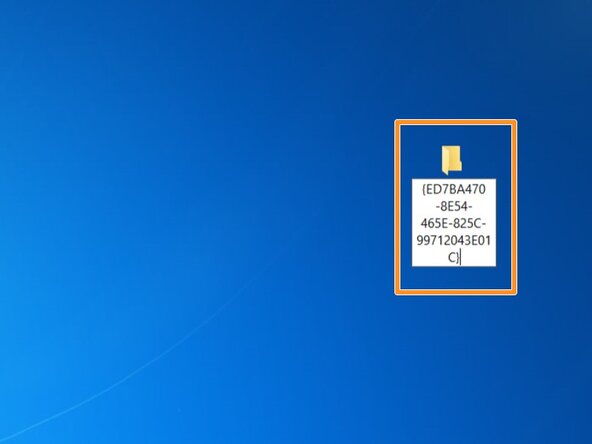
Copy this exactly as shown. DO NOT deviate: God Mode.{ED7BA470-8E54-465E-825C-99712043E01C}
-
Look for an icon that looks similar to the control panel. If you see this, God Mode is setup correctly.
 FixBot에 문의하기
-
-
-
-
Select New
-
Select Folder under New.
-
Copy this exactly as shown. DO NOT deviate: God Mode.{ED7BA470-8E54-465E-825C-99712043E01C}
-
Look for an icon that looks similar to the control panel. If you see this, God Mode is setup correctly.
-





To reassemble your device, follow these instructions in reverse order.
다른 한 분이 해당 안내서를 완성하였습니다.

팀

