주요 콘텐츠로 건너뛰기
수리 커뮤니티 가입 - 계정 만들기

Huawei Ascend W1 Battery Replacement

  1. Huawei Ascend W1 Battery Replacement, The phone's orientation.: 1 단계, 이미지 1개 중 1개
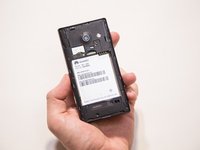
    • Flip the device over so that the back of the phone is facing you and the screen is against your palm.

  2. Huawei Ascend W1 Battery Replacement, Removing the back cover.: 2 단계, 이미지 1개 중 1개
    • Locate the slit at the bottom of the back cover.

    • Using your fingernail, lift up on the back cover to expose the battery.

  3. Huawei Ascend W1 Battery Replacement: 3 단계, 이미지 1개 중 1개
    • Lift the back cover off the phone.

    • The back cover is snapped onto the phone so you will feel it unsnapping as you remove it.

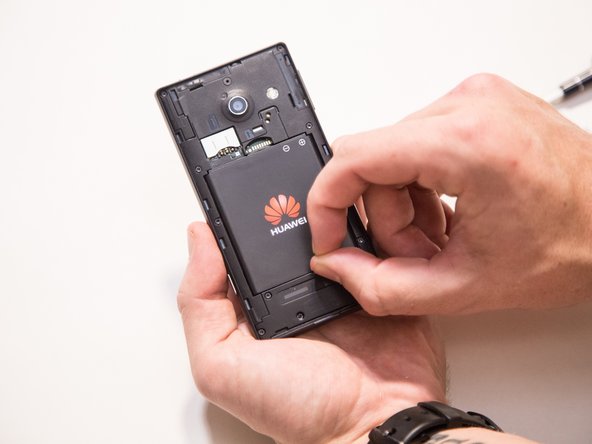
  4. Huawei Ascend W1 Battery Replacement, Removing the battery.: 4 단계, 이미지 3개 중 1개 Huawei Ascend W1 Battery Replacement, Removing the battery.: 4 단계, 이미지 3개 중 2개 Huawei Ascend W1 Battery Replacement, Removing the battery.: 4 단계, 이미지 3개 중 3개
    • Find the indented notch at the base of the battery.

    • Lift the battery out of the phone with your fingers by pressing forward and lifting upward.

결론

To reassemble your device, follow these instructions in reverse order.

다른 2명이 해당 안내서를 완성하였습니다.

작성자

3다른 기여자 명과 함께

Jaie Hillery

회원 가입일: 10/07/14

1,774 평판

안내서 10개를 작성함

0가이드 댓글

댓글 쓰기

조회 통계:

지난 24시간: 3

지난 7일: 15

지난 30일: 75

전체 시간: 1,594