주요 콘텐츠로 건너뛰기
수리 커뮤니티 가입 - 계정 만들기

Huawei Mate 8 Battery prereq

단지 전제 조건
이 가이드는 전제 조건만을 다룹니다! 이 가이드는 다른 절차의 일부이며 단독으로 사용할 수 없습니다.

필요한 것

  1. Huawei Mate 8 Battery prereq, Daughterboard interconnect cable: 1 단계, 이미지 3개 중 1개 Huawei Mate 8 Battery prereq, Daughterboard interconnect cable: 1 단계, 이미지 3개 중 2개 Huawei Mate 8 Battery prereq, Daughterboard interconnect cable: 1 단계, 이미지 3개 중 3개
    • Remove the liquid indicator sticker.

    • Remove the Phillips #00 screw that holds down the metal shield.

    • The metal shield is tightly held in place. If you try to remove it without holding it down on one side, it'll break easily.

    • Use a spudger to remove the metal shield.

  2. Huawei Mate 8 Battery prereq: 2 단계, 이미지 3개 중 1개 Huawei Mate 8 Battery prereq: 2 단계, 이미지 3개 중 2개 Huawei Mate 8 Battery prereq: 2 단계, 이미지 3개 중 3개
    • Use the flat end of a spudger to disconnect the display, daughterboard interconnect, and battery cables.

  3. Huawei Mate 8 Battery prereq: 3 단계, 이미지 1개 중 1개
    • Remove the Phillips #00 screw that holds down the interconnect cable bracket.

  4. Huawei Mate 8 Battery prereq: 4 단계, 이미지 2개 중 1개 Huawei Mate 8 Battery prereq: 4 단계, 이미지 2개 중 2개
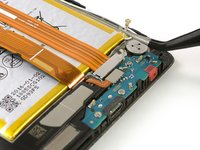
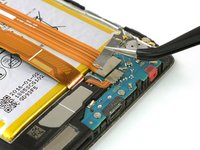
    • Lift the coaxial connector off of its socket to allow access to the daughterboard interconnect cable bracket.

    • Remove the bracket.

  5. Huawei Mate 8 Battery prereq: 5 단계, 이미지 1개 중 1개
    • Use a spudger to disconnect the interconnect cable.

    • Remove the interconnect cable.

결론

To reassemble your device, follow these instructions in reverse order. When reassembling your phone apply new adhesive where it is necessary.

작성자

3다른 기여자 명과 함께

Dominik Schnabelrauch

회원 가입일: 11/23/16

251,161 평판

안내서 682개를 작성함

iFixit iFixit 회원

Staff

124 회원들

안내서 24,153개를 작성함

0가이드 댓글

댓글 쓰기

조회 통계:

지난 24시간: 0

지난 7일: 2

지난 30일: 9

전체 시간: 151