소개
This guide shows how to replace an InFocus LP540 Projector Main Board.
The mainboard of a projector connects all the different functions, and when damaged, can cause the projector to stop working. So, if there are volume, video, connection, or power malfunctions with the projector, that may indicate that the mainboard may need to be replaced.
필요한 것
-
-
-
Flip the projector right-side up and turn it so that the back ports are facing you.
-
Remove the 7 mm metallic screws using the flat-head screwdriver.
-
Using the T10 Torx screwdriver, remove the two black 10 mm screws located at the center of the back panel.
 FixBot에 문의하기
-
-
-
Flip the projector over.
-
Use the T10 Torx screwdriver head to remove the two 77mm screws located nearest to the back panel ports.
-
Remove the two 10mm screws located near the lens side with the T10 Torx screwdriver head.
-
Flip the projector back over.
-
-
-
-
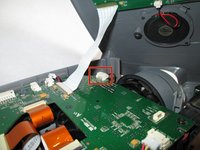
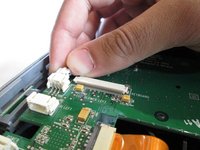
Unplug the speaker wire from the circuit board by simultaneously squeezing the sides and pulling.
-
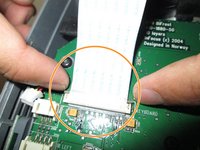
Pull on the brown tabs located at the sides of the white plastic ribbon holder and pull the ribbon out.
-
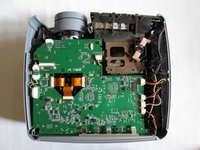
Remove the top cover.
-
-
-
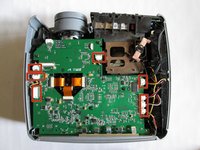
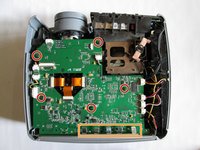
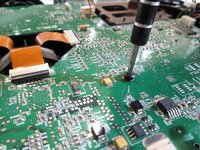
Use the T10 Torx screwdriver to remove the five 5mm screws located throughout the motherboard.
-
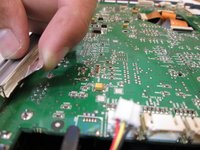
Pull up the five metal tabs located at the rear of the projector.
-
-
-
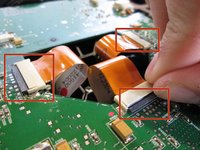
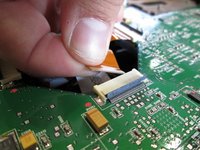
Remove the three gold ribbons by flipping up the black taps that hold the ribbon in place.
-
Pull the ribbons out carefully and place them under the main board.
-
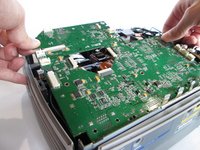
Carefully lift the entire main board up.
-
-








To reassemble your device, follow these instructions in reverse order.
다른 한 분이 해당 안내서를 완성하였습니다.

팀

Cal Poly, Team 13-17, Regan Winter 2014 Cal Poly, Team 13-17, Regan Winter 2014 회원
CPSU-REGAN-W14S13G17
6 회원들
안내서 15개를 작성함
