주요 콘텐츠로 건너뛰기

Kindle Paperwhite 2nd Generation Motherboard Replacement

필요한 것

  1. Kindle Paperwhite 2nd Generation Motherboard Replacement, Battery: 1 단계, 이미지 2개 중 1개 Kindle Paperwhite 2nd Generation Motherboard Replacement, Battery: 1 단계, 이미지 2개 중 2개
    • Insert plastic opening tool into the corners of the Paperwhite and slide around the edge perimeter to remove bezel.

    • Be sure to begin prying along the outer edges , these are the optimal points for removing the bezel.

    • Be careful and do not slide prying tool deeper than 3-4 mm under the side bezel or you could peel off screen protector film.

  2. Kindle Paperwhite 2nd Generation Motherboard Replacement: 2 단계, 이미지 2개 중 1개 Kindle Paperwhite 2nd Generation Motherboard Replacement: 2 단계, 이미지 2개 중 2개
    • Using a Screw Driver, Remove the eleven 3.2 mm Phillips 000 screws from corners of the mid-frame and from behind the black strip as shown.

    • Do not forget the screw in the middle of the black adhesive strip.

  3. Kindle Paperwhite 2nd Generation Motherboard Replacement: 3 단계, 이미지 1개 중 1개
    • Carefully remove the mid-frame from the back cover.

  4. Kindle Paperwhite 2nd Generation Motherboard Replacement: 4 단계, 이미지 2개 중 1개 Kindle Paperwhite 2nd Generation Motherboard Replacement: 4 단계, 이미지 2개 중 2개
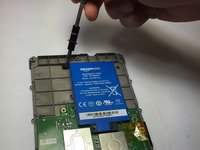
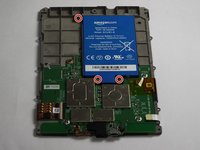
    • Use a screwdriver to remove the three 3.0 mm Phillips 000 screws that are holding the battery in place as shown.

  5. Kindle Paperwhite 2nd Generation Motherboard Replacement: 5 단계, 이미지 1개 중 1개
    • Carefully lift the battery and remove it from the device.

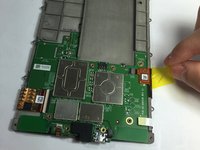
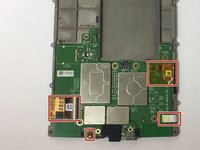
  6. Kindle Paperwhite 2nd Generation Motherboard Replacement, Motherboard: 6 단계, 이미지 2개 중 1개 Kindle Paperwhite 2nd Generation Motherboard Replacement, Motherboard: 6 단계, 이미지 2개 중 2개
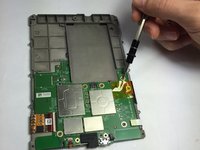
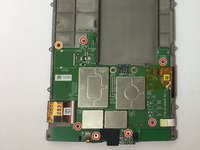
    • Use a screwdriver to remove the seven 3.0 mm Phillips 000 screws that are holding the motherboard in place as shown.

    • Don't lose the washer that is highlighted with an orange marker as shown. It is a necessary component to protect the screw.

  7. Kindle Paperwhite 2nd Generation Motherboard Replacement: 7 단계, 이미지 2개 중 1개 Kindle Paperwhite 2nd Generation Motherboard Replacement: 7 단계, 이미지 2개 중 2개
    • Gently disconnect the zif connectors.

    • Some of these connectors are very thin and fragile, handle with care!

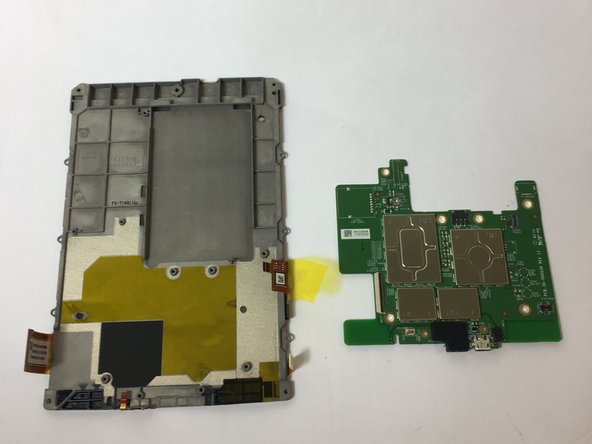
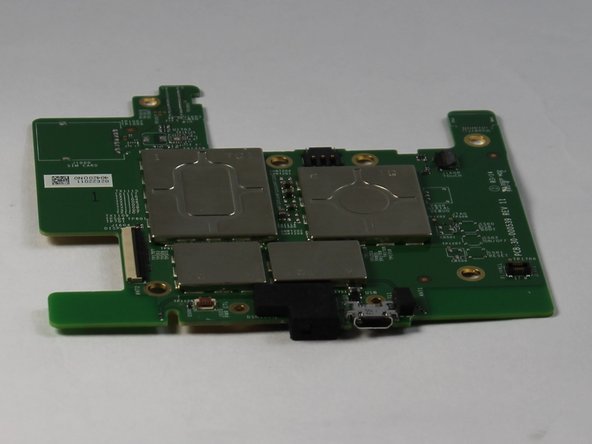
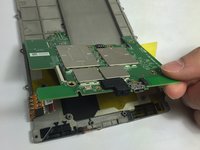
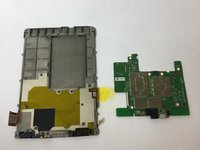
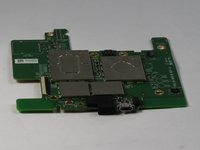
  8. Kindle Paperwhite 2nd Generation Motherboard Replacement: 8 단계, 이미지 3개 중 1개 Kindle Paperwhite 2nd Generation Motherboard Replacement: 8 단계, 이미지 3개 중 2개 Kindle Paperwhite 2nd Generation Motherboard Replacement: 8 단계, 이미지 3개 중 3개
    • Gently remove the motherboard.

결론

To reassemble your device, follow these instructions in reverse order.

다른 3명이 해당 안내서를 완성하였습니다.

작성자

4다른 기여자 명과 함께

Tyler Davis

회원 가입일: 09/15/16

1,869 평판

안내서 5개를 작성함

USF Tampa, Team 11-2, Blackwell Fall 2016 USF Tampa, Team 11-2, Blackwell Fall 2016 회원

USFT-BLACKWELL-F16S11G2

4 회원들

안내서 17개를 작성함

0가이드 댓글

댓글 쓰기

조회 통계:

지난 24시간: 2

지난 7일: 15

지난 30일: 63

전체 시간: 4,162