소개
This guide will show you how to open up your Blu-ray player and remove the disc drive, whether it is to install a new one or gain access to the disc drive's components like the reader and tray motor.
필요한 것
-
-
-
Remove the three black 3/16” Phillips #2 screws from the backside of the player.
-
With the backside (audio/video jacks) facing you, lift the part of the cover closer to you and pull until it is off.
 FixBot에 문의하기
-
-
-
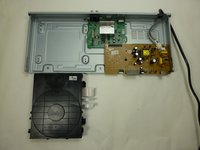
Using your fingers, pull the three tape-like cables to disconnect the disc drive from the green motherboard.
-
-
-
-
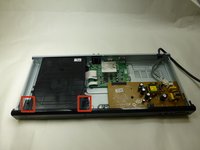
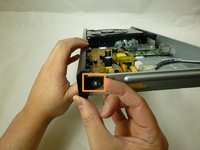
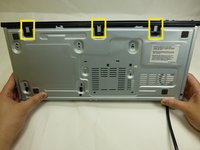
Unhinge the tabs that attach the front panel to the unit:
-
Two tabs on the disc drive
-
Two tabs on the left and right side of the player
-
Three tabs on the underside of the player
-
Pull panel away from case.
-
-
-
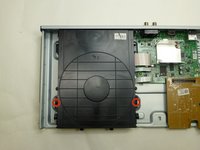
Remove the two black 3/16” Phillips #2 mounting screws from the left and right side of the disc drive.
-
With the front side facing you lift the front of disc drive and pull out to remove.
-
-



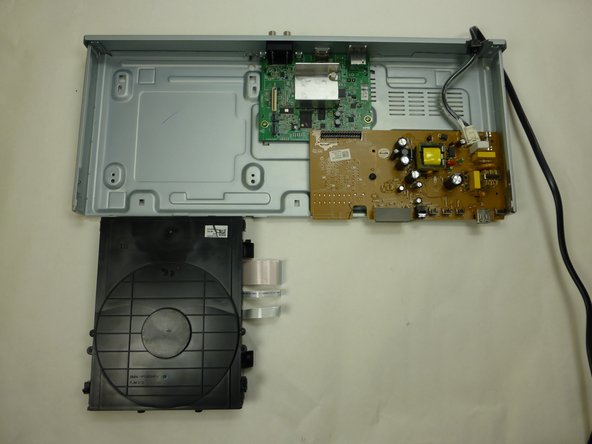
To reassemble your device, follow these instructions in reverse order.
다른 6명이 해당 안내서를 완성하였습니다.

팀

UW Tacoma, Team 1-1, Rose Winter 2015 UW Tacoma, Team 1-1, Rose Winter 2015 회원
UWT-ROSE-W15S1G1
4 회원들
안내서 15개를 작성함
