소개
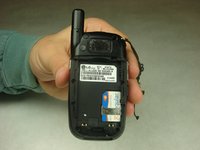
This guide will help in replacing the battery of the LG CU400. In this guide it will be explained how to remove the back cover and the battery from the phone, as well as replacing the battery.
-
-
-
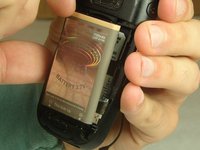
To remove the battery, grasp the top front edge of the battery and pull the battery away from the phone.
-


 FixBot에 문의하기


결론
To reassemble your device, follow these instructions in reverse order.
다른 2명이 해당 안내서를 완성하였습니다.

팀

IUPUI, Team 1-3, Harley Fall 2016 IUPUI, Team 1-3, Harley Fall 2016 회원
IUPUI-HARLEY-F16S1G3
4 회원들
안내서 14개를 작성함
