소개
This guide will show you how to replace the Motherboard.
필요한 것
-
-
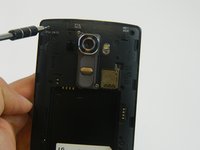
Remove the rear cover by placing the plastic opening tool in the groove on the bottom left side of the LG G4 and gently prying up.
 FixBot에 문의하기
-
-
-
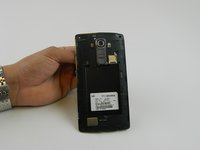
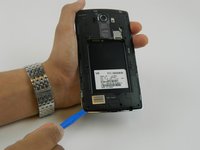
Place the plastic opening tool at the bottom edge of the battery and lift up. Carefully remove battery with your hands.
-
-
-
-
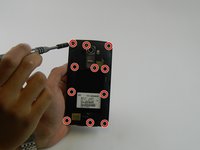
Once all the screws have been removed, place the plastic opening tool in the lower left corner and firmly lift the cover up.
-
Detach the cover with your fingers
-
-
-
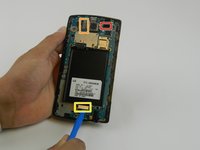
Remove the following four press-fit connectors with the flat edge of a plastic spudger or opening tool:
-
Front-facing camera connector.
-
Rear-facing camera connector.
-
Digitizer connector.
-
-
-
Remove the motherboard by lifting it up using the plastic opening tool and your fingers .
-




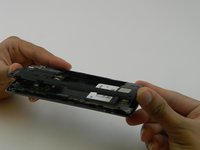
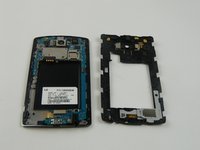


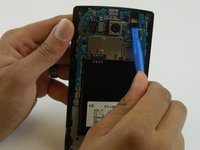


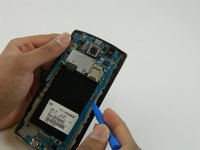
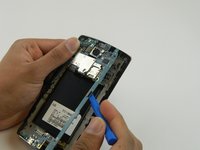
To reassemble your device, follow these instructions in reverse order.
다른 56명이 해당 안내서를 완성하였습니다.

팀

USF Tampa, Team 16-5, Wollert Fall 2015 USF Tampa, Team 16-5, Wollert Fall 2015 회원
USFT-WOLLERT-F15S16G5
4 회원들
안내서 20개를 작성함
25가이드 댓글
Where can I get a motherboard? I have been looking everywhere with no luck.
If you had it less then a year lg will send u a replacement but if your phone is damaged they will charge u just say it's not damage and swap the boards and send them the new one back so u won't be charged they won't notice I just did it
If my phone has the boot loop problem and i change the board will mi picture still be there ??
josean ramos - 답글 공유
Did you find a resolution to this problem? I am facing the same thing!
