주요 콘텐츠로 건너뛰기
수리 커뮤니티 가입 - 계정 만들기

LG Muziq LX570 Camera Replacement

필요한 것

  1. LG Muziq LX570 Camera Replacement, Front Case: 1 단계, 이미지 2개 중 1개 LG Muziq LX570 Camera Replacement, Front Case: 1 단계, 이미지 2개 중 2개
    • Use a spudger to remove the two screw covers below display.

    • Use a screw driver to remove the four Phillips #00 (3.3mm) screws at corners of the display.

  2. LG Muziq LX570 Camera Replacement: 2 단계, 이미지 3개 중 1개 LG Muziq LX570 Camera Replacement: 2 단계, 이미지 3개 중 2개 LG Muziq LX570 Camera Replacement: 2 단계, 이미지 3개 중 3개
    • Caution: Wires and ribbon connect the front case to the main body. Exhibit care when separating front case from the main body as to not break the connections.

    • Note: Side buttons may fall out when removing the front case. Do not misplace them.

    • Note: Each side button will only fit in the side that it came from.

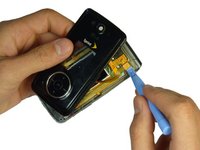
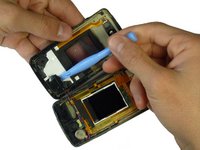
    • Insert a spudger between the black and grey casings and gently spread them apart.

    • Work around the device gradually, opening the gap further.

  3. LG Muziq LX570 Camera Replacement: 3 단계, 이미지 3개 중 1개 LG Muziq LX570 Camera Replacement: 3 단계, 이미지 3개 중 2개 LG Muziq LX570 Camera Replacement: 3 단계, 이미지 3개 중 3개
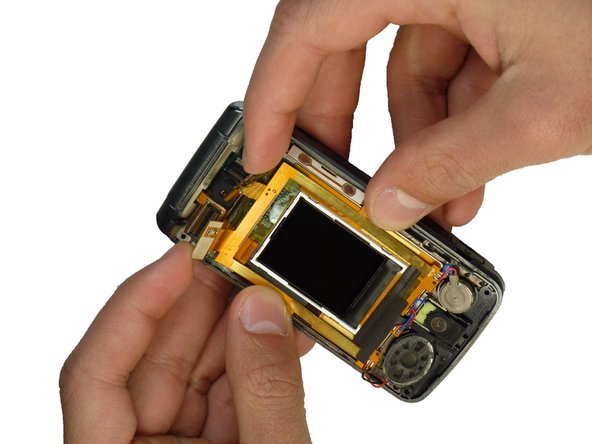
    • Caution: The wires and ribbon connector can break easily. Exhibit care when removing them.

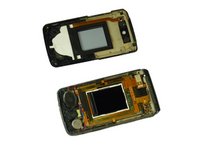
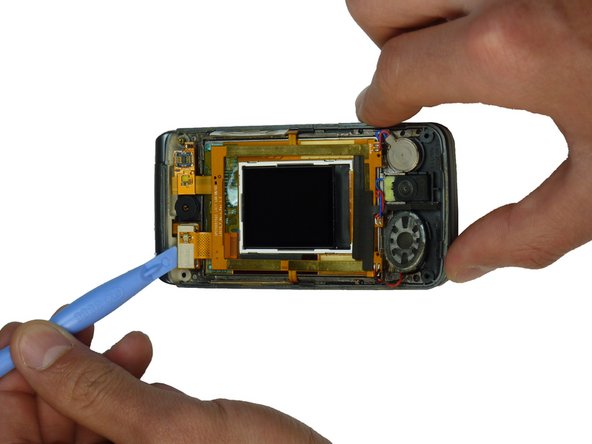
    • Use the spudger and lift upward to disconnect the ribbon from the main part of the phone.

    • Carefully remove any parts stuck to the front case such as speakers.

  4. LG Muziq LX570 Camera Replacement, Camera: 4 단계, 이미지 3개 중 1개 LG Muziq LX570 Camera Replacement, Camera: 4 단계, 이미지 3개 중 2개 LG Muziq LX570 Camera Replacement, Camera: 4 단계, 이미지 3개 중 3개
    • Disconnect the ribbons on both sides of the camera by prying them up with a spudger.

  5. LG Muziq LX570 Camera Replacement: 5 단계, 이미지 2개 중 1개 LG Muziq LX570 Camera Replacement: 5 단계, 이미지 2개 중 2개
    • Hold the wiring out of the way and pull up with a spudger behind the camera.

    • The camera unit should come unglued and separate from the phone.

결론

To reassemble your device, follow these instructions in reverse order.

작성자

5다른 기여자 명과 함께

Braden Burk

회원 가입일: 01/22/12

1 평판

안내서 5개를 작성함

Cal Poly, Team 3-29, Amido Winter 2012 Cal Poly, Team 3-29, Amido Winter 2012 회원

CPSU-AMIDO-W12S3G29

4 회원들

안내서 14개를 작성함

0가이드 댓글

댓글 쓰기

조회 통계:

지난 24시간: 1

지난 7일: 6

지난 30일: 39

전체 시간: 938