주요 콘텐츠로 건너뛰기
수리 커뮤니티 가입 - 계정 만들기

LG1010 Speaker Replacement

필요한 것

  1. LG1010 Speaker Replacement, Speaker: 1 단계, 이미지 2개 중 1개 LG1010 Speaker Replacement, Speaker: 1 단계, 이미지 2개 중 2개
    • Remove the two plastic screw covers below the inside phone screen.

  2. LG1010 Speaker Replacement: 2 단계, 이미지 1개 중 1개
    • Unscrew both screws using a Torx T6 screwdriver.

  3. LG1010 Speaker Replacement: 3 단계, 이미지 3개 중 1개 LG1010 Speaker Replacement: 3 단계, 이미지 3개 중 2개 LG1010 Speaker Replacement: 3 단계, 이미지 3개 중 3개
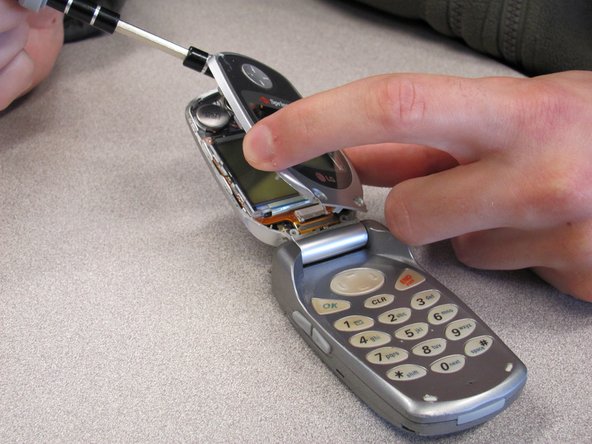
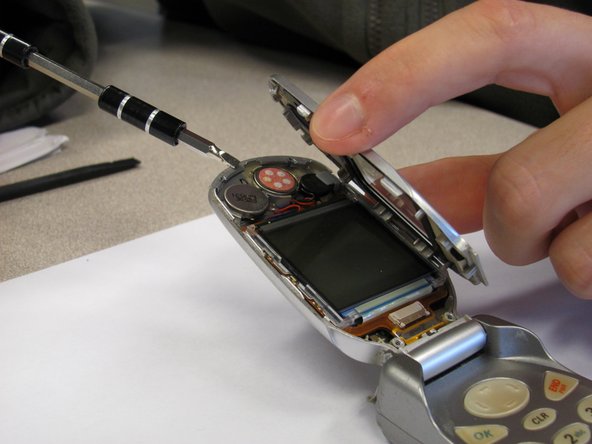
    • Pry off the screen front cover with a 3mm flathead screwdriver.

  4. LG1010 Speaker Replacement: 4 단계, 이미지 3개 중 1개 LG1010 Speaker Replacement: 4 단계, 이미지 3개 중 2개 LG1010 Speaker Replacement: 4 단계, 이미지 3개 중 3개
    • Pry off the speaker, which is glued onto the front cover, using a small flathead screwdriver.

  5. LG1010 Speaker Replacement: 5 단계, 이미지 1개 중 1개
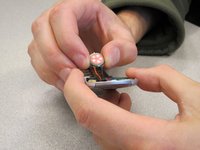
    • Unsolder the black and red wires of the speaker from where they are attached to the base of the screen.

  6. LG1010 Speaker Replacement: 6 단계, 이미지 1개 중 1개
    • Obtain replacement speaker and solder the new black and red wires back to the base of the screen.

  7. LG1010 Speaker Replacement: 7 단계, 이미지 1개 중 1개
    • Apply glue to the back of the speaker and place it back in its original position.

결론

To reassemble your device, follow these instructions in reverse order.

다른 한 분이 해당 안내서를 완성하였습니다.

작성자

7다른 기여자 명과 함께

Nicholas Schmidt

회원 가입일: 10/09/10

97 평판

안내서 7개를 작성함

Cal Poly, Team 3-25, Regan Fall 2010 Cal Poly, Team 3-25, Regan Fall 2010 회원

CPSU-REGAN-F10S3G25

4 회원들

안내서 14개를 작성함

0가이드 댓글

댓글 쓰기

조회 통계:

지난 24시간: 0

지난 7일: 8

지난 30일: 26

전체 시간: 994