소개
If certain keys on your keyboard fail to work or if it isn't working properly according to your laptop's Device Properties, keyboard replacement is probably necessary. However, this guide also acts as a predecessor to speaker replacement. Thankfully it is a simple replacement that only requires the use of a plastic opening tool.
필요한 것
-
-
Using a small plastic opening tool, pry off the keyboard starting at a point closest to you and working around the perimeter.
-
-
-
-
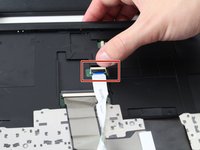
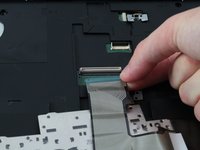
Flip up the ZIF connector that is holding the small ribbon cable in place.
-
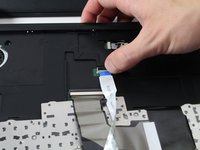
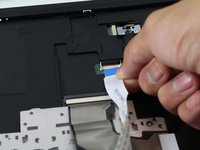
Proceed to pull out the small ribbon cable
-
-
-
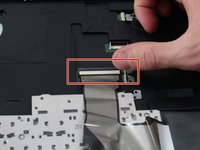
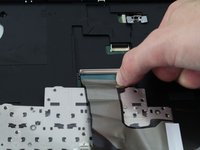
Flip up the ZIF connector that is holding the larger ribbon cable in place.
-
Proceed to pull out the large ribbon cable.
-

 FixBot에 문의하기




To reassemble your device, follow these instructions in reverse order.
다른 2명이 해당 안내서를 완성하였습니다.

팀

Cal Poly, Team 20-5, Livingston Fall 2016 Cal Poly, Team 20-5, Livingston Fall 2016 회원
CPSU-LIVINGSTON-F16S20G5
4 회원들
안내서 5개를 작성함
4가이드 댓글
Just as a note, there are two screws that keep that keyboard held in place. You need to remove the back panel and take out those two screws, otherwise you’re going to have a tough time. Also, you really don’t need the pry tool, once those screws are out, the keyboard slides off. The rest of the process is spot on.
Don’t forget the screws, otherwise you will never get the keyboard off or worse damage it during removal
celticxxtwin - 답글 공유
