필요한 것
-
-
-
Flip the laptop over so the bottom is facing you.
-
Remove the ten screws using a Phillips #1 screwdriver.
-
Using the plastic opening tool, pry the bottom cover off the laptop.
 FixBot에 문의하기
-
-
-
Remove two screws from the battery using a Phillips #1 screwdriver.
-
Disconnect the battery connector from the motherboard.
-
Remove the battery from the laptop.
-
-
-
-
-
-
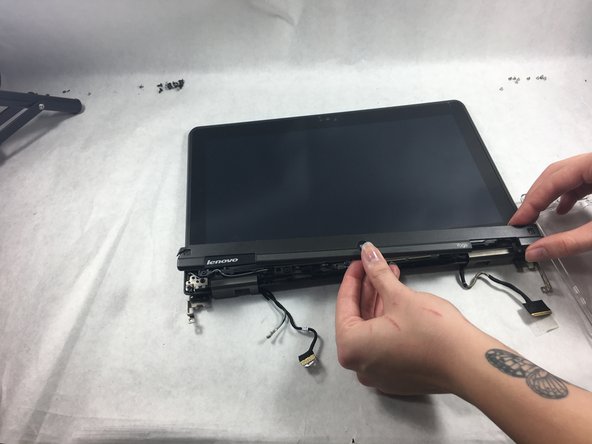
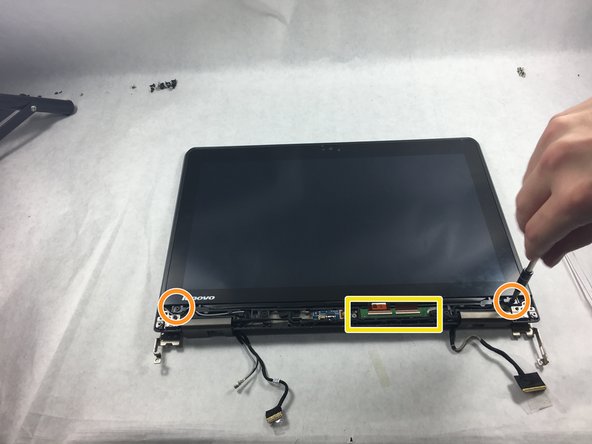
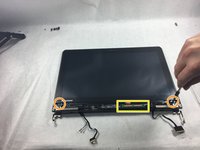
Remove two screws under the plastic covers on the front of the screen using a Phillips #0 screwdriver.
-
Pry the plastic cover off with a spudger.
-
Remove the two screws from underneath the cover using a Phillips #0 screwdriver.
-
Detach the screen connector from the rest of the laptop.
-
-



To reassemble your device, follow these instructions in reverse order.

팀

UMass Dartmouth, Team 4-4, Gulbrandsen Fall 2021 UMass Dartmouth, Team 4-4, Gulbrandsen Fall 2021 회원
UMASSD-GULBRANDSEN-F21S4G4
3 회원들
안내서 25개를 작성함
