주요 콘텐츠로 건너뛰기
수리 커뮤니티 가입 - 계정 만들기

Lexmark Intuition S505 Ink Cartridges Replacement

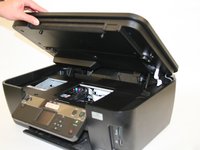
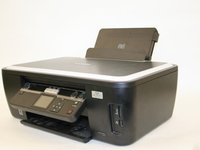
  1. Lexmark Intuition S505 Ink Cartridges Replacement, Ink Cartridges: 1 단계, 이미지 2개 중 1개 Lexmark Intuition S505 Ink Cartridges Replacement, Ink Cartridges: 1 단계, 이미지 2개 중 2개
    • Lift the scanning unit, exposing the print head.

  2. Lexmark Intuition S505 Ink Cartridges Replacement: 2 단계, 이미지 1개 중 1개
    • Locate the frame around the ink cartridges. Press the button located at the front of the cartridge frame.

  3. Lexmark Intuition S505 Ink Cartridges Replacement: 3 단계, 이미지 1개 중 1개
    • Lift the frame to expose the ink cartridges.

  4. Lexmark Intuition S505 Ink Cartridges Replacement: 4 단계, 이미지 1개 중 1개
    • Push the button located above the designated ink cartridge until it pops out.

  5. Lexmark Intuition S505 Ink Cartridges Replacement: 5 단계, 이미지 1개 중 1개
    • Pull the cartridge out, and place the new ink cartridge back into the slot. Push until you hear a click.

  6. Lexmark Intuition S505 Ink Cartridges Replacement: 6 단계, 이미지 2개 중 1개 Lexmark Intuition S505 Ink Cartridges Replacement: 6 단계, 이미지 2개 중 2개
    • Close the scanner unit.

결론

Once your ink cartridges are in place, your printer should now print high-quality documents.

다른 3명이 해당 안내서를 완성하였습니다.

작성자

4다른 기여자 명과 함께

Omar

회원 가입일: 01/23/13

132 평판

안내서 2개를 작성함

Cal Poly, Team 18-38, Regan Winter 2013 Cal Poly, Team 18-38, Regan Winter 2013 회원

CPSU-REGAN-W13S18G38

4 회원들

안내서 8개를 작성함

3가이드 댓글

Hello there, thanks for your demonstration. In case that the cartridges are not genuine (not a lexmark brand), will the printer will be able to print?

I own this model. Thanks in advance!

Dimitri Sideris - 답글

Merci beaucoup pour tout

Bouzebiba - 답글

Merci beaucoup pour votre compréhension et bonne journée également bisous 😚

Bouzebiba - 답글

댓글 쓰기

조회 통계:

지난 24시간: 3

지난 7일: 12

지난 30일: 29

전체 시간: 3,531