소개
This is a guide to replace a key on the Logitech Folio Touch that has fallen off.
필요한 것
-
-
-
Make sure you have all 3 peices of the key to be able to put it back together.
-
You should have: the key cap and the two plastic pieces
 FixBot에 문의하기
-
-
-
Clip the plastic piece with the circular cutout into the keycap.
-
-
-
-
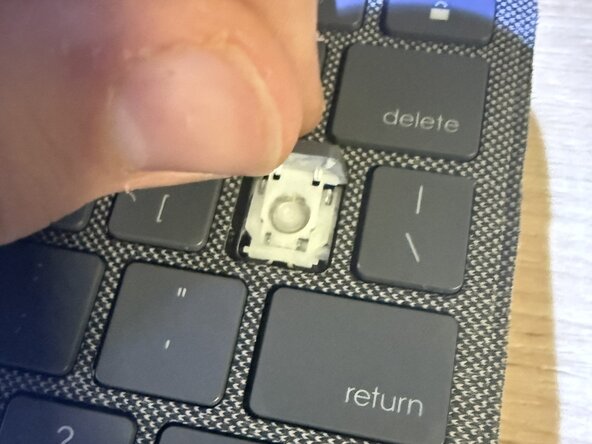
Lay the square plastic piece in the key slot and hook the holes in place. Make sure the divot on the square piece is facing down.
-
-
-
Slide the circle piece attached to the key cap through the square piece and try to slide it onto the hook.
-
This part may be tricky, you may need to use tweezers to lift up the square piece so you don't unhook it.
-
-
-
Finally, push down lightly on the key. Once you hear it snap into place, you should be done. Lightly shake the keyboard up and down to make sure it is securely in place.
-
If you do not hear it snap into place, and you feel resistance from it, make sure the plastic pieces are oriented the correct way.
-
If there is a snap but the key hangs upside down the plastic hooks on the keycap may be worn down. You can try to use tape to hold it in place then remove it once the keycap is in place.
-
-




If something is still not working consider reaching out to Logitech support for additional support.

