주요 콘텐츠로 건너뛰기
수리 커뮤니티 가입 - 계정 만들기

Logitech K480 Back Cover Replacement

필요한 것

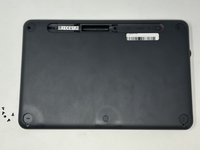
    1. Logitech K480 Back Cover Replacement, Back Cover: 1 단계, 이미지 1개 중 1개
      • Flip the keyboard over.

      댓글 쓰기

    2. Logitech K480 Back Cover Replacement: 2 단계, 이미지 3개 중 1개 Logitech K480 Back Cover Replacement: 2 단계, 이미지 3개 중 2개 Logitech K480 Back Cover Replacement: 2 단계, 이미지 3개 중 3개
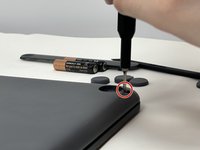
      • Remove the four rubber feet with a spudger.

      댓글 쓰기

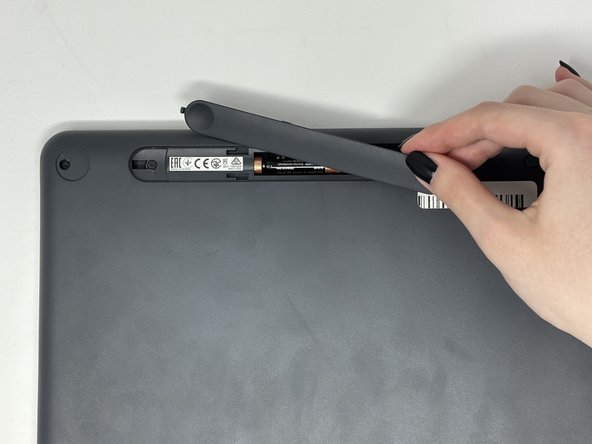
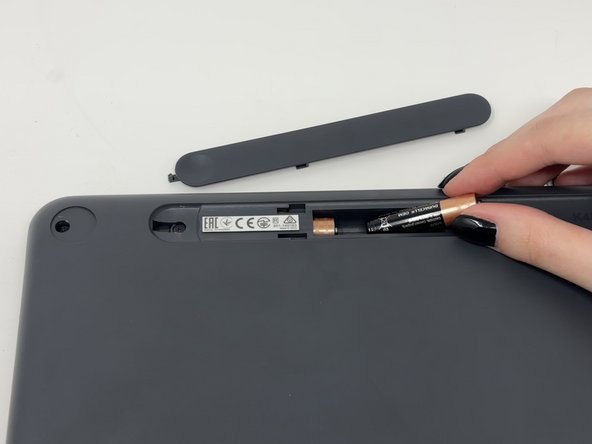
    3. Logitech K480 Back Cover Replacement: 3 단계, 이미지 3개 중 1개 Logitech K480 Back Cover Replacement: 3 단계, 이미지 3개 중 2개 Logitech K480 Back Cover Replacement: 3 단계, 이미지 3개 중 3개
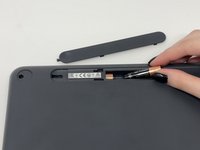
      • Slide open battery panel.

      • Remove the batteries.

      댓글 쓰기

    4. Logitech K480 Back Cover Replacement: 4 단계, 이미지 2개 중 1개 Logitech K480 Back Cover Replacement: 4 단계, 이미지 2개 중 2개
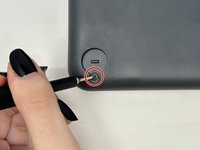
      • Remove the three 4 mm screws under the rubber feet using a Phillips #0 screwdriver.

      댓글 쓰기

    5. Logitech K480 Back Cover Replacement: 5 단계, 이미지 2개 중 1개 Logitech K480 Back Cover Replacement: 5 단계, 이미지 2개 중 2개
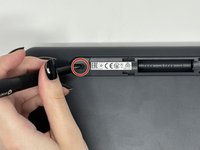
      • Remove the two 4 mm screws from beneath the battery cover using a Phillips #0 screwdriver.

      댓글 쓰기

    6. Logitech K480 Back Cover Replacement: 6 단계, 이미지 3개 중 1개 Logitech K480 Back Cover Replacement: 6 단계, 이미지 3개 중 2개 Logitech K480 Back Cover Replacement: 6 단계, 이미지 3개 중 3개
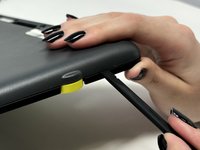
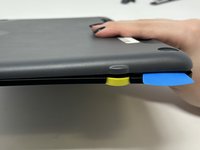
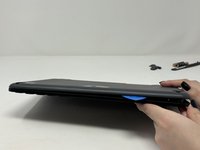
      • Starting by the dial, slide the spudger between the front and back panels until it lifts and snaps.

      • Slide a blue pick in to keep the pieces apart while you work on other areas.

      • Continue prying along the edges until you have enough opened that you can pull both pieces apart gently with your hands.

      • The loud snaps are the clips that hold the pieces together. They're not breaking and you do not need to be alarmed.

      댓글 쓰기

결론

To reassemble your device, follow these instructions in reverse order.

취소: 해당 안내서를 완성하지 않았습니다.

다른 3명이 해당 안내서를 완성하였습니다.

작성자

2다른 기여자 명과 함께

Madison

회원 가입일: 09/04/24

778 평판

안내서 4개를 작성함

0가이드 댓글

댓글 쓰기

조회 통계:

지난 24시간: 2

지난 7일: 26

지난 30일: 83

전체 시간: 1,014