소개
The M3D's fan is a crucial component of the M3D, and if it is faulty or broken, your printer won't operate ideally. A faulty fan might make your printer very noisy, or it might not properly cool down your prints, causing warping and inaccuracy. Luckily, the M3D Store sells affordable replacement fans, and the repair is very quick and easy. Aside from a tool to pry out the fan, such as a metal spudger, you don't need any special equipment, so this is a simple fix.
필요한 것
-
-
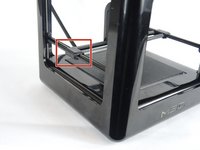
Slide the tracks off the second slider and remove the printer head and x-tracks from the center of the printer. To remove the front cover of the print head, firmly grip the cover and gently pull it off.
-
-
-
-
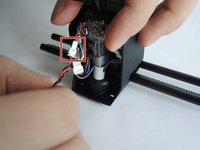
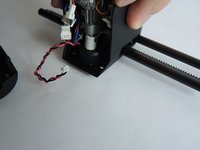
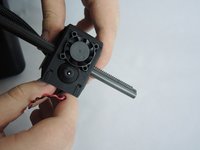
Disconnect the red and black wires at the white connector. They should easily separate.
-
-
-
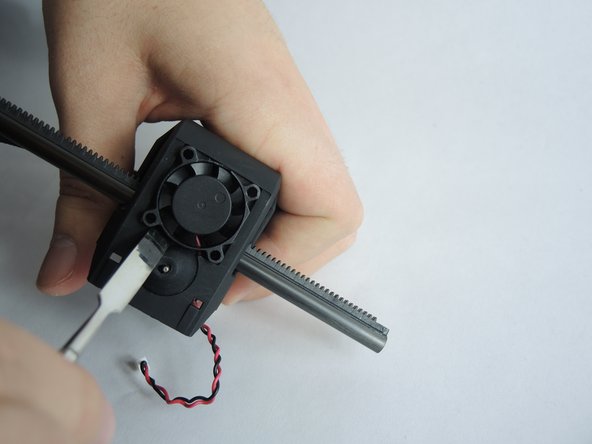
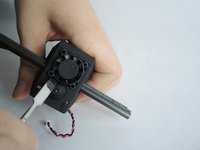
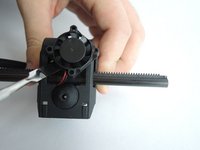
The fan is held loosely in place at the base of the printer head. Use a metal spudger to gently pry it out of the printer head.
-




 FixBot에 문의하기





To reassemble your device, follow these instructions in reverse order.

팀

USF Tampa, Team S3-G2, Nance Fall 2017 USF Tampa, Team S3-G2, Nance Fall 2017 회원
USFT-NANCE-F17S3G2
4 회원들
안내서 10개를 작성함
