소개
The Macintosh Powerbook 5300cs series was produced by Apple beginning in 1995.
Should you need to repair or replace the keyboard, this repair guide shows how to insert and remove the keyboard.
Repairing or replacing the keyboard will likely resolve any issues found with keyboard user input not registering on the machine.
There are no special skills required for this repair beyond familiarity with Apple products, including how to disconnect and reconnect the keyboard connector ribbon.
Tools needed include a Torx #9 screwdriver to remove the three .84 in. screws on the back of the laptop.
필요한 것
-
-
-
The battery compartment is located in the front-right side of the laptop.
 FixBot에 문의하기
-
-
-
To insert the battery, gently slide it into the compartment until it clicks in place.
-
To remove, slide the button highlighted in the red rectangle to the right to release the battery and slide it from the compartment.
-
-
-
-
-
-
With the laptop upside down and with the battery removed, use a Torx #9 screw driver to remove the three .84 in. screws shown.
-
-
-
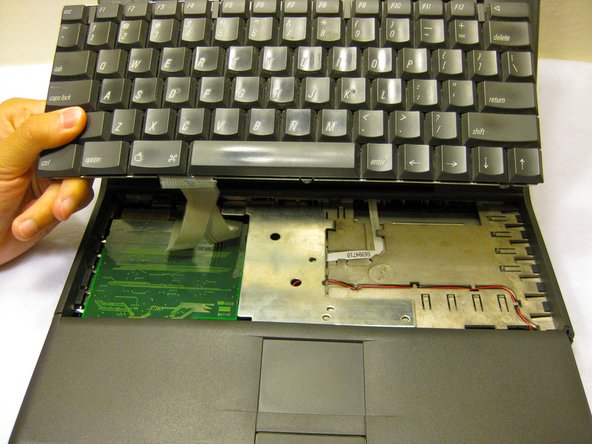
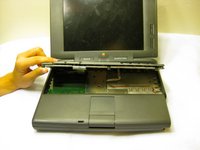
Carefully pull up on the front of the keyboard to pop it out from the case.
-
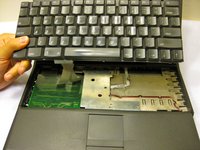
Then slide the back out so the keyboard becomes nearly free.
-
-
-
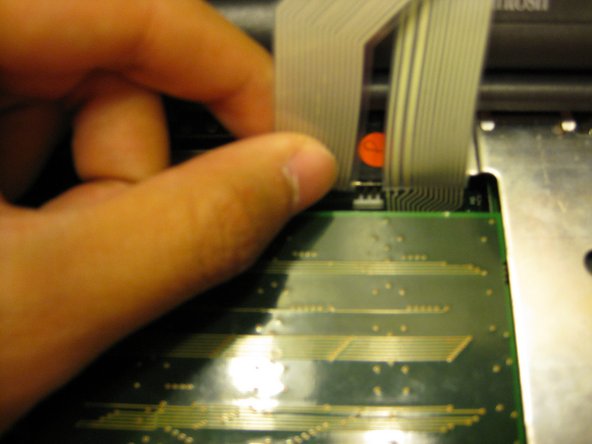
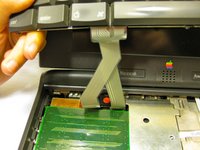
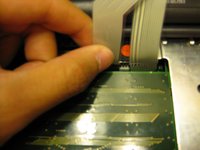
Disconnect the ribbon that is connecting the keyboard to the rest of the computer.
-
Pull the keyboard out and repair or replace as needed.
-
-



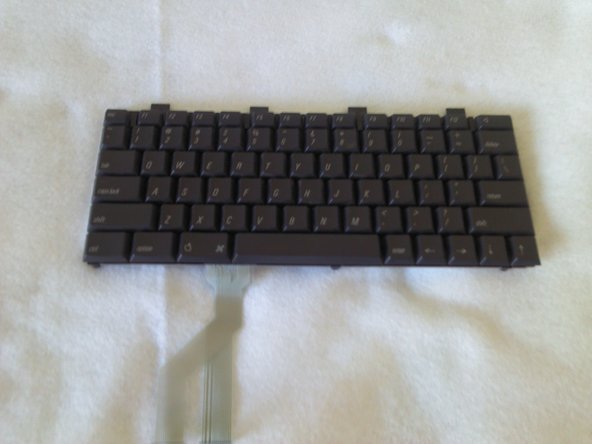
To reassemble your device, follow these instructions in reverse order.
다른 한 분이 해당 안내서를 완성하였습니다.

팀

Cal Poly, Team 6-1, Regan Fall 2011 Cal Poly, Team 6-1, Regan Fall 2011 회원
CPSU-REGAN-F11S6G1
4 회원들
안내서 40개를 작성함

